Skip to content
  • Categories
  • Recent
  • Tags
  • Popular
  • Users
  • Search
Skins
  • Light
  • Brite
  • Cerulean
  • Cosmo
  • Flatly
  • Journal
  • Litera
  • Lumen
  • Lux
  • Materia
  • Minty
  • Morph
  • Pulse
  • Sandstone
  • Simplex
  • Sketchy
  • Spacelab
  • United
  • Yeti
  • Zephyr
  • Dark
  • Cyborg
  • Darkly
  • Quartz
  • Slate
  • Solar
  • Superhero
  • Vapor

  • Default (No Skin)
  • No Skin
Collapse
hyperPad

hyperPad Forum

OrsoO

Orso

@Orso
About
Posts
3
Topics
1
Shares
0
Groups
0
Followers
0
Following
0

Posts

Recent Best Controversial

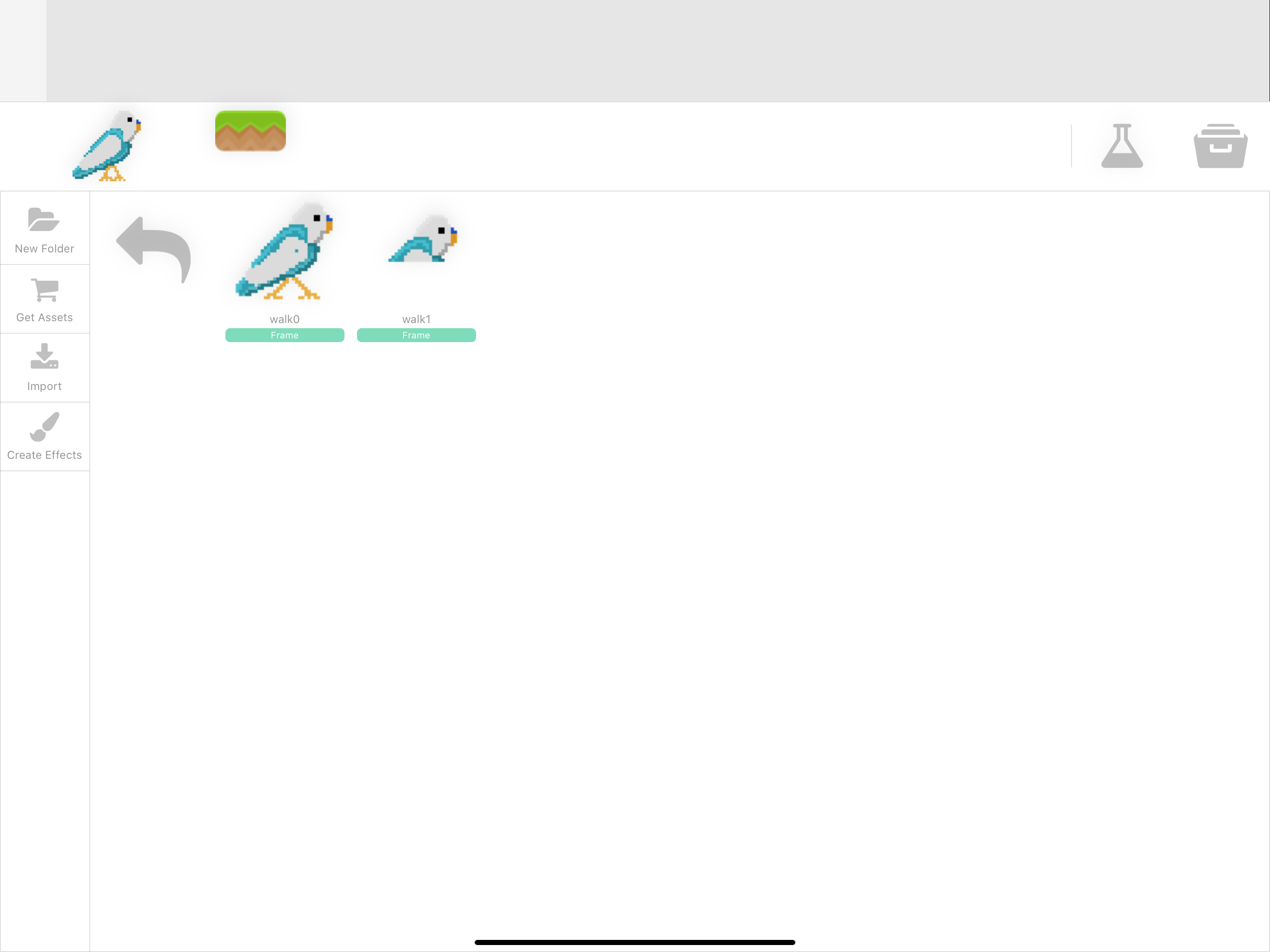
  • only top half of animation displayed
    OrsoO Orso

    Oh my god! You just saved me!
    It is true, I can confirm, importing through camera roll is the perfect way to end up with a complete mess! Importing from files: everything works perfectly!

    I would offer you a beer, but:

    1. I don’t know where you live and I don’t want to be sue for stalking 😂
    2. with all the social distancing measures around the globe we will just end up arrested or with a huge fine in the best case scenario

    So for now just accept my infinite gratitude. I can get back to work on my little project now 😊
    Help and Support

  • only top half of animation displayed
    OrsoO Orso

    D1F0CCB4-B4E0-4FDF-8D1D-96B9BE7F77B8.png
    This is what I mean

    Help and Support

  • only top half of animation displayed
    OrsoO Orso

    Re: Animations are broken.

    I’m having exactly the same problem.
    I created the images with multiple softwares, always saving them as .png.
    In the camera roll I can see they are png because clicking on them will show the black background. Also exporting them and opening them on a Mac confirmed they ARE .png.

    When I try to create an animation here, following the manual instruction step by step, I face the same problem reported by the OP.
    The software just import the first image, ignoring all the other.
    If the animation is made with 4 frames hyperPad just import the first one (correctly) and then clones it 3 times, for a total of 4 images. The first one is the actual first frame, but the other 3 images are not the one I selected but clones of the first one displaying only the top half!

    Help and Support
  • Login

  • Login or register to search.
  • First post
    Last post
0
  • Categories
  • Recent
  • Tags
  • Popular
  • Users
  • Search