
How to update scoring rollover's graphical representation?
-
My game has dozens of rollovers. Each of these, when the character rolls over them, generate a score.
They start by generating 100 points for each rollover.
Individually, they increment in value, based on the number of times they've been rolled over. And other influences from the game state.
The graphic representing the score for each rollover is made of two visual elements, an outline and a fill. They use different blend modes, and animate at different rates when rolled over. Hence the need for two different graphical elements.
Neither of these elements is the rollover. That's another visual element with geometry attached to it, which detects when it's rolled over.
This is the actual rollover. When it's rolled over, it broadcasts a message to the unique ID of textual graphical elements and effects elements related to it, and they animate accordingly.
How do I best change the value of the scores (the two textual graphical elements) in this process, in hyperPad?
Things start out with the scores greyed out: 100 outline and 100 fill graphics sit ontop of the rollover in a non-activated visual state that cues the player to consider them scoring rollovers. Muted saturation and low opacity.
They rollover, everything animates.
The next rollover may happen very soon after, before the animations are finished playing. I don't mind if the running animations are destroyed before incomplete, so long as the new graphical scores representations are instantly loaded and animated in the same manner.
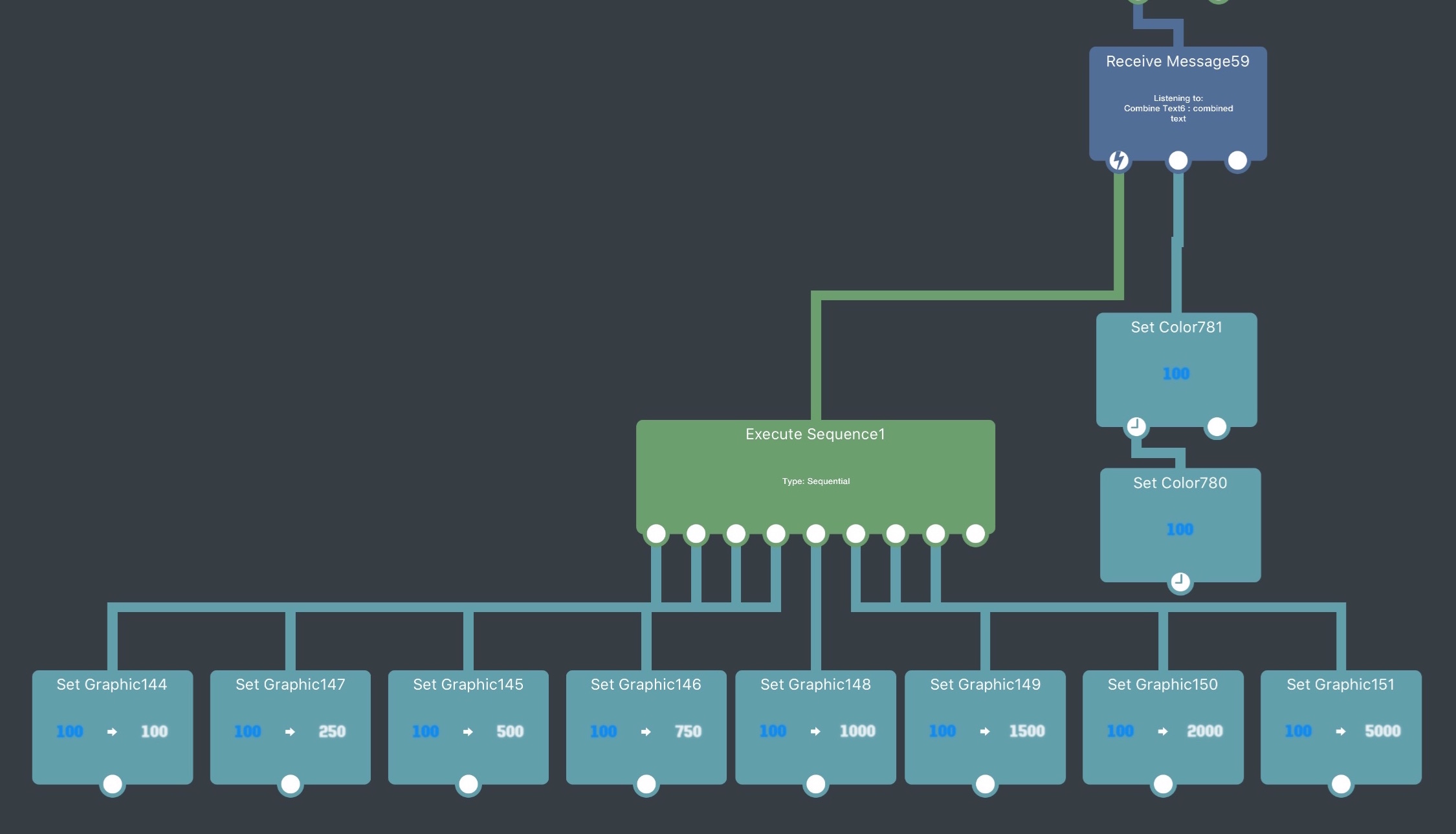
But how do I chain this so I have:
100 Outline
100 Fillreplaced by
250 Outline
250 Fillthen
500 Outline
500 Fillthen
750 Outline
750 Filletc...
for all of the dozens of rollovers, whenever they need their score graphic updated?
-
My game has dozens of rollovers. Each of these, when the character rolls over them, generate a score.
They start by generating 100 points for each rollover.
Individually, they increment in value, based on the number of times they've been rolled over. And other influences from the game state.
The graphic representing the score for each rollover is made of two visual elements, an outline and a fill. They use different blend modes, and animate at different rates when rolled over. Hence the need for two different graphical elements.
Neither of these elements is the rollover. That's another visual element with geometry attached to it, which detects when it's rolled over.
This is the actual rollover. When it's rolled over, it broadcasts a message to the unique ID of textual graphical elements and effects elements related to it, and they animate accordingly.
How do I best change the value of the scores (the two textual graphical elements) in this process, in hyperPad?
Things start out with the scores greyed out: 100 outline and 100 fill graphics sit ontop of the rollover in a non-activated visual state that cues the player to consider them scoring rollovers. Muted saturation and low opacity.
They rollover, everything animates.
The next rollover may happen very soon after, before the animations are finished playing. I don't mind if the running animations are destroyed before incomplete, so long as the new graphical scores representations are instantly loaded and animated in the same manner.
But how do I chain this so I have:
100 Outline
100 Fillreplaced by
250 Outline
250 Fillthen
500 Outline
500 Fillthen
750 Outline
750 Filletc...
for all of the dozens of rollovers, whenever they need their score graphic updated?
-
I ...What?
-
I ...What?
Hello! It looks like you're interested in this conversation, but you don't have an account yet.
Getting fed up of having to scroll through the same posts each visit? When you register for an account, you'll always come back to exactly where you were before, and choose to be notified of new replies (either via email, or push notification). You'll also be able to save bookmarks and upvote posts to show your appreciation to other community members.
With your input, this post could be even better 💗
Register Login