Skip to content
  • Categories
  • Recent
  • Tags
  • Popular
  • Users
  • Search
Skins
  • Light
  • Brite
  • Cerulean
  • Cosmo
  • Flatly
  • Journal
  • Litera
  • Lumen
  • Lux
  • Materia
  • Minty
  • Morph
  • Pulse
  • Sandstone
  • Simplex
  • Sketchy
  • Spacelab
  • United
  • Yeti
  • Zephyr
  • Dark
  • Cyborg
  • Darkly
  • Quartz
  • Slate
  • Solar
  • Superhero
  • Vapor

  • Default (No Skin)
  • No Skin
Collapse
hyperPad

hyperPad Forum

  1. Home
  2. Help and Support
  3. Dynamic Inventory

Dynamic Inventory

Scheduled Pinned Locked Moved Help and Support
6 Posts 3 Posters 1.6k Views 1 Watching
  • Oldest to Newest
  • Newest to Oldest
  • Most Votes
Reply
  • Reply as topic
Log in to reply
This topic has been deleted. Only users with topic management privileges can see it.
  • BD StudiosB Offline
    BD StudiosB Offline
    BD Studios
    wrote on last edited by
    #1

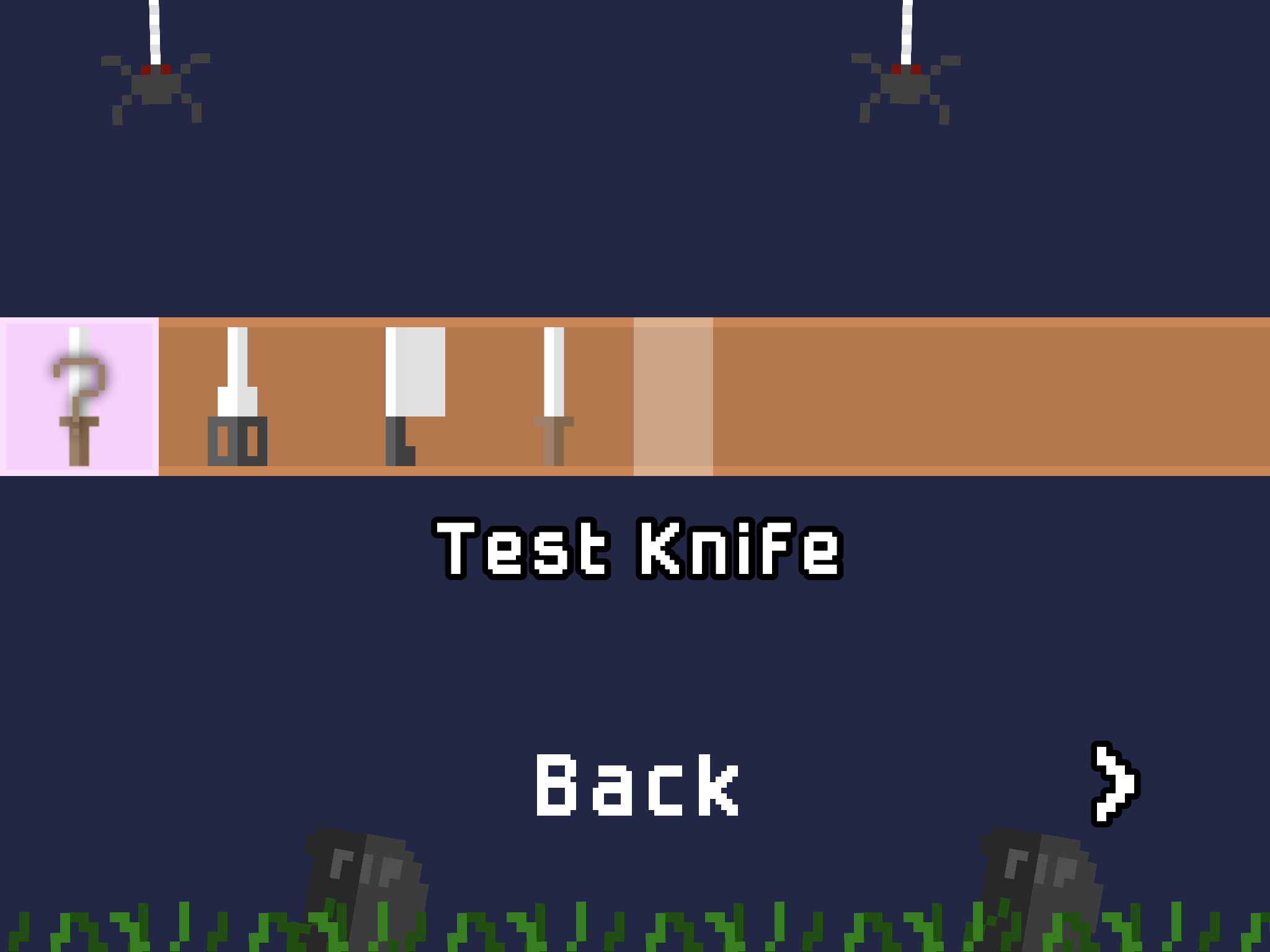
    I am creating a game that involves a shop system and a dynamic inventory, all my efforts have not succeeded so I thought I would ask the community for some advice, thanks in advance! Current inventory layout: 0_1538761120576_FA095DBF-A647-4B86-9FBF-159525E1931D.png
    Aidan_FireA 1 Reply Last reply
    0
    • BD StudiosB BD Studios

      I am creating a game that involves a shop system and a dynamic inventory, all my efforts have not succeeded so I thought I would ask the community for some advice, thanks in advance! Current inventory layout: 0_1538761120576_FA095DBF-A647-4B86-9FBF-159525E1931D.png

      Aidan_FireA Offline
      Aidan_FireA Offline
      Aidan_Fire
      wrote on last edited by
      #2

      @bd-studios I had a go at making an example that might hopefully help a bit. Link: http://bit.ly/2zU8D8H

      So in your project you would have the game create an array with the name or ID (that you make up) of every item you want to show up in the inventory. Then I think for you instead of setting a label that just says the name of the item you might have it use the ID to get the image of that item.

      1 Reply Last reply
      0
      • BD StudiosB Offline
        BD StudiosB Offline
        BD Studios
        wrote on last edited by
        #3

        Thanks, will have to check it out tomorrow!

        Aidan_FireA 1 Reply Last reply
        0
        • KamdroidK Offline
          KamdroidK Offline
          Kamdroid
          wrote on last edited by
          #4

          I use the spawned object position as a key to differentiate between them. But as you'll definitely know all the type of items that'll be spawned, Aidan's idea might be better.

          Hopefully we won't need to use such a hacky method once the object referencing update is out.

          1 Reply Last reply
          0
          • BD StudiosB BD Studios

            Thanks, will have to check it out tomorrow!

            Aidan_FireA Offline
            Aidan_FireA Offline
            Aidan_Fire
            wrote on last edited by
            #5

            Ohhh sorry I forgot I'm still on the beta, and some of what I did (object referencing) used new beta stuff. You might not even be able to run that project.

            1 Reply Last reply
            0
            • BD StudiosB Offline
              BD StudiosB Offline
              BD Studios
              wrote on last edited by
              #6

              I am on the beta, it works perfectly In your example

              1 Reply Last reply
              0

              Hello! It looks like you're interested in this conversation, but you don't have an account yet.

              Getting fed up of having to scroll through the same posts each visit? When you register for an account, you'll always come back to exactly where you were before, and choose to be notified of new replies (either via email, or push notification). You'll also be able to save bookmarks and upvote posts to show your appreciation to other community members.

              With your input, this post could be even better 💗

              Register Login
              Reply
              • Reply as topic
              Log in to reply
              • Oldest to Newest
              • Newest to Oldest
              • Most Votes


              • Login

              • Login or register to search.
              • First post
                Last post
              0
              • Categories
              • Recent
              • Tags
              • Popular
              • Users
              • Search

