
From HyperPad to AppStore upload?
-
-
-
Greetings:
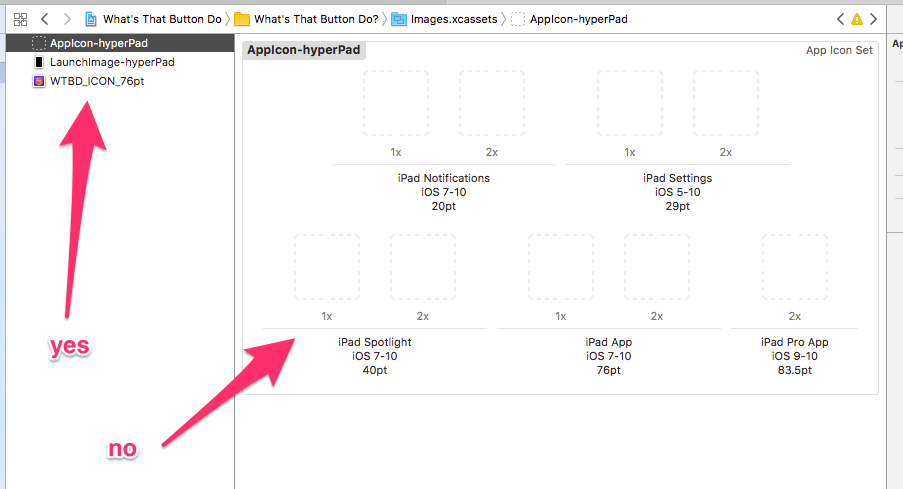
I'm trying to follow this tutorial and having a number of issues. First is icon related. I'm trying to drag my icons in as the tutorial says, but I don't seem to be able to do it correctly. I can drag an icon into the left column and create a new icon set, but can't drag the icon into the existing set. Any help?
Attaching screen grab.!
-
-
-
@Hamed Thanks for the quick response! I've been trying to drag from the finder to the dotted squares, but Xcode doesn't allow. The only place it will let me drop the icon is in the left column. Any ideas? I'm in Xcode 8. Thanks!


Hello! It looks like you're interested in this conversation, but you don't have an account yet.
Getting fed up of having to scroll through the same posts each visit? When you register for an account, you'll always come back to exactly where you were before, and choose to be notified of new replies (either via email, or push notification). You'll also be able to save bookmarks and upvote posts to show your appreciation to other community members.
With your input, this post could be even better 💗
Register Login