
Get Bounce above 100%: HOW?
-
-
The maximum value of bouncing properties are limited to 100%, on both objects involved in a collision.
Unfortunately this doesn't result in a 200% bounce ;)
Is it possible to get bounces with more energy than 100%?
@Deeeds Yes, but it’s not super simple like just setting bounce to 200%. You’d have to do it manually probably using Sine and Cosine functions (only needed if walls are on lots of different angles). Something like collided with bouncy wall, get velocity, multiply x and y velocity by -2, set velocity to new values (which would actually end up completely reversing direction with double speed).
-
@Deeeds Yes, but it’s not super simple like just setting bounce to 200%. You’d have to do it manually probably using Sine and Cosine functions (only needed if walls are on lots of different angles). Something like collided with bouncy wall, get velocity, multiply x and y velocity by -2, set velocity to new values (which would actually end up completely reversing direction with double speed).
@Aidan-Oxley I've just realised the least of my problems is the bouncing force...
This might give you an idea of the problem I'm trying to solve:
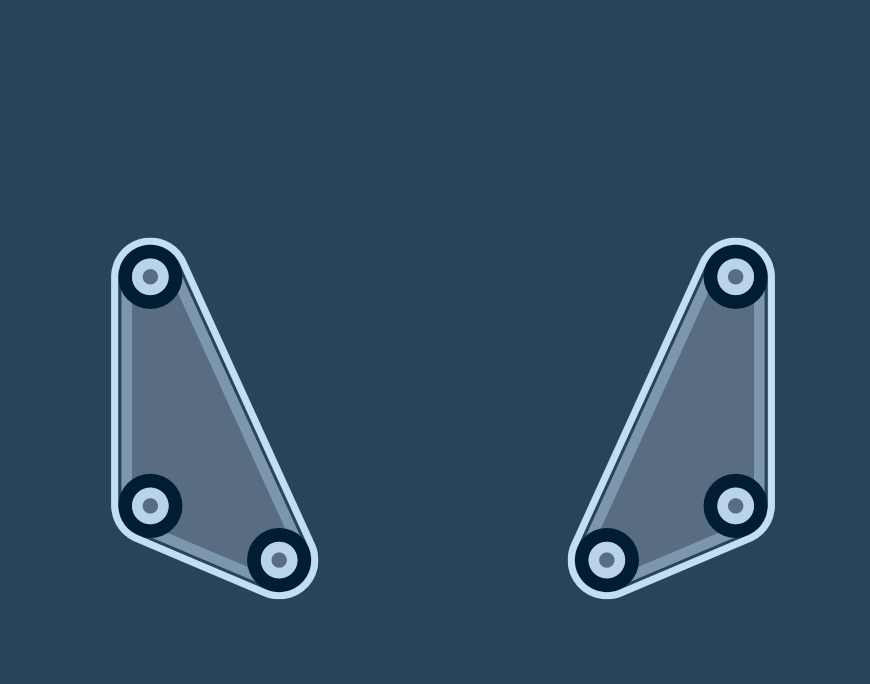
Without compound physics objects, or any kind of hierarchal linking/relationships, building one of these doesn't even ensure the other is the same.
-
@Aidan-Oxley I've just realised the least of my problems is the bouncing force...
This might give you an idea of the problem I'm trying to solve:
Without compound physics objects, or any kind of hierarchal linking/relationships, building one of these doesn't even ensure the other is the same.
@Aidan-Oxley Just figured out an easier way:
Do a "Stopped Colliding" from the bouncy material to the object that's bouncing, get the velocity of the bouncing object (ball), then multiply the X and Y values by the desired amount, then set the velocity of the ball accordingly.
It's not perfect, has a few bugs under heavy usage and fast happenings.
If I knew how to invert numbers I could do it on the initial collision, but this reports the incoming velocity, hence the need to invert the values.
-
@Aidan-Oxley I've just realised the least of my problems is the bouncing force...
This might give you an idea of the problem I'm trying to solve:
Without compound physics objects, or any kind of hierarchal linking/relationships, building one of these doesn't even ensure the other is the same.
@Deeeds interesting, never realised there was a limit on bounce. I'd set the bounce to 100% and then use 'collided' with 'get velocity' and multiply it by whatever multiplier you want on your bounce, then use set velocity. You might have to delay the behaviours a tick if the bounce doesn't happen before the get velocity activates.
Edit: your reply appeared after I pressed submit 😐
-
@Deeeds interesting, never realised there was a limit on bounce. I'd set the bounce to 100% and then use 'collided' with 'get velocity' and multiply it by whatever multiplier you want on your bounce, then use set velocity. You might have to delay the behaviours a tick if the bounce doesn't happen before the get velocity activates.
Edit: your reply appeared after I pressed submit 😐
@Jack8680 said in Get Bounce above 100%: HOW?:
Yeah, it's an odd restriction, not having higher values for bounce. It's in every physics engine, but someone must have gotten "safety conscious" and decided against surfacing it to users. Could come with a warning. I'll "file" another feature request. Shouldn't have to use unreliable get and sets to increase bounciness.


Hello! It looks like you're interested in this conversation, but you don't have an account yet.
Getting fed up of having to scroll through the same posts each visit? When you register for an account, you'll always come back to exactly where you were before, and choose to be notified of new replies (either via email, or push notification). You'll also be able to save bookmarks and upvote posts to show your appreciation to other community members.
With your input, this post could be even better 💗
Register Login