
Tips & Tricks for hyperPad Development
-
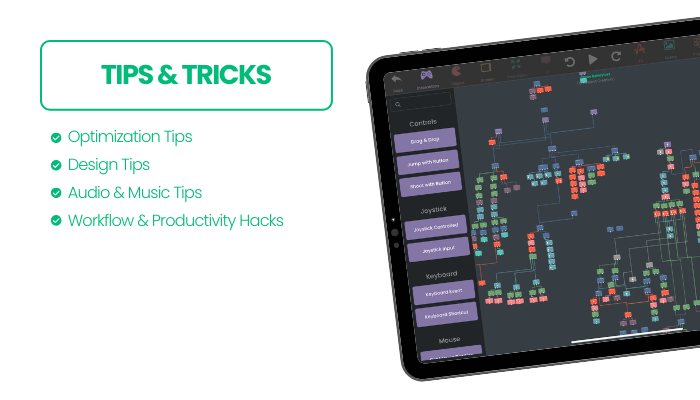
🚀 Level Up Your hyperPad Skills! 🚀
Looking to improve your hyperPad projects? Here are some tips & tricks to help you develop faster, design better, and create more engaging experiences!
🔥 Optimization Tips:
- Use triggered behaviors efficiently to avoid unnecessary calculations.
- Reduce physics objects where possible to improve performance.
- Optimize assets by compressing images and sounds before importing.
🎨 Design Tips:
- Stick to a consistent art style for a polished look.
- Use layers to organize objects for better control.
- Try parallax backgrounds for a more immersive game world!
🎵 Audio & Music Tips:
- Use background music loops for a seamless experience.
- Adjust sound effects timing to match animations.
- Keep file sizes small by compressing sounds before importing.
⚡ Workflow & Productivity Hacks:
- Save time with custom templates for reusable logic.
- Use naming conventions to keep projects organized.
- Test on multiple devices to ensure compatibility.
What’s your best hyperPad tip?
- Found a unique way to use behaviors? Share your setup!
- Struggling with complex logic? Get help troubleshooting.
- How can you optimize performance for larger projects?
- What hidden hyperPad features or shortcuts have you discovered?
Drop it in the comments! 👇💡
-
 K KrystalYee locked this topic on
-
K KrystalYee pinned this topic on
Hello! It looks like you're interested in this conversation, but you don't have an account yet.
Getting fed up of having to scroll through the same posts each visit? When you register for an account, you'll always come back to exactly where you were before, and choose to be notified of new replies (either via email, or push notification). You'll also be able to save bookmarks and upvote posts to show your appreciation to other community members.
With your input, this post could be even better 💗
Register Login