Skip to content
  • Categories
  • Recent
  • Tags
  • Popular
  • Users
  • Search
Skins
  • Light
  • Brite
  • Cerulean
  • Cosmo
  • Flatly
  • Journal
  • Litera
  • Lumen
  • Lux
  • Materia
  • Minty
  • Morph
  • Pulse
  • Sandstone
  • Simplex
  • Sketchy
  • Spacelab
  • United
  • Yeti
  • Zephyr
  • Dark
  • Cyborg
  • Darkly
  • Quartz
  • Slate
  • Solar
  • Superhero
  • Vapor

  • Default (No Skin)
  • No Skin
Collapse
hyperPad

hyperPad Forum

  1. Home
  2. Help and Support
  3. How to Stay inside a background object with different devices

How to Stay inside a background object with different devices

Scheduled Pinned Locked Moved Help and Support
8 Posts 2 Posters 59 Views 1 Watching
  • Oldest to Newest
  • Newest to Oldest
  • Most Votes
Reply
  • Reply as topic
Log in to reply
This topic has been deleted. Only users with topic management privileges can see it.
  • MrAeon1111M Offline
    MrAeon1111M Offline
    MrAeon1111
    wrote last edited by
    #1

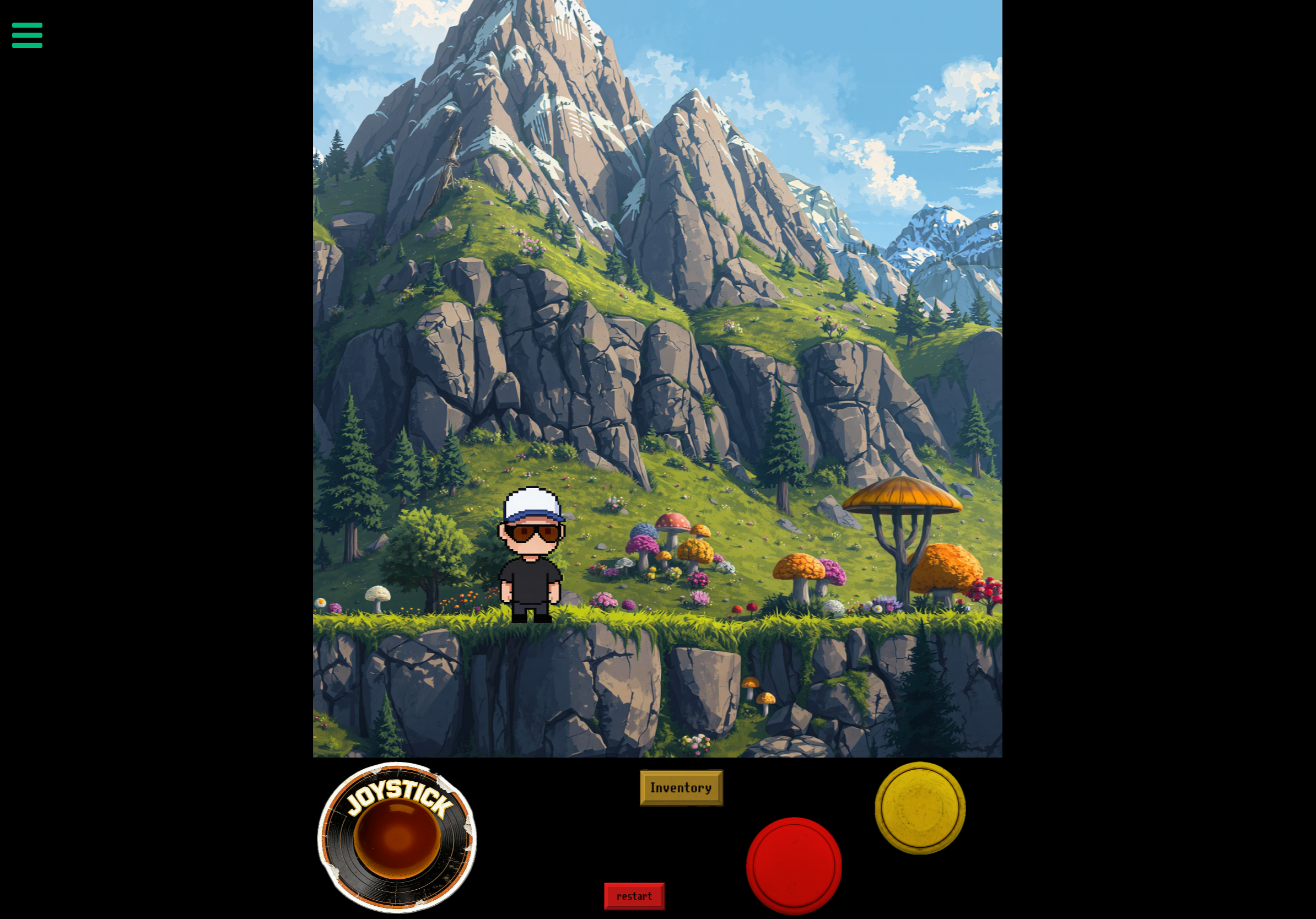
    The project is designed for iPad in portrait (4:3), and I want it to work on taller iPhones (like 19:9) without ever seeing outside my background.
    On iPad, I don’t need any Screen Follow because everything already fits nicely in the screen.
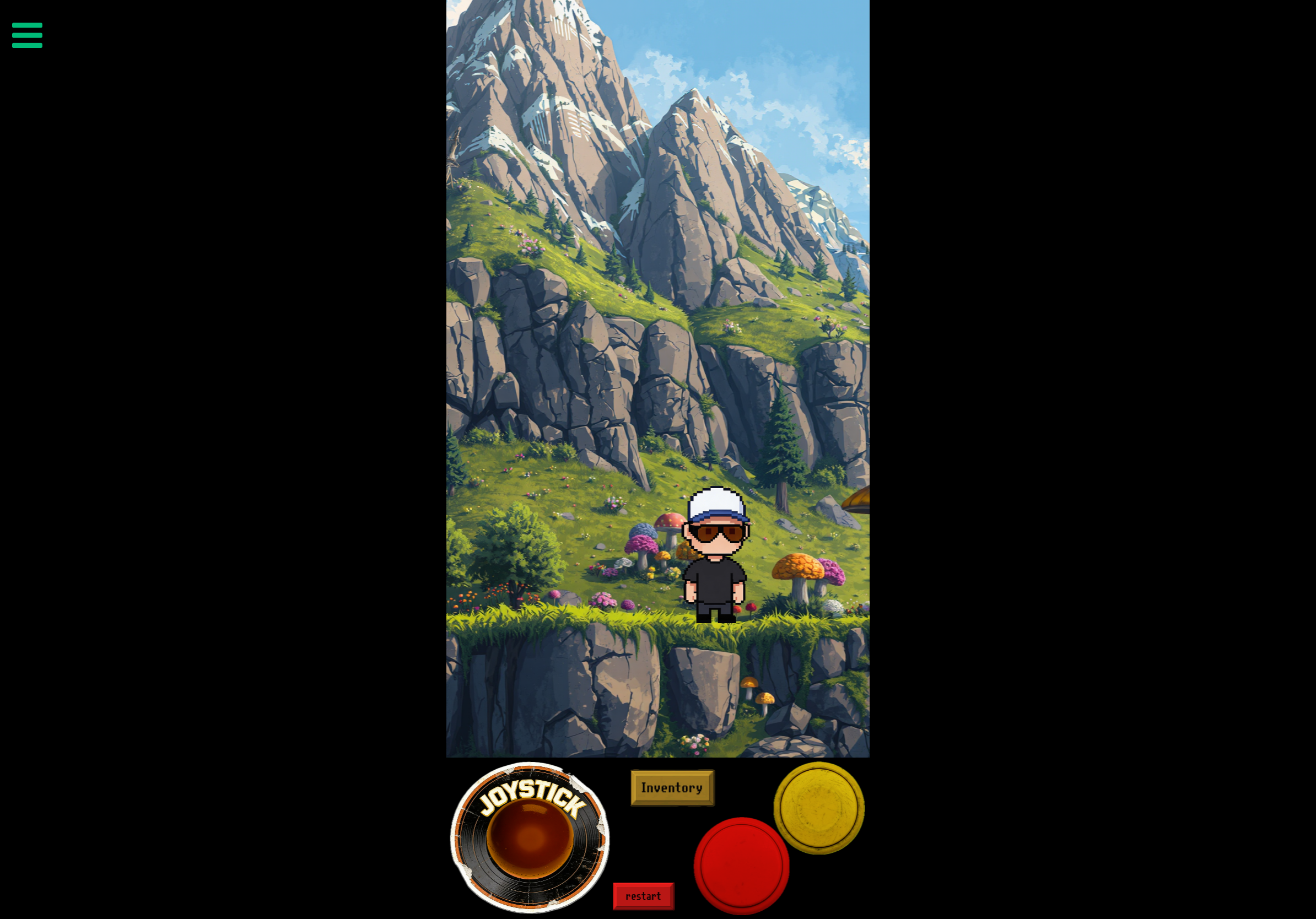
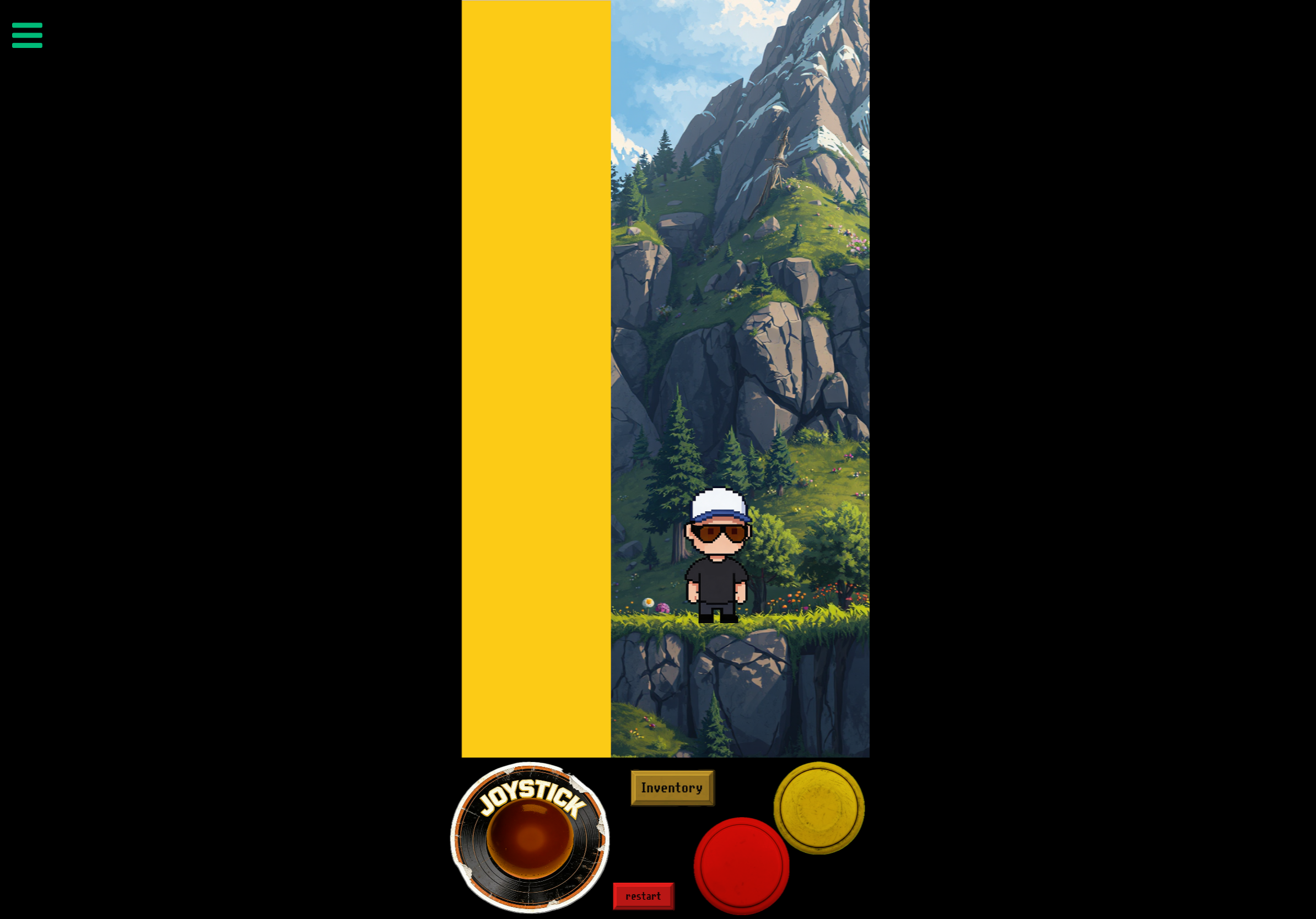
    On iPhone, since the device is taller and shows less content horizontally, I want the view to follow the player (Screen Follow), but it must stay clamped inside my big background object.
    Basically, I need a system where the screen only moves on iPhone, and never beyond the edges of my background.
    The final goal is that, on any device, the player should never see anything outside the original iPad background area.

    So I use a get screen and a if to switch from iPad to iPhone that part is okay.
    But after that, I don’t know how to do…

    1 Reply Last reply
    1
    • MrAeon1111M Offline
      MrAeon1111M Offline
      MrAeon1111
      wrote last edited by
      #2

      IMG_2878.png
      IMG_2879.png
      IMG_2880.png

      1 Reply Last reply
      0
      • MrAeon1111M Offline
        MrAeon1111M Offline
        MrAeon1111
        wrote last edited by MrAeon1111
        #3

        I would like to be able to stay in the iPad format for if you will.
        The follow screen doesn’t work.
        There should be a function that I’m not aware of.

        Stay in object or stay in background.

        1 Reply Last reply
        0
        • MrAeon1111M Offline
          MrAeon1111M Offline
          MrAeon1111
          wrote last edited by
          #4

          I would need something like conform to screen. But not the current screen. Confirm to iPad screen when I am on iPhone. Something like that.

          1 Reply Last reply
          0
          • RobinsonXR Offline
            RobinsonXR Offline
            RobinsonX
            wrote last edited by
            #5

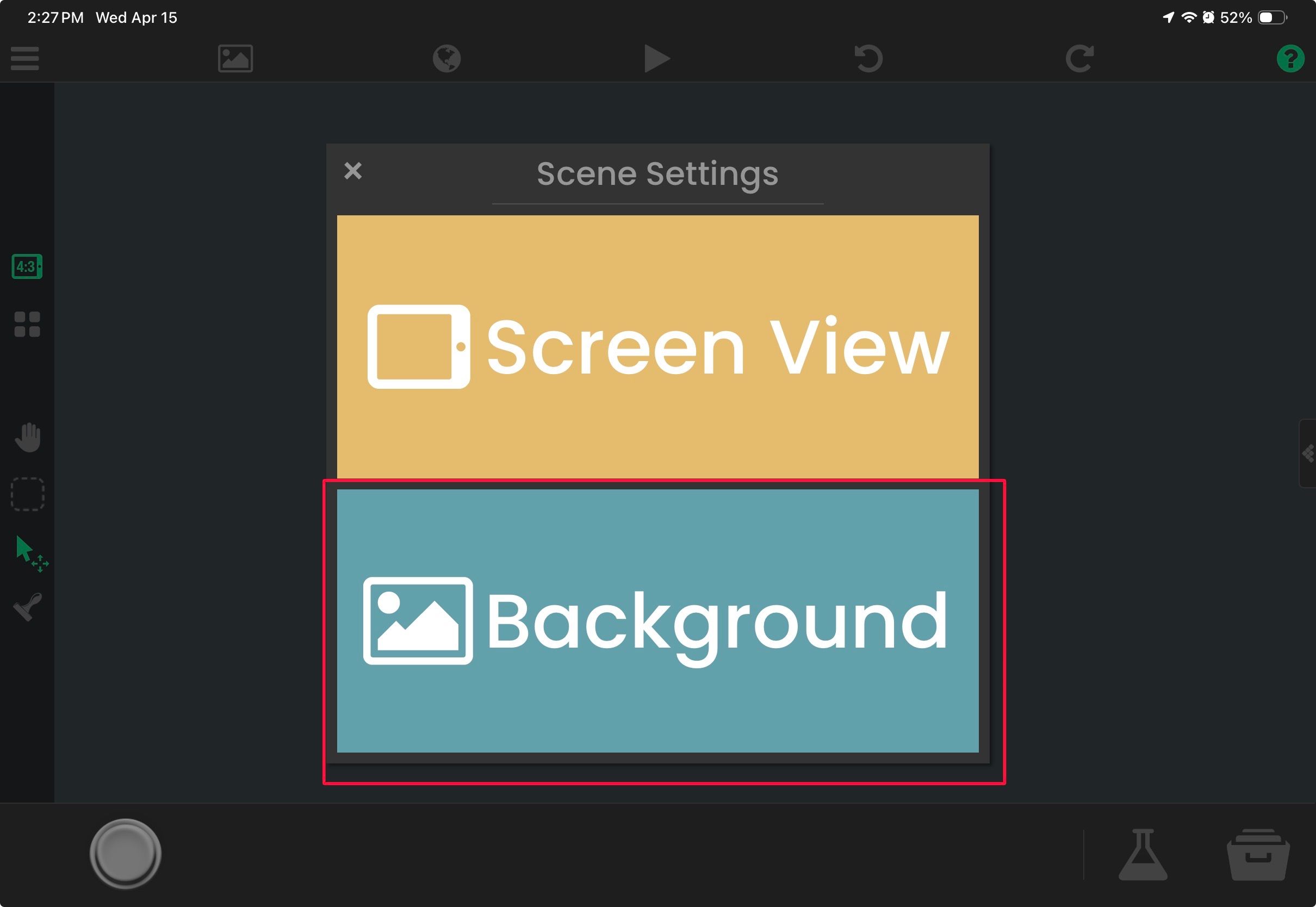
            IMG_8681.jpeg
            Why not use the built-in background option in scene settings? It has the option to do Aspect Fill so the background will always fill the entire screen without stretching

            1 Reply Last reply
            0
            • MrAeon1111M Offline
              MrAeon1111M Offline
              MrAeon1111
              wrote last edited by
              #6

              It’s not about filling the screen. I’d like my iPhone view to move inside the larger image shown on the iPad.
              The iPad would act as the main canvas. On the iPhone, the visible area should be able to move left and right so I can see the whole image. Since the iPhone screen is too narrow, I can’t see the sides, but I still want the app to be usable on iPhone as well.
              I don’t want to cram all the important elements into the middle just to fit the iPhone. Instead, when I move my character, I want the iPhone “camera” to move too, all the way until it reaches the edges of what the iPad can see..

              1 Reply Last reply
              0
              • MrAeon1111M Offline
                MrAeon1111M Offline
                MrAeon1111
                wrote last edited by
                #7

                Have you ever done something like this?

                1 Reply Last reply
                0
                • RobinsonXR Offline
                  RobinsonXR Offline
                  RobinsonX
                  wrote last edited by
                  #8

                  No I never had the need to do anything like this, but if I'm understanding this correctly, you want the image to clamp to the screen's boundaries when the image is larger than the screen.

                  There's no built-in way to do this.
                  The easiest thing I can think of is moving the image to the player every frame (Frame Event --> Move to Object) and then using the Clamp Value behavior. You can clamp the x and y position of the image as it moves and restrict it to a rectangular area. You would have to account for the dimensions of the image and the screen.
                  1 Reply Last reply
                  0

                  Hello! It looks like you're interested in this conversation, but you don't have an account yet.

                  Getting fed up of having to scroll through the same posts each visit? When you register for an account, you'll always come back to exactly where you were before, and choose to be notified of new replies (either via email, or push notification). You'll also be able to save bookmarks and upvote posts to show your appreciation to other community members.

                  With your input, this post could be even better 💗

                  Register Login
                  Reply
                  • Reply as topic
                  Log in to reply
                  • Oldest to Newest
                  • Newest to Oldest
                  • Most Votes


                  • Login

                  • Login or register to search.
                  • First post
                    Last post
                  0
                  • Categories
                  • Recent
                  • Tags
                  • Popular
                  • Users
                  • Search