
Hit by bullet management tips & tricks
-
Hello,
Can you please give me some advice? How to manage that?
I am working on the bullet hell.
I have enemies shooting with shoot.
When I choose hit by bullet I have to choose the source of shoot every single time?
So if I have 100 enemies shooting three different type of bullet each. How do I manage that?The bullets are not objects unfortunately.
-
In the Hit by Bullet behavior, you can leave the behavior blank to handle all bullets. The behavior outputs
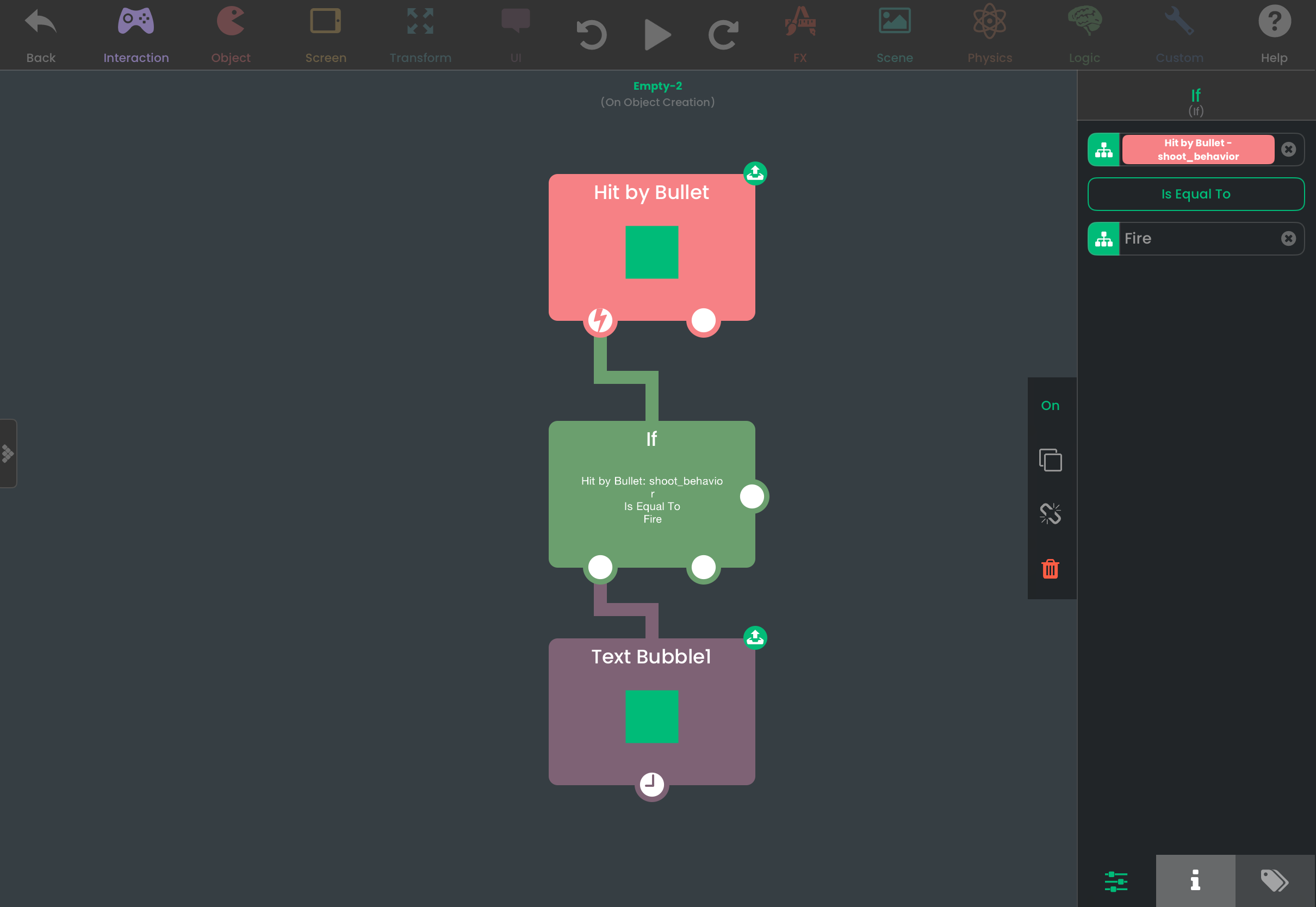
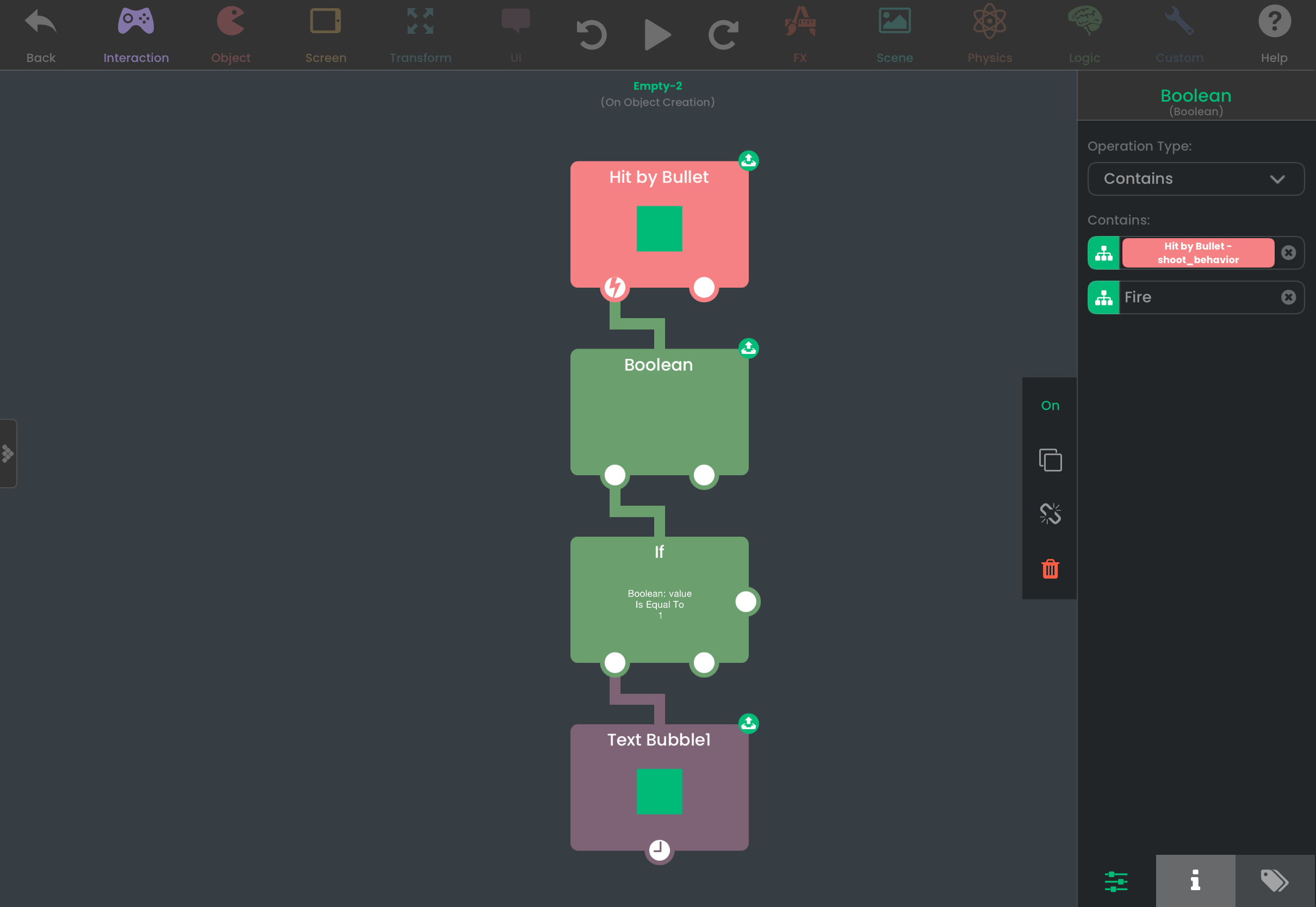
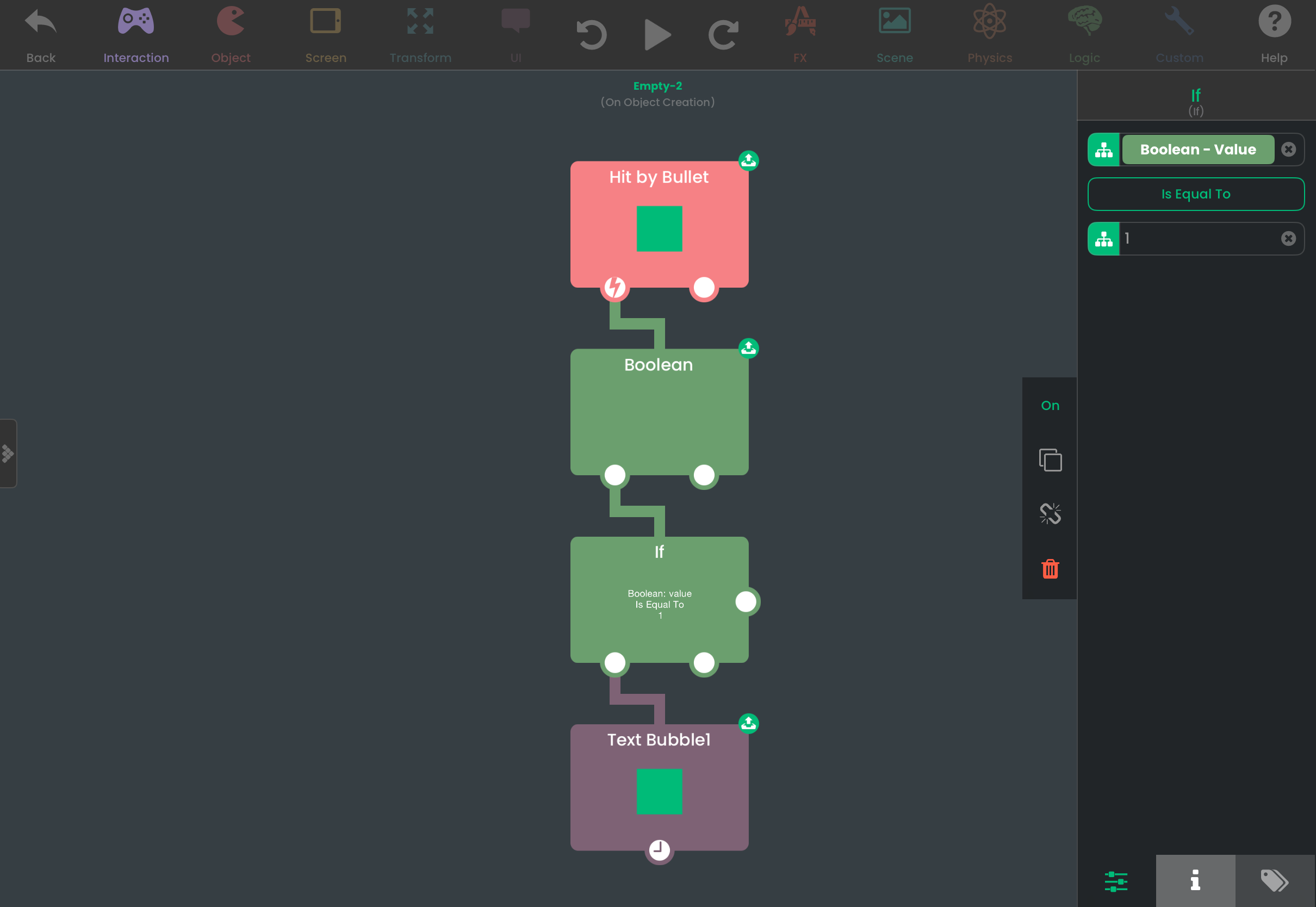
shoot_behavior, which is the name of the behavior that the bullet comes from. You can check the name of the behavior to see which behavior the bullet came from, and from there you could handle logic differently depending on what type of bullet hit you. You are also givenshooterwhich is the object the bullet originated from. This also works for spawned objects - it will give the same name when the same shoot behavior is used across different spawned objects (in other words, no additional work is needed for spawned enemies).If you named your shoot behaviors appropriately, it will be easy to distinguish between different types of bullets. Even if you have multiple shoot behaviors with similar names, you can use a Boolean behavior to check if the name contains a specific text. So something like
"Fire"and"Fire1"will still work. The Boolean behavior outputs 0 (false) or 1 (true), and you can use an If behavior to only trigger specific logic when the output is 1.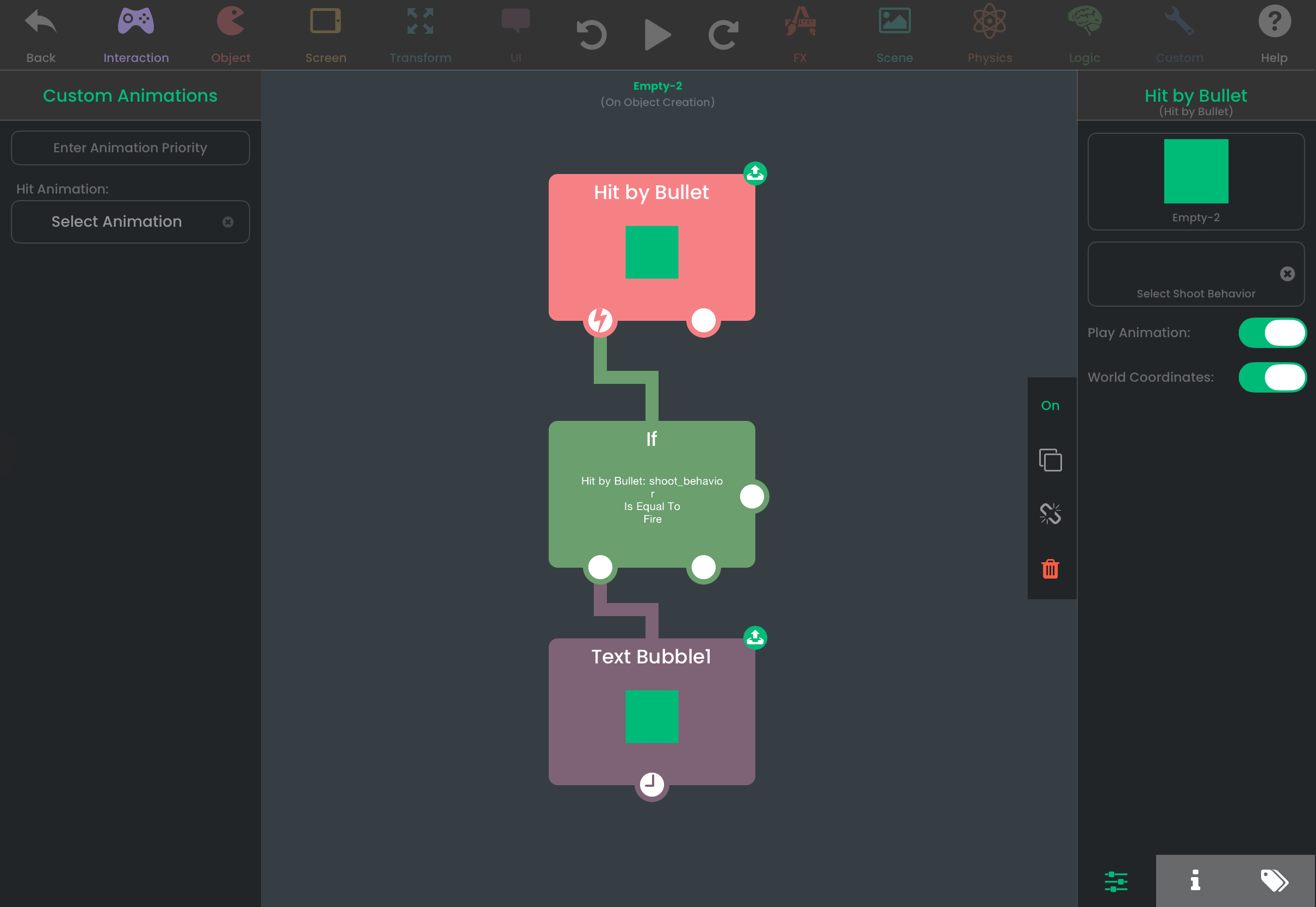
Hello! It looks like you're interested in this conversation, but you don't have an account yet.
Getting fed up of having to scroll through the same posts each visit? When you register for an account, you'll always come back to exactly where you were before, and choose to be notified of new replies (either via email, or push notification). You'll also be able to save bookmarks and upvote posts to show your appreciation to other community members.
With your input, this post could be even better 💗
Register Login