Skip to content
  • Categories
  • Recent
  • Tags
  • Popular
  • Users
  • Search
Skins
  • Light
  • Brite
  • Cerulean
  • Cosmo
  • Flatly
  • Journal
  • Litera
  • Lumen
  • Lux
  • Materia
  • Minty
  • Morph
  • Pulse
  • Sandstone
  • Simplex
  • Sketchy
  • Spacelab
  • United
  • Yeti
  • Zephyr
  • Dark
  • Cyborg
  • Darkly
  • Quartz
  • Slate
  • Solar
  • Superhero
  • Vapor

  • Default (No Skin)
  • No Skin
Collapse
hyperPad

hyperPad Forum

  1. Home
  2. Bug Reports
  3. Can't Reproduce / Expired
  4. PhaseScriptExecution Failed Xcode Error

PhaseScriptExecution Failed Xcode Error

Scheduled Pinned Locked Moved Can't Reproduce / Expired
13 Posts 2 Posters 4.3k Views 1 Watching
  • Oldest to Newest
  • Newest to Oldest
  • Most Votes
Reply
  • Reply as topic
Log in to reply
This topic has been deleted. Only users with topic management privileges can see it.
  • HamedH Offline
    HamedH Offline
    Hamed
    Admin
    wrote on last edited by
    #2

    Are you using Xcode 10?

    LulaBayL 2 Replies Last reply
    0
    • HamedH Hamed

      Are you using Xcode 10?

      LulaBayL Offline
      LulaBayL Offline
      LulaBay
      wrote on last edited by
      #3

      @hamed sorry for the delay I’ve been busy, yes I’m using the latest version of Xcode even tried it on the beta version of 10.1

      1 Reply Last reply
      0
      • HamedH Hamed

        Are you using Xcode 10?

        LulaBayL Offline
        LulaBayL Offline
        LulaBay
        wrote on last edited by
        #4

        @hamed it happened again on my latest Xcode build, the last build worked after I submitted the app again for export it worked that time. From what I’m reading online that particular error has to do with the version of pods. But I will resubmit again and see if it works on this next build.

        1 Reply Last reply
        0
        • HamedH Offline
          HamedH Offline
          Hamed
          Admin
          wrote on last edited by
          #5

          @lulabay said in PhaseScriptExecution Failed Xcode Error:

          @hamed sorry for the delay I’ve been busy, yes I’m using the latest version of Xcode even tried it on the beta version of 10.1

          Are you still getting this error?

          1 Reply Last reply
          0
          • HamedH Offline
            HamedH Offline
            Hamed
            Admin
            wrote on last edited by
            #6

            Should be working now. Updated the pods.

            LulaBayL 1 Reply Last reply
            0
            • HamedH Hamed

              Should be working now. Updated the pods.

              LulaBayL Offline
              LulaBayL Offline
              LulaBay
              wrote on last edited by
              #7

              @hamed latest download still doing this same error

              1 Reply Last reply
              0
              • HamedH Offline
                HamedH Offline
                Hamed
                Admin
                wrote on last edited by
                #8

                okay, you may have to install cocoapods then run pod install in terminal.

                Instructions to install cocoapods: https://guides.cocoapods.org/using/getting-started.html

                In terminal:

                Navigate to the xcode project directory eg.
                cd ~/Downloads/xcode

                Then run

                pod install

                LulaBayL 2 Replies Last reply
                0
                • HamedH Hamed

                  okay, you may have to install cocoapods then run pod install in terminal.

                  Instructions to install cocoapods: https://guides.cocoapods.org/using/getting-started.html

                  In terminal:

                  Navigate to the xcode project directory eg.
                  cd ~/Downloads/xcode

                  Then run

                  pod install

                  LulaBayL Offline
                  LulaBayL Offline
                  LulaBay
                  wrote on last edited by
                  #9

                  @hamed ok I did already update cocoa pods in terminal prior to running the project. However I did not do it thru the xcode\downloads directory. I will try that then see how it goes

                  1 Reply Last reply
                  0
                  • HamedH Hamed

                    okay, you may have to install cocoapods then run pod install in terminal.

                    Instructions to install cocoapods: https://guides.cocoapods.org/using/getting-started.html

                    In terminal:

                    Navigate to the xcode project directory eg.
                    cd ~/Downloads/xcode

                    Then run

                    pod install

                    LulaBayL Offline
                    LulaBayL Offline
                    LulaBay
                    wrote on last edited by
                    #10

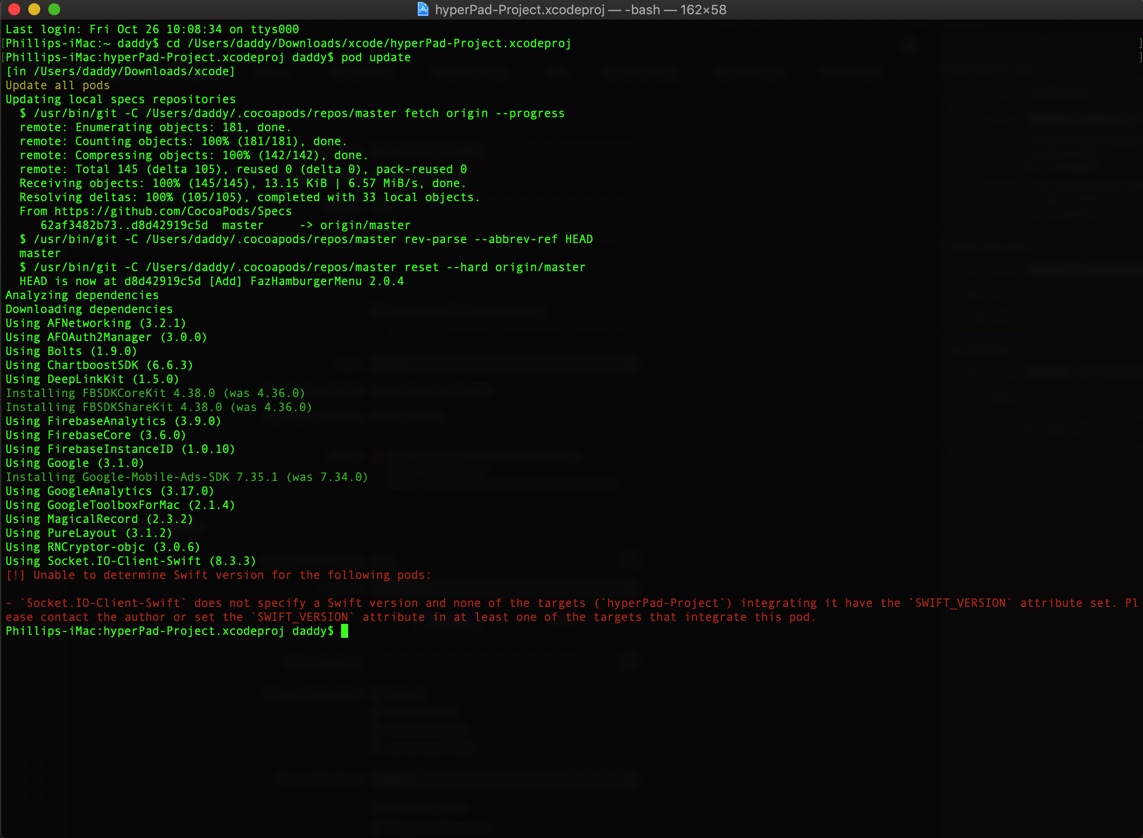
                    @hamed getting another error code in terminal when I try to update cocoapods in the project

                    0_1540563977866_2711B8DD-0A05-4C60-A618-E88AA9B9D39F.jpeg

                    1 Reply Last reply
                    0
                    • HamedH Offline
                      HamedH Offline
                      Hamed
                      Admin
                      wrote on last edited by
                      #11

                      You've went in too deep. You need to cd into this folder: /Users/daddy/Downloads/xcode. Delete your existing Pods folder and delete Podfile.lock. and then run pod install

                      LulaBayL 1 Reply Last reply
                      0
                      • HamedH Hamed

                        You've went in too deep. You need to cd into this folder: /Users/daddy/Downloads/xcode. Delete your existing Pods folder and delete Podfile.lock. and then run pod install

                        LulaBayL Offline
                        LulaBayL Offline
                        LulaBay
                        wrote on last edited by
                        #12

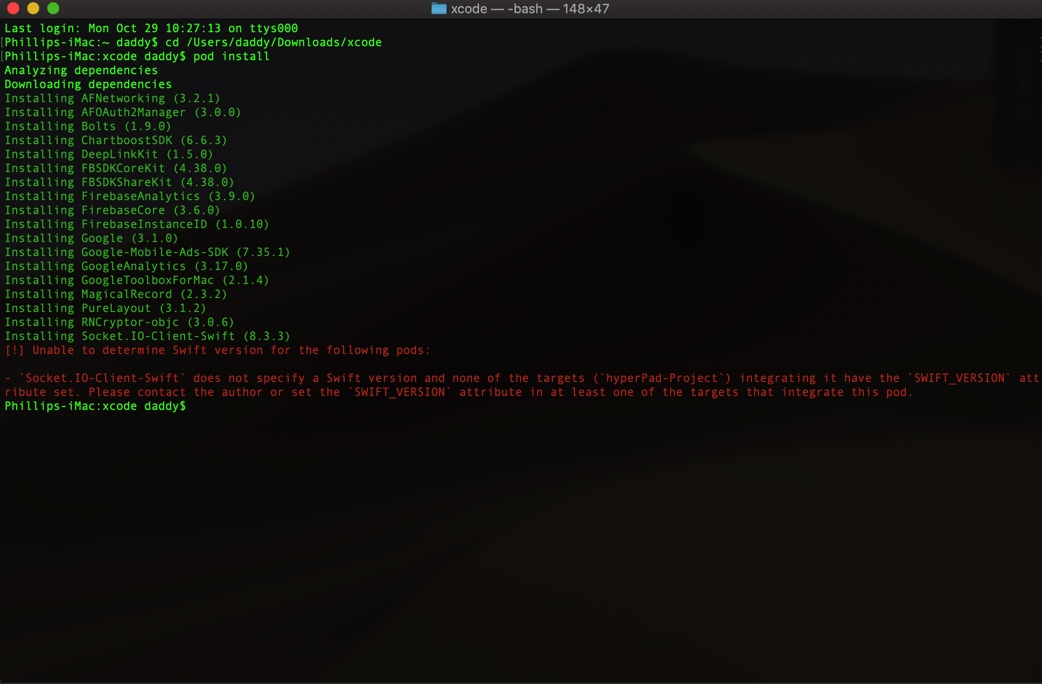
                        @hamed same error from pods install0_1540823722485_D327F12F-441A-4FCB-8AFC-324D756C68DE.jpeg

                        1 Reply Last reply
                        0
                        • HamedH Offline
                          HamedH Offline
                          Hamed
                          Admin
                          wrote on last edited by
                          #13

                          Can you delete the Pods folder and try again?

                          1 Reply Last reply
                          0

                          Hello! It looks like you're interested in this conversation, but you don't have an account yet.

                          Getting fed up of having to scroll through the same posts each visit? When you register for an account, you'll always come back to exactly where you were before, and choose to be notified of new replies (either via email, or push notification). You'll also be able to save bookmarks and upvote posts to show your appreciation to other community members.

                          With your input, this post could be even better 💗

                          Register Login
                          Reply
                          • Reply as topic
                          Log in to reply
                          • Oldest to Newest
                          • Newest to Oldest
                          • Most Votes


                          • Login

                          • Login or register to search.
                          • First post
                            Last post
                          0
                          • Categories
                          • Recent
                          • Tags
                          • Popular
                          • Users
                          • Search