
Send/receive message and overlays
-
Do send and receive message work properly between overlays/scenes?
Pause or unpaused. I need it done as unpause, but if I receive a message from an unpaused overlay into the loaded scene, it does’t seme to function properly.
-
Do send and receive message work properly between overlays/scenes?
Pause or unpaused. I need it done as unpause, but if I receive a message from an unpaused overlay into the loaded scene, it does’t seme to function properly.
@thecheater887 I don't believe you can broadcast from scene to an overlay. Would be cool though.
EDIT: Do you want Overlay to trigger something in Scene?
You can have a global object with a behaviour bundle of actions you want to be executed in your scene, and just use a "behaviour on" in your overlay to run that.
Note that the global objects don't normally show up in the scene, only when using a behaviour object selection.
Regarding sending a message from scene to overlay:
For now, there are 2 options:
-
Global scene object with attributes, if you don't need to permanently store the value (when your project gets closed)
-
File write and read, if you need to permanently store the value after your project gets closed.
The global object with attributes is probably the fastest, but it does depend on your use case.
In my opinion, they should allow us to pass in optional parameters to an overlay we open, since message box overlays are very common.
-
-
Scene
Load > Started Touching > Open Overlay (pause: no) > (wait for overlay) > Recieve Message
Overlay > Started Touching > Broadcast message -
Scene
Load > Started Touching > Open Overlay (pause: no) > (wait for overlay) > Recieve Message
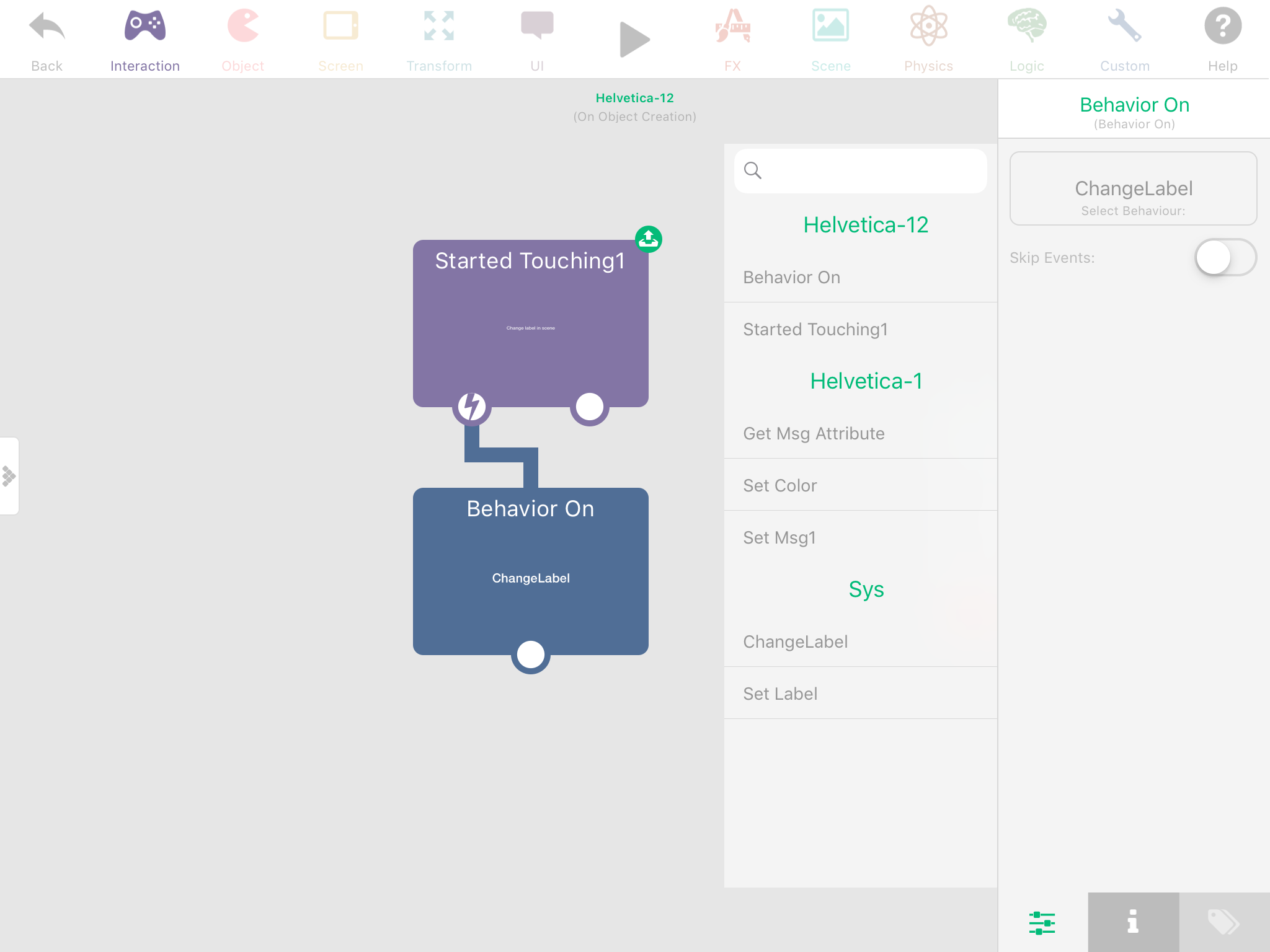
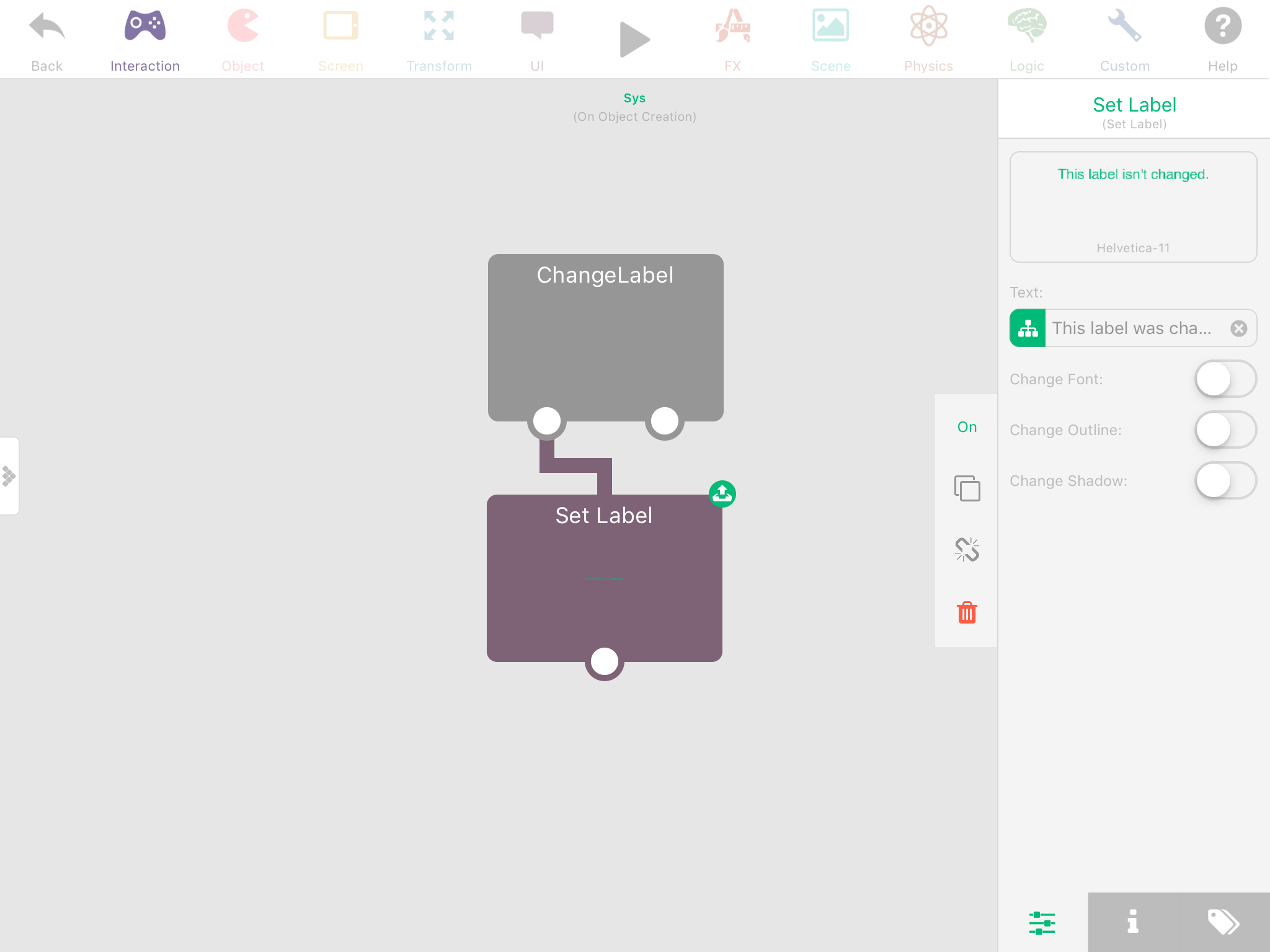
Overlay > Started Touching > Broadcast message@thecheater887 Put your "recieve message" actions in global UI object with a behaviour bundle and turn it off so it doesn't automatically execute.
Then in your overlay, simply "behaviour on" the behaviour bundle you put in the global UI object.
Such as:
(In Overlay)
(In Scene Global UI Object)

Hello! It looks like you're interested in this conversation, but you don't have an account yet.
Getting fed up of having to scroll through the same posts each visit? When you register for an account, you'll always come back to exactly where you were before, and choose to be notified of new replies (either via email, or push notification). You'll also be able to save bookmarks and upvote posts to show your appreciation to other community members.
With your input, this post could be even better 💗
Register Login