Skip to content
  • Categories
  • Recent
  • Tags
  • Popular
  • Users
  • Search
Skins
  • Light
  • Brite
  • Cerulean
  • Cosmo
  • Flatly
  • Journal
  • Litera
  • Lumen
  • Lux
  • Materia
  • Minty
  • Morph
  • Pulse
  • Sandstone
  • Simplex
  • Sketchy
  • Spacelab
  • United
  • Yeti
  • Zephyr
  • Dark
  • Cyborg
  • Darkly
  • Quartz
  • Slate
  • Solar
  • Superhero
  • Vapor

  • Default (No Skin)
  • No Skin
Collapse
hyperPad

hyperPad Forum

  1. Home
  2. Help and Support
  3. How to select tags to collide with other tags

How to select tags to collide with other tags

Scheduled Pinned Locked Moved Help and Support
7 Posts 5 Posters 771 Views 1 Watching
  • Oldest to Newest
  • Newest to Oldest
  • Most Votes
Reply
  • Reply as topic
Log in to reply
This topic has been deleted. Only users with topic management privileges can see it.
  • SplitMindGamingS Offline
    SplitMindGamingS Offline
    SplitMindGaming
    wrote on last edited by
    #1

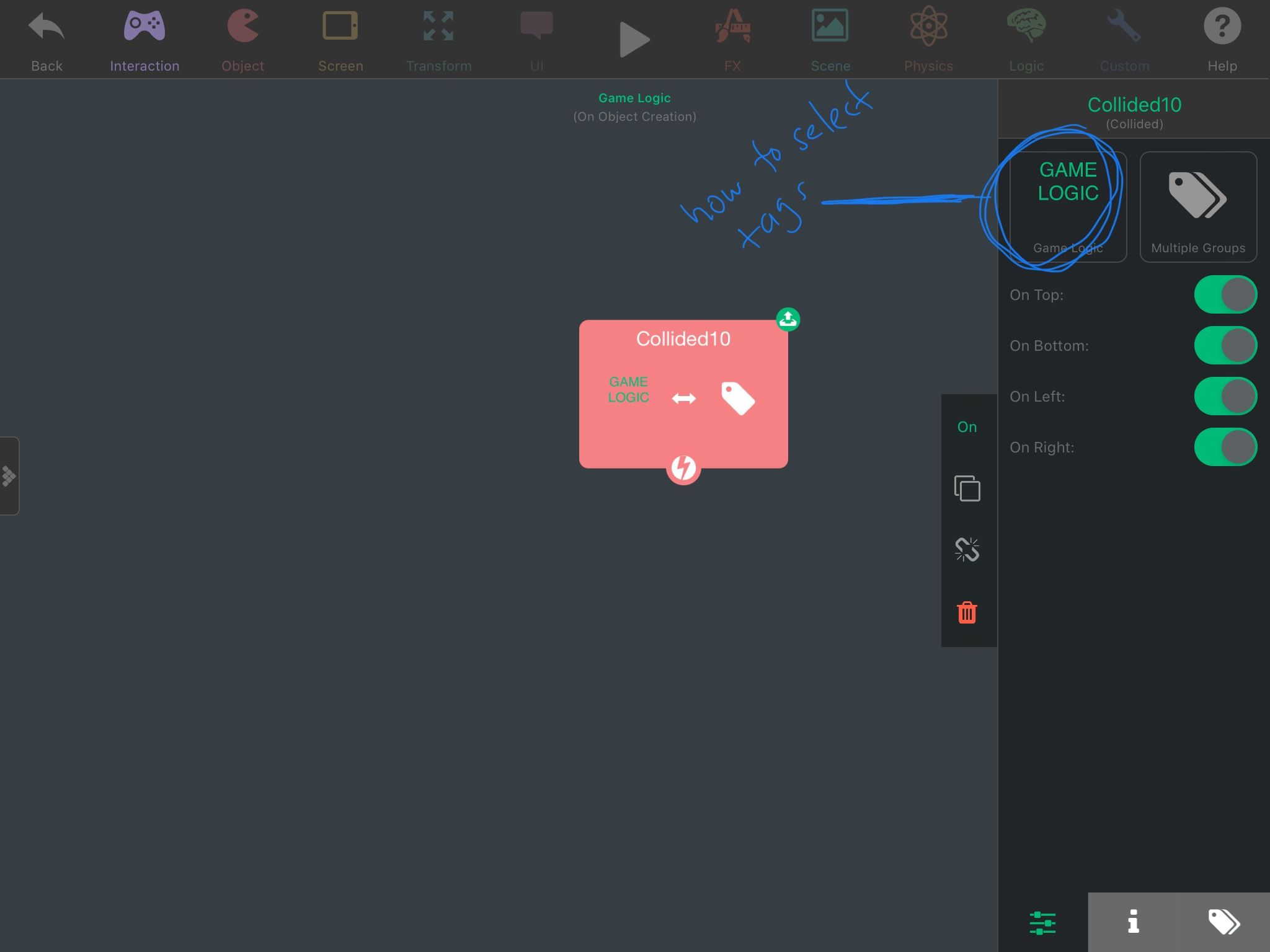
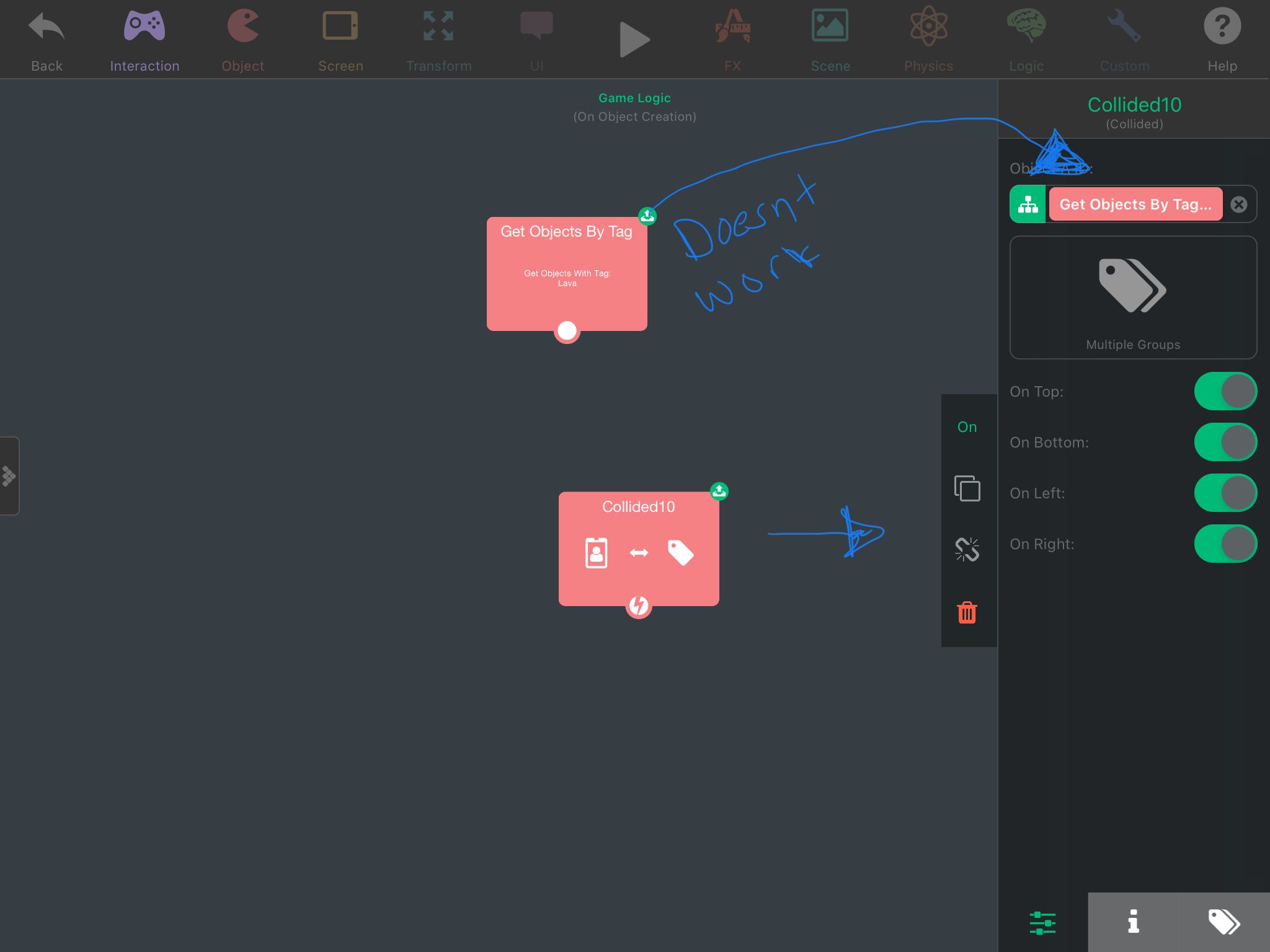
    Hey its me once again. Might be an easy solution but I cant find this answer anywhere on the manuals. I want to select a tag to collide with another tag under the collided behavior. I tried getting another behavior which is the “get objects by tag” and dragging its values to the first collided spot but this doesnt work. I included a screenshot.27A13177-E54B-42BC-88AB-4F151B3CDB29.jpeg B2ACBB20-1528-4434-9B15-EA8B0D5FE222.jpeg

    Aidan_FireA 1 Reply Last reply
    0
    • SplitMindGamingS SplitMindGaming

      Hey its me once again. Might be an easy solution but I cant find this answer anywhere on the manuals. I want to select a tag to collide with another tag under the collided behavior. I tried getting another behavior which is the “get objects by tag” and dragging its values to the first collided spot but this doesnt work. I included a screenshot.27A13177-E54B-42BC-88AB-4F151B3CDB29.jpeg B2ACBB20-1528-4434-9B15-EA8B0D5FE222.jpeg

      Aidan_FireA Offline
      Aidan_FireA Offline
      Aidan_Fire
      wrote on last edited by
      #2

      @SplitMindGaming currently I don't think it's easily possible. The best way to do this would be to have the collided behaviour logic inside of the objects with the tags you're using.

      SplitMindGamingS 1 Reply Last reply
      1
      • Aidan_FireA Aidan_Fire

        @SplitMindGaming currently I don't think it's easily possible. The best way to do this would be to have the collided behaviour logic inside of the objects with the tags you're using.

        SplitMindGamingS Offline
        SplitMindGamingS Offline
        SplitMindGaming
        wrote on last edited by
        #3

        @Aidan-Oxley yes I was afraid so. Im using tiling images of a floor. I just didnt want the code to be clustered by putting the collide behavior to each little top tileset. Thanks for the reply

        1 Reply Last reply
        0
        • KamdroidK Offline
          KamdroidK Offline
          Kamdroid
          wrote on last edited by Kamdroid
          #4

          It would be possible, if hyperPad didn't override dynamic creations of colliding behaviours. At least that's what I think is happening.

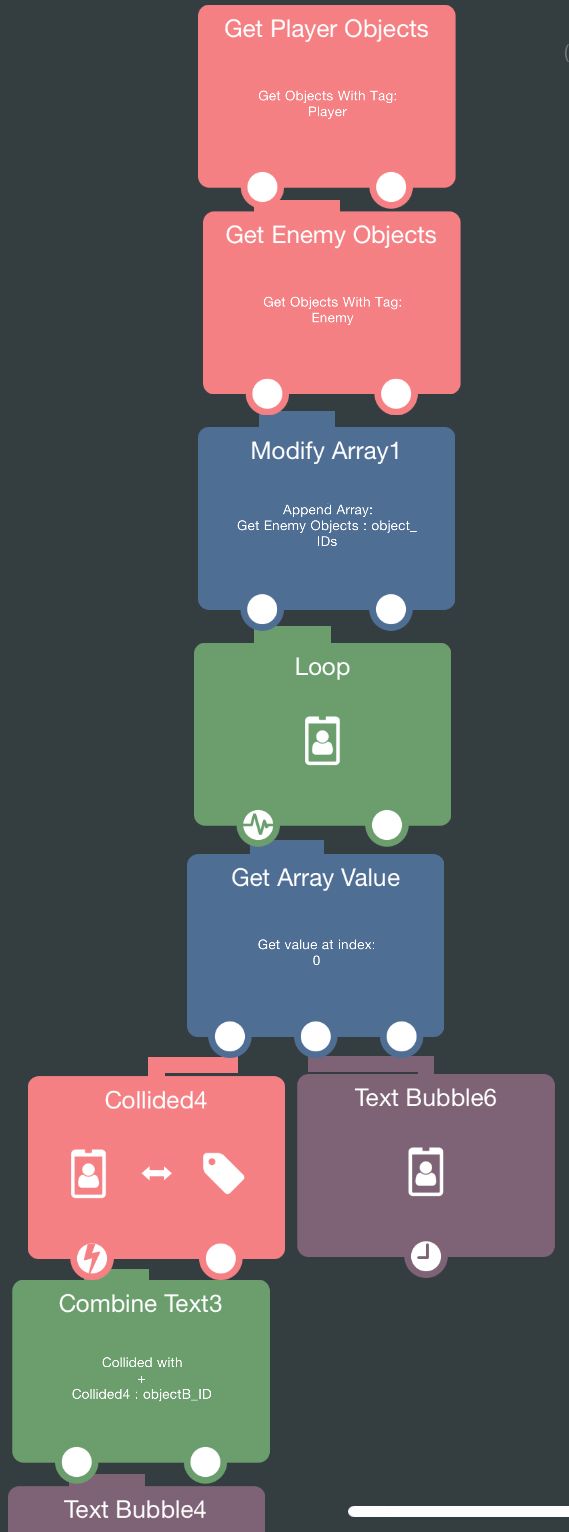
          As you can see, these behaviours properly loop every object in player and enemy tags, to collide with any ground or ice tags.

          However only 1 of these objects will have collision triggered, mostly the last object, because I think it gets overridden.
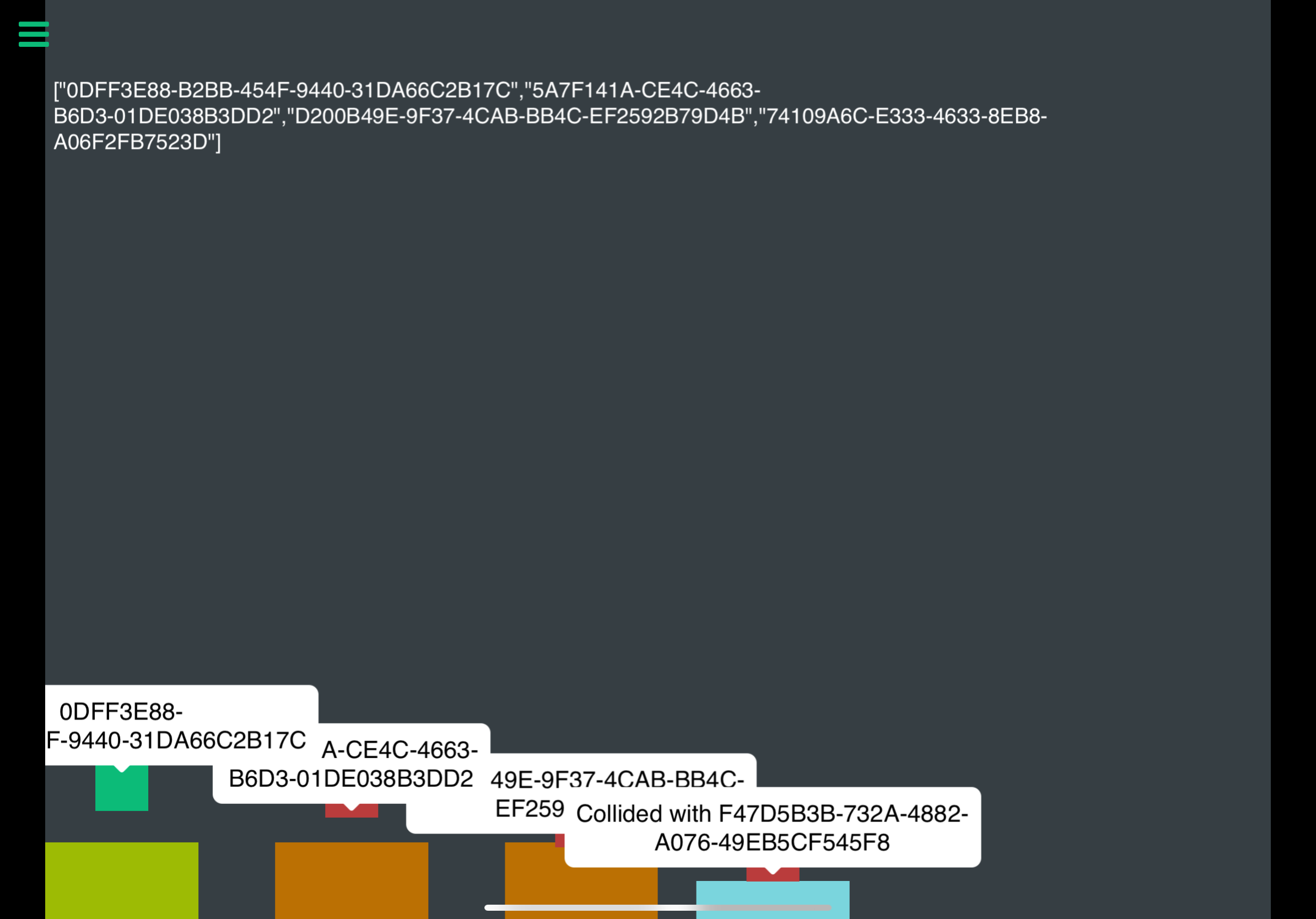
          19E49315-64C6-4599-9DF2-DD0BD7F9560E.jpeg

          E33E4810-01F9-4BEC-8E69-6DB212D6C1A3.png

          Also tried using a "behaviour on" loop with broadcast/receive message system but still has the same issue.

          Also note that I'm not using "index 0", but the loop index, that's a hyperPad display glitch.

          1 Reply Last reply
          1
          • HamedH Offline
            HamedH Offline
            Hamed
            Admin
            wrote on last edited by Hamed
            #5

            @Kamdroid you don't need a loop. If you don't add a loop it should work. When an object collides in that group, it should be passing the one that collided down.

            When you have it in a loop, you're "overwriting" the previous collide behaviour

            KamdroidK 1 Reply Last reply
            1
            • HamedH Hamed

              @Kamdroid you don't need a loop. If you don't add a loop it should work. When an object collides in that group, it should be passing the one that collided down.

              When you have it in a loop, you're "overwriting" the previous collide behaviour

              KamdroidK Offline
              KamdroidK Offline
              Kamdroid
              wrote on last edited by
              #6

              @Hamed So how would you make tags collide with tags? (like I tried, without using a loop)

              1 Reply Last reply
              0
              • RobinsonXR Offline
                RobinsonXR Offline
                RobinsonX
                wrote on last edited by
                #7

                I thought literally putting two groups of objects in a collide behavior would work.. Maybe a bug?

                1 Reply Last reply
                0

                Hello! It looks like you're interested in this conversation, but you don't have an account yet.

                Getting fed up of having to scroll through the same posts each visit? When you register for an account, you'll always come back to exactly where you were before, and choose to be notified of new replies (either via email, or push notification). You'll also be able to save bookmarks and upvote posts to show your appreciation to other community members.

                With your input, this post could be even better 💗

                Register Login
                Reply
                • Reply as topic
                Log in to reply
                • Oldest to Newest
                • Newest to Oldest
                • Most Votes


                • Login

                • Login or register to search.
                • First post
                  Last post
                0
                • Categories
                • Recent
                • Tags
                • Popular
                • Users
                • Search