Skip to content
  • Categories
  • Recent
  • Tags
  • Popular
  • Users
  • Search
Skins
  • Light
  • Brite
  • Cerulean
  • Cosmo
  • Flatly
  • Journal
  • Litera
  • Lumen
  • Lux
  • Materia
  • Minty
  • Morph
  • Pulse
  • Sandstone
  • Simplex
  • Sketchy
  • Spacelab
  • United
  • Yeti
  • Zephyr
  • Dark
  • Cyborg
  • Darkly
  • Quartz
  • Slate
  • Solar
  • Superhero
  • Vapor

  • Default (No Skin)
  • No Skin
Collapse
hyperPad

hyperPad Forum

  1. Home
  2. Help and Support
  3. Change Background Colour for ALL of Level/Scene: HOW?

Change Background Colour for ALL of Level/Scene: HOW?

Scheduled Pinned Locked Moved Help and Support
6 Posts 2 Posters 668 Views 1 Watching
  • Oldest to Newest
  • Newest to Oldest
  • Most Votes
Reply
  • Reply as topic
Log in to reply
This topic has been deleted. Only users with topic management privileges can see it.
  • D Offline
    D Offline
    Deeeds
    wrote on last edited by Deeeds
    #1

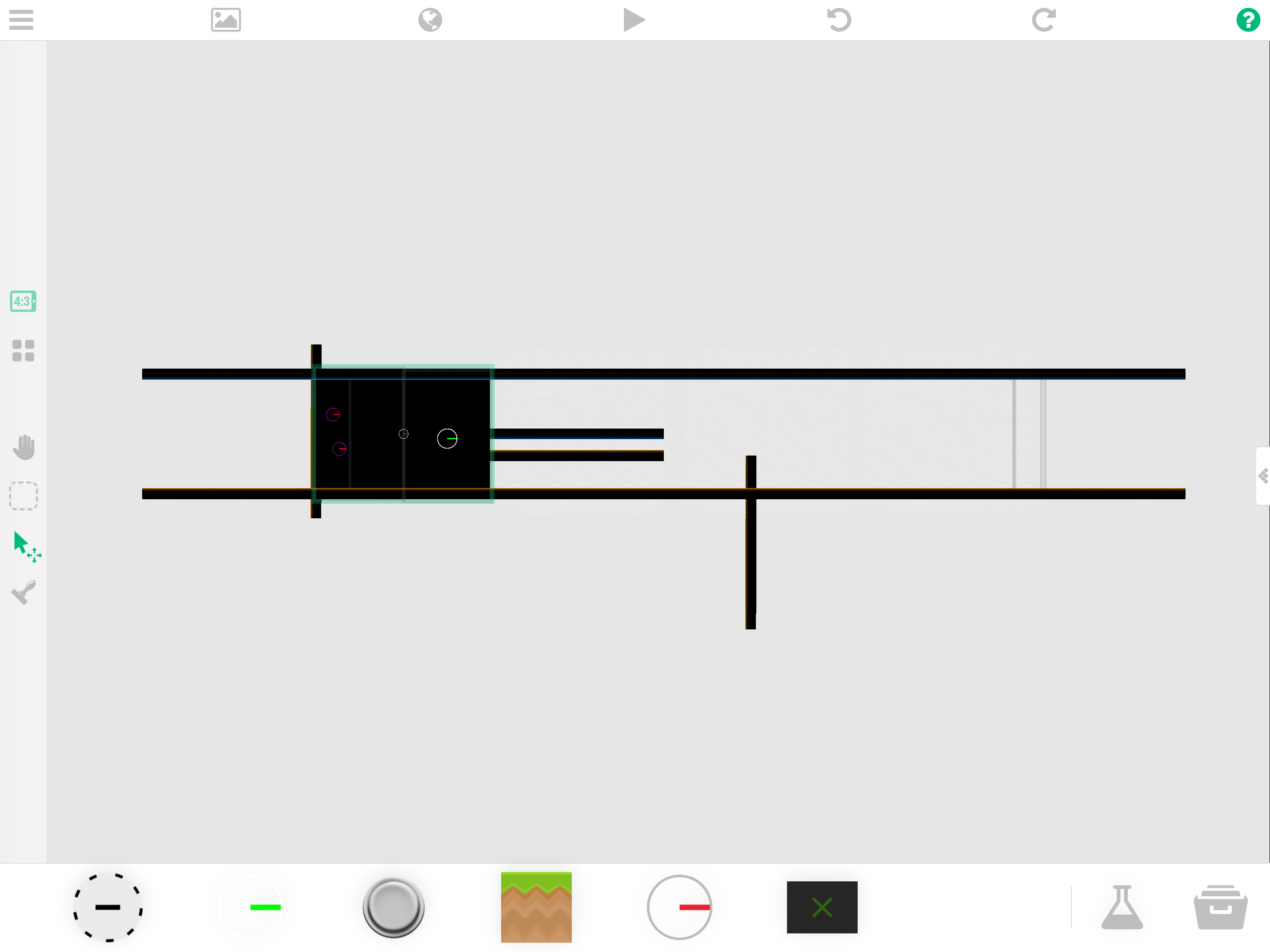
    I've got a project Scene that's larger than the camera view, and is setup with the Scene View, and a black background. As soon as the camera moves any amount in any direction, the background colour is revealed to be only a box the size of the launch screen's camera view.

    1. Why is this?

    2. How do I make a universal background colour change, regardless the size (and shape) of my level?

    Here's an example of the sort of problem I'm talking about:
    0_1509036741378_image1.png

    1 Reply Last reply
    0
    • MurtazaM Online
      MurtazaM Online
      Murtaza
      Admin
      wrote on last edited by Murtaza
      #2

      You can change the background colour here by opening the scene settings: https://hyperpad.zendesk.com/hc/en-us/articles/202510315-Backgrounds

      But you will have to do this for each scene.

      In the editor, the background does not change the colour of the entire work space, because the grey rectangle represents the visible screen space, and that is actually the background you're changing.

      D 1 Reply Last reply
      0
      • MurtazaM Murtaza

        You can change the background colour here by opening the scene settings: https://hyperpad.zendesk.com/hc/en-us/articles/202510315-Backgrounds

        But you will have to do this for each scene.

        In the editor, the background does not change the colour of the entire work space, because the grey rectangle represents the visible screen space, and that is actually the background you're changing.

        D Offline
        D Offline
        Deeeds
        wrote on last edited by
        #3

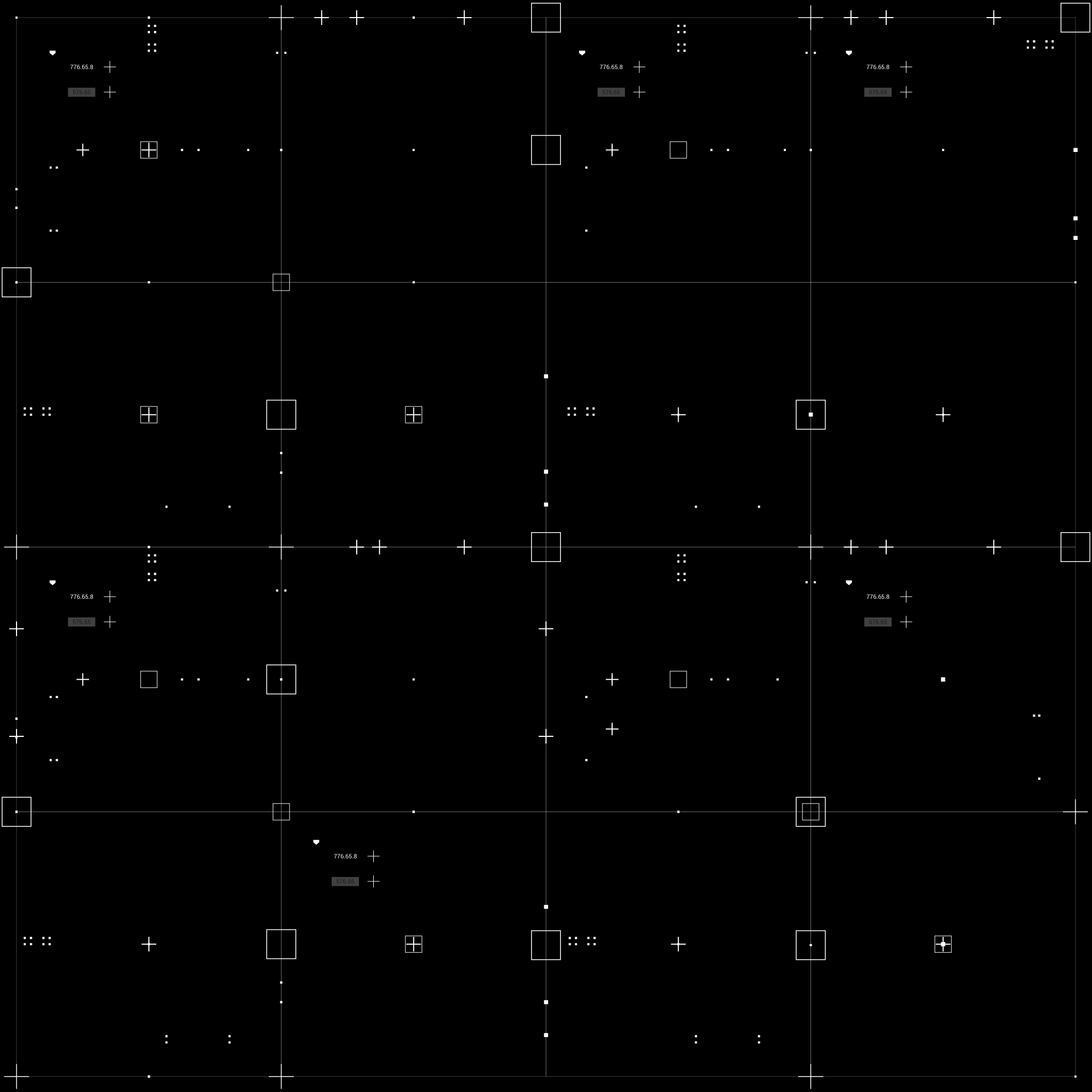
        @Murtaza Is there anyway I can change the colour of that grey editor space? I'm using a lot of very lightly coloured, transparent objects that I simply can't see on the grey background, at all. In that screenshot, for example, there are four massive background images covered in hexagons, to the right of the Scene area, that you can't see... but are actually there.

        It's super annoying that I can't work with transparent highlight images without them being basically invisible agasint the background of the work area.

        1 Reply Last reply
        0
        • MurtazaM Online
          MurtazaM Online
          Murtaza
          Admin
          wrote on last edited by
          #4

          Unfortunately not :(. Only thing I could think of is the dark colour scheme in the Dev tier.

          D 1 Reply Last reply
          0
          • MurtazaM Murtaza

            Unfortunately not :(. Only thing I could think of is the dark colour scheme in the Dev tier.
            D Offline
            D Offline
            Deeeds
            wrote on last edited by
            #5

            @Murtaza

            Here's the sorts of things hiding out in that grey/beige wasteland:

            3_1509057441396_Grid-blockA_DARK.png 2_1509057441396_Grid-blockBDARK.png 1_1509057441396_Grid-blockCDARK.png 0_1509057441395_HexGridDARK.png

            1 Reply Last reply
            0
            • MurtazaM Online
              MurtazaM Online
              Murtaza
              Admin
              wrote on last edited by
              #6

              Yeah..... I can see where that would get annoying!

              1 Reply Last reply
              0

              Hello! It looks like you're interested in this conversation, but you don't have an account yet.

              Getting fed up of having to scroll through the same posts each visit? When you register for an account, you'll always come back to exactly where you were before, and choose to be notified of new replies (either via email, or push notification). You'll also be able to save bookmarks and upvote posts to show your appreciation to other community members.

              With your input, this post could be even better 💗

              Register Login
              Reply
              • Reply as topic
              Log in to reply
              • Oldest to Newest
              • Newest to Oldest
              • Most Votes


              • Login

              • Login or register to search.
              • First post
                Last post
              0
              • Categories
              • Recent
              • Tags
              • Popular
              • Users
              • Search