Skip to content
  • Categories
  • Recent
  • Tags
  • Popular
  • Users
  • Search
Skins
  • Light
  • Brite
  • Cerulean
  • Cosmo
  • Flatly
  • Journal
  • Litera
  • Lumen
  • Lux
  • Materia
  • Minty
  • Morph
  • Pulse
  • Sandstone
  • Simplex
  • Sketchy
  • Spacelab
  • United
  • Yeti
  • Zephyr
  • Dark
  • Cyborg
  • Darkly
  • Quartz
  • Slate
  • Solar
  • Superhero
  • Vapor

  • Default (No Skin)
  • No Skin
Collapse
hyperPad

hyperPad Forum

John LiaoJ

John Liao

@John Liao
About
Posts
8
Topics
2
Shares
0
Groups
0
Followers
0
Following
0

Posts

Recent Best Controversial

  • How to rotate in a loop?
    John LiaoJ John Liao

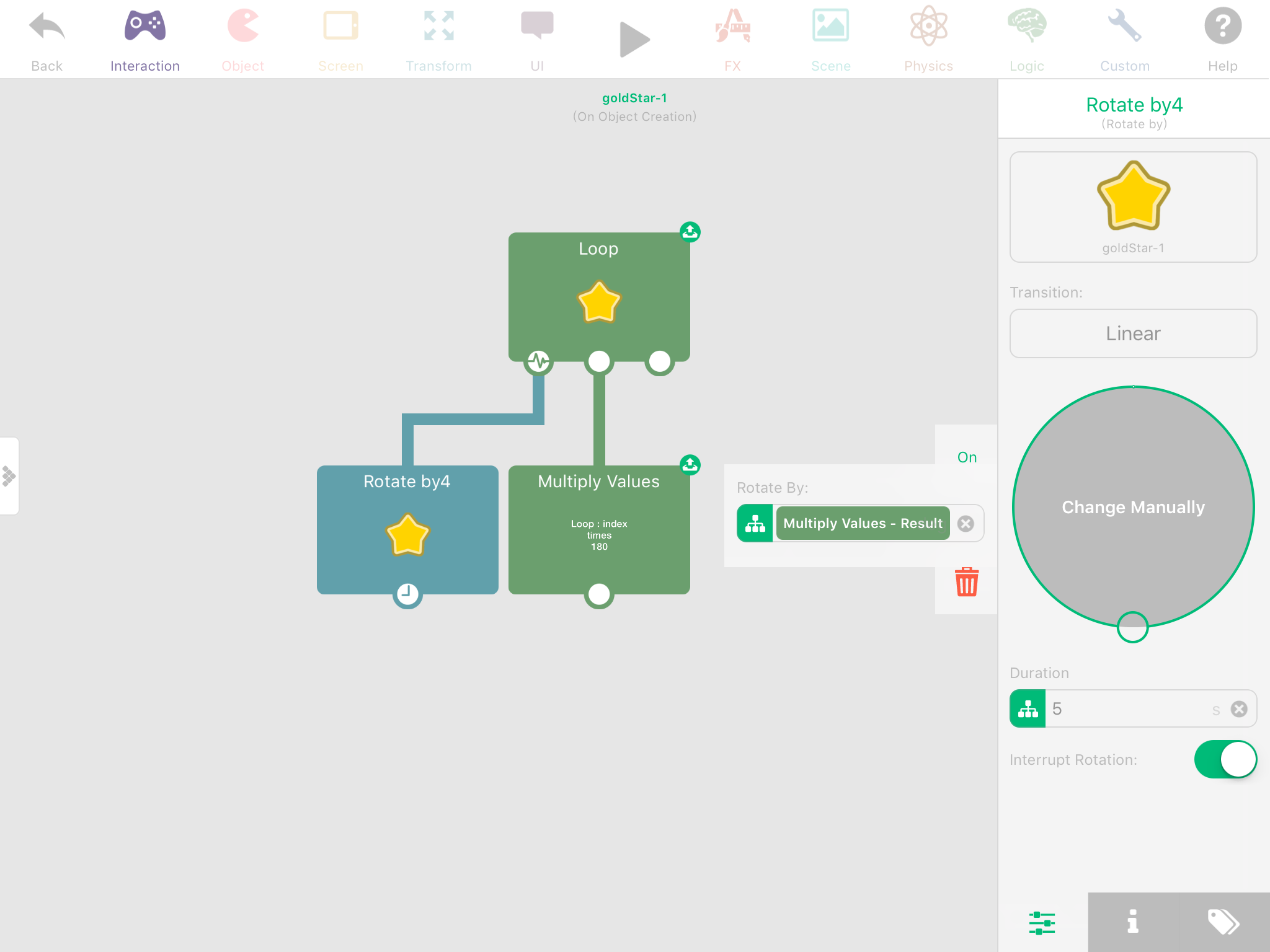
    @Jack8680 Thanks. I solved the problem by using the "Multiply Values" to times the index value and degree value in the loop. As following pic.
    Thanks a lot.
    0_1502546711426_IMG_1123.PNG

    General Discussion

  • How to rotate in a loop?
    John LiaoJ John Liao

    Thank u.
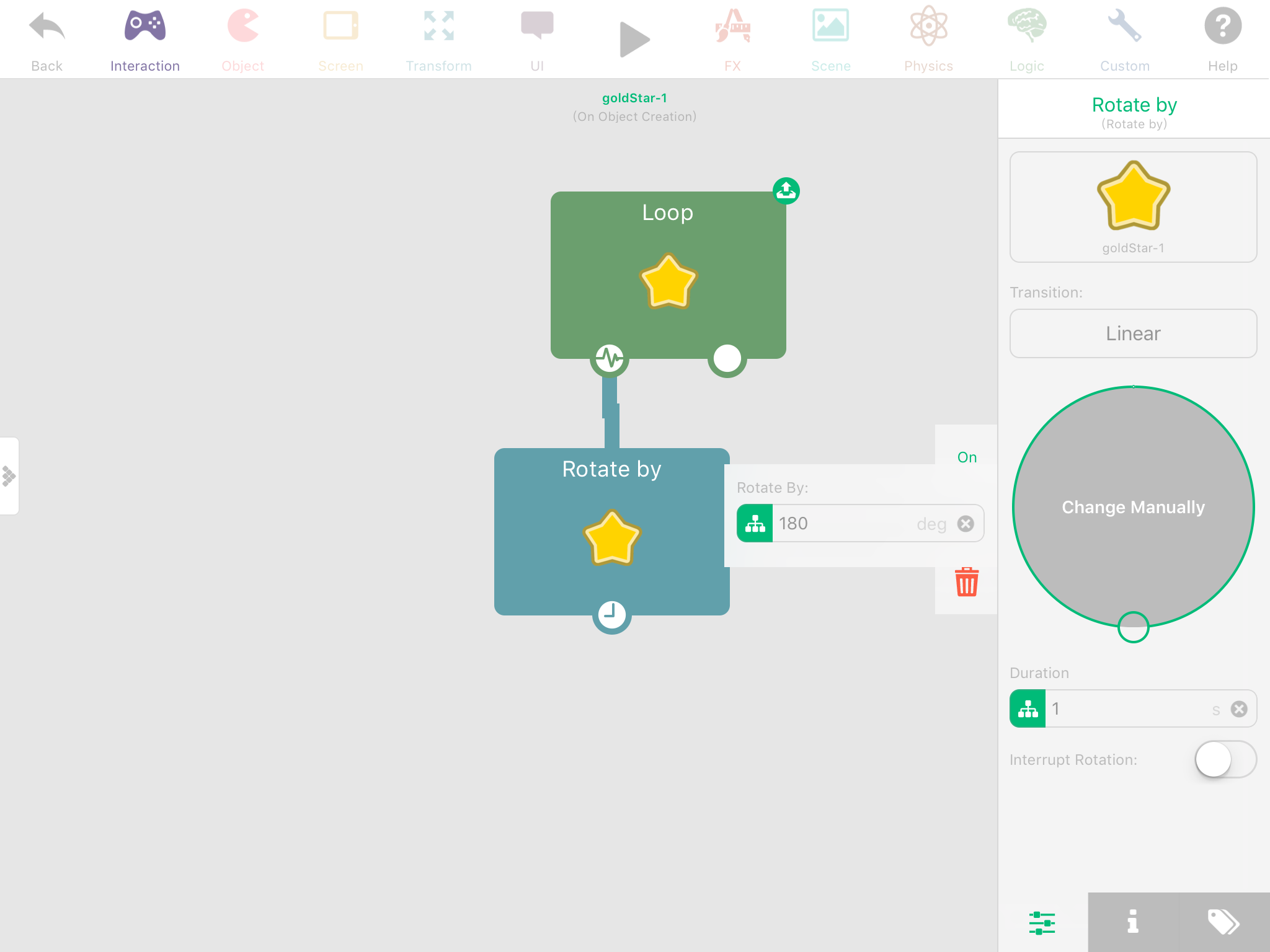
    I tried the rotate by behavior, as attached pic. However it's the same, only rotate once but not repeat 5 times in the loop.... anywhere wrong?
    0_1502522484100_IMG_1122.PNG

    General Discussion

  • How to rotate in a loop?
    John LiaoJ John Liao

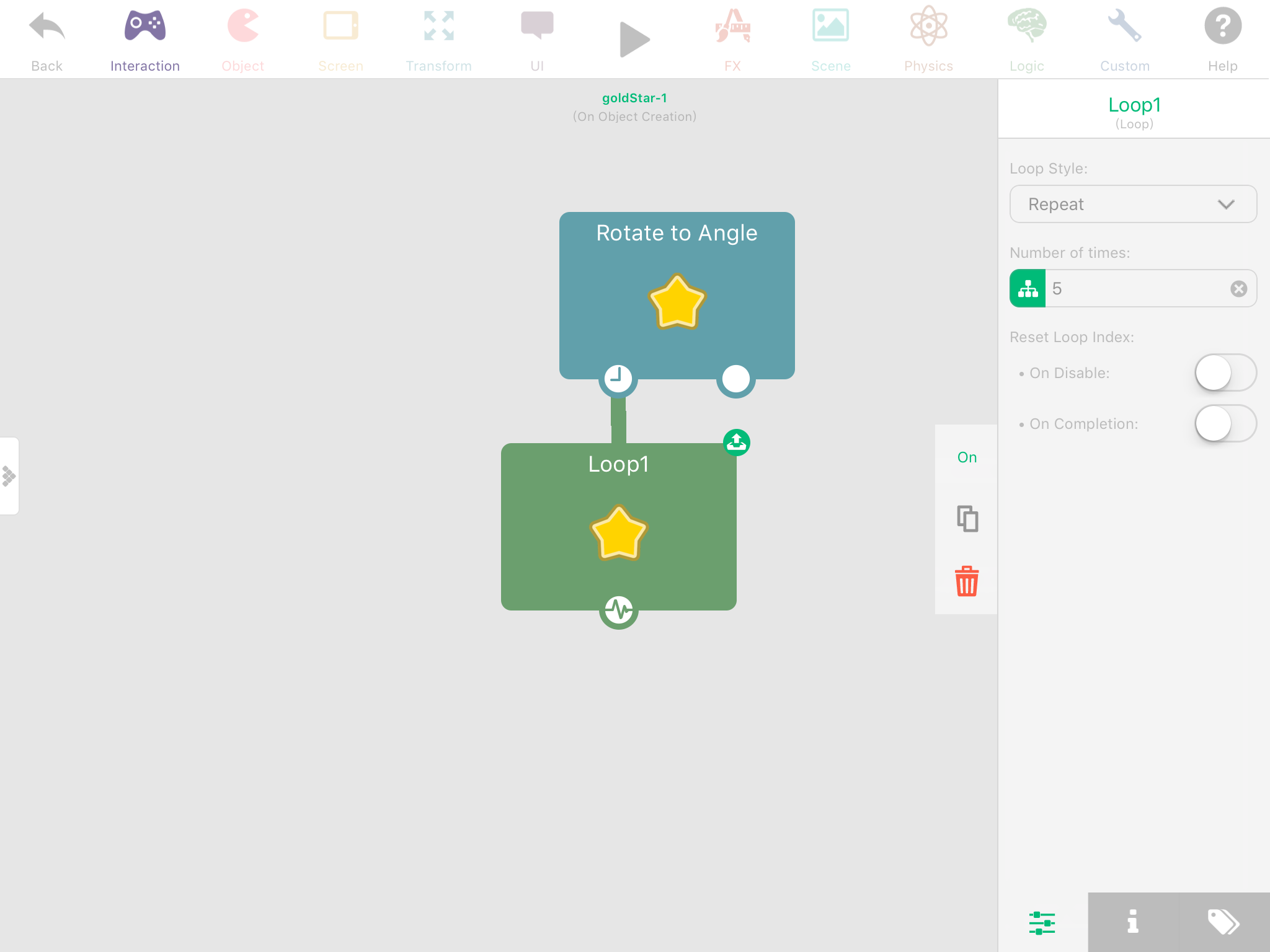
    I'd like to rotate an object 5 times in a loop. I setup it as the attached pic, but just rotate once.... anywhere wrong?
    0_1502434238959_IMG_1119.PNG

    General Discussion

  • Constrain the "Drag and Drop Area" Error ?
    John LiaoJ John Liao

    @Murtaza Yes, I redo it again, and everything is fine now. tks.

    Help and Support

  • Constrain the "Drag and Drop Area" Error ?
    John LiaoJ John Liao

    @Jack8680 please check http://bit.ly/2wBhpnq , level 1-1, the blue button.

    It might be the problem that I imported the project from GamePress then add some new features on it. If I do it totally new on HyperPad, it works well.

    I'll try to redo it again on HyperPad, tks a lot.

    Help and Support

  • Constrain the "Drag and Drop Area" Error ?
    John LiaoJ John Liao

    @Jack8680 Surely I selected the right object, and set the "constrain area" for the drag-n-drop behavior. I got x, y numbers of the area, but just cannot move the object correctly as the setting.... :(

    Help and Support

  • Constrain the "Drag and Drop Area" Error ?
    John LiaoJ John Liao

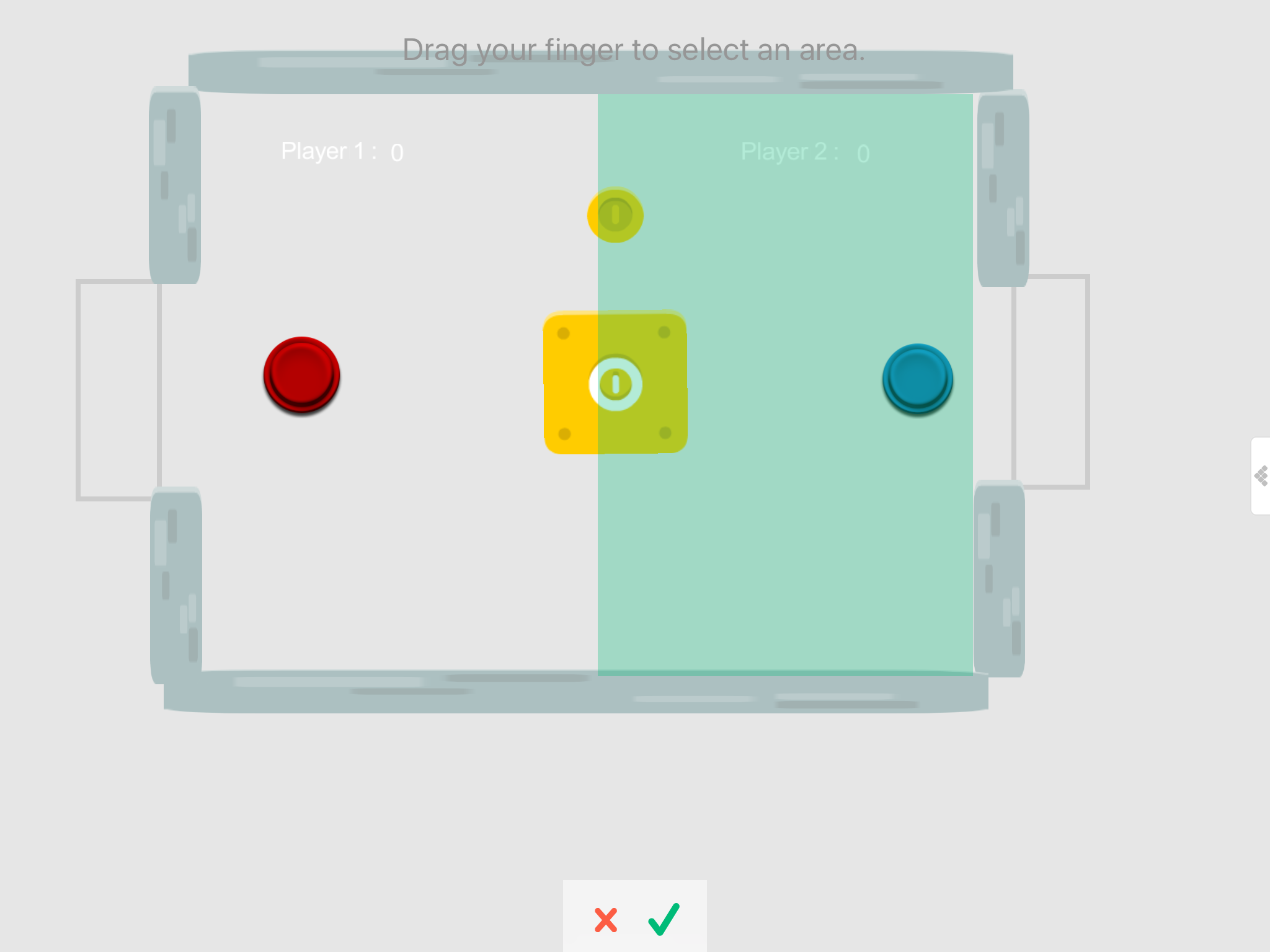
    It's the same problem. I set the area, but can not drag and drop in the area correctly....
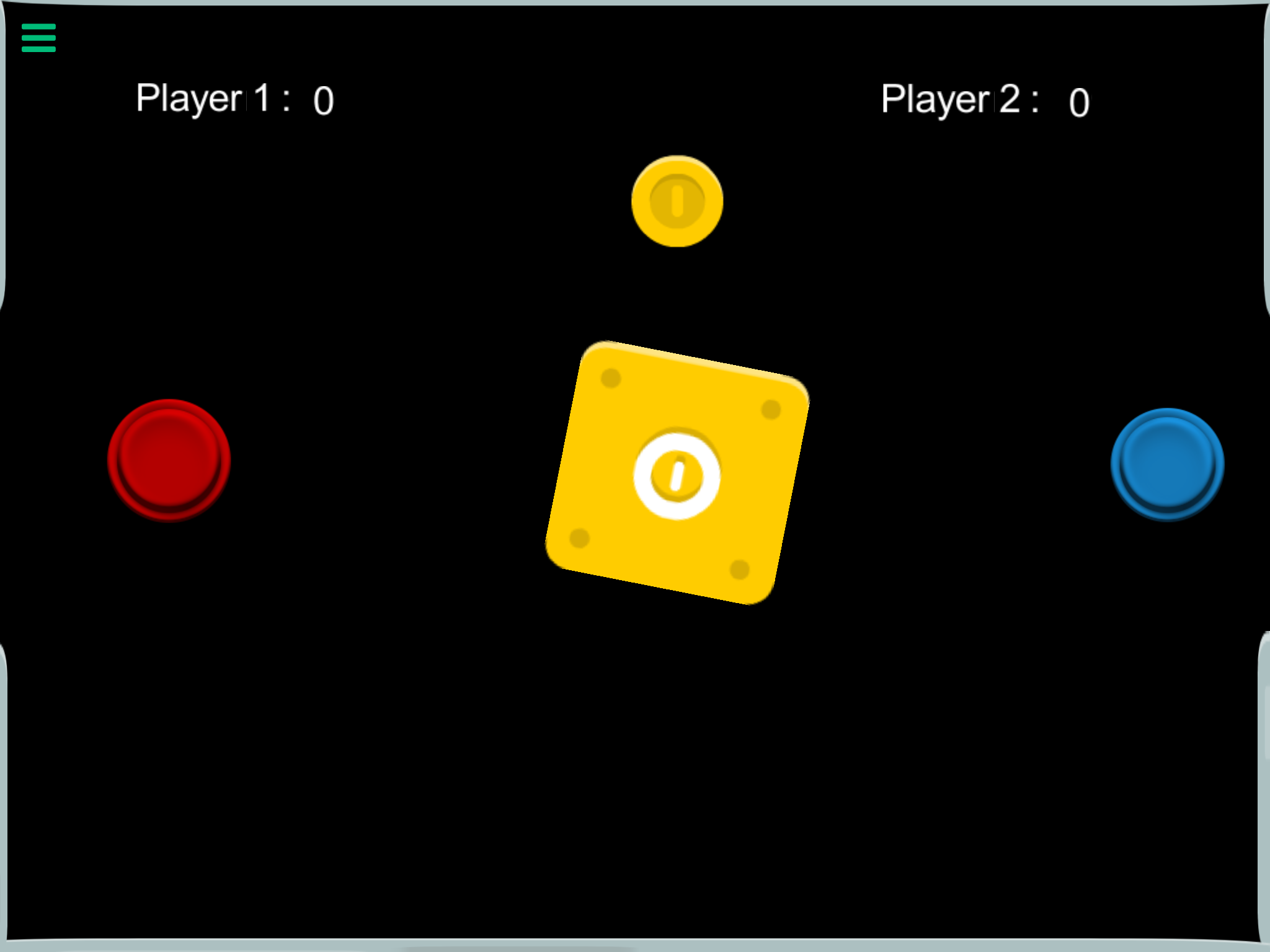
    1_1502083757346_IMG_1113.PNG 0_1502083757342_IMG_1112.PNG

    Help and Support

  • Constrain the "Drag and Drop Area" Error ?
    John LiaoJ John Liao

    When I set the area for "drag-n-drop" of an object, it always moves incorrectly.

    Is that a bug ?

    Thx.

    Help and Support
  • Login

  • Login or register to search.
  • First post
    Last post
0
  • Categories
  • Recent
  • Tags
  • Popular
  • Users
  • Search