Skip to content
  • Categories
  • Recent
  • Tags
  • Popular
  • Users
  • Search
Skins
  • Light
  • Brite
  • Cerulean
  • Cosmo
  • Flatly
  • Journal
  • Litera
  • Lumen
  • Lux
  • Materia
  • Minty
  • Morph
  • Pulse
  • Sandstone
  • Simplex
  • Sketchy
  • Spacelab
  • United
  • Yeti
  • Zephyr
  • Dark
  • Cyborg
  • Darkly
  • Quartz
  • Slate
  • Solar
  • Superhero
  • Vapor

  • Default (No Skin)
  • No Skin
Collapse
hyperPad

hyperPad Forum

  1. Home
  2. Help and Support
  3. Line Generation Help

Line Generation Help

Scheduled Pinned Locked Moved Help and Support
11 Posts 4 Posters 2.2k Views 2 Watching
  • Oldest to Newest
  • Newest to Oldest
  • Most Votes
Reply
  • Reply as topic
Log in to reply
This topic has been deleted. Only users with topic management privileges can see it.
  • F Offline
    F Offline
    Flame Games
    wrote on last edited by
    #1

    Hi everyone, I am in deep need of assistance!
    I have a 2.5d cube, it is in 5 different parts. This cube turns into a line using the 'Spawn on Object' behaviour. But when the line goes right the z orders are set properly, when the line goes left Part of the right side of the line appears on top of the left side. How can I fix this?
    I understand this must makes absolutely no sense, so I will get screenshots that you can all hopefully make sense of.

    1 Reply Last reply
    0
    • F Offline
      F Offline
      Flame Games
      wrote on last edited by
      #2

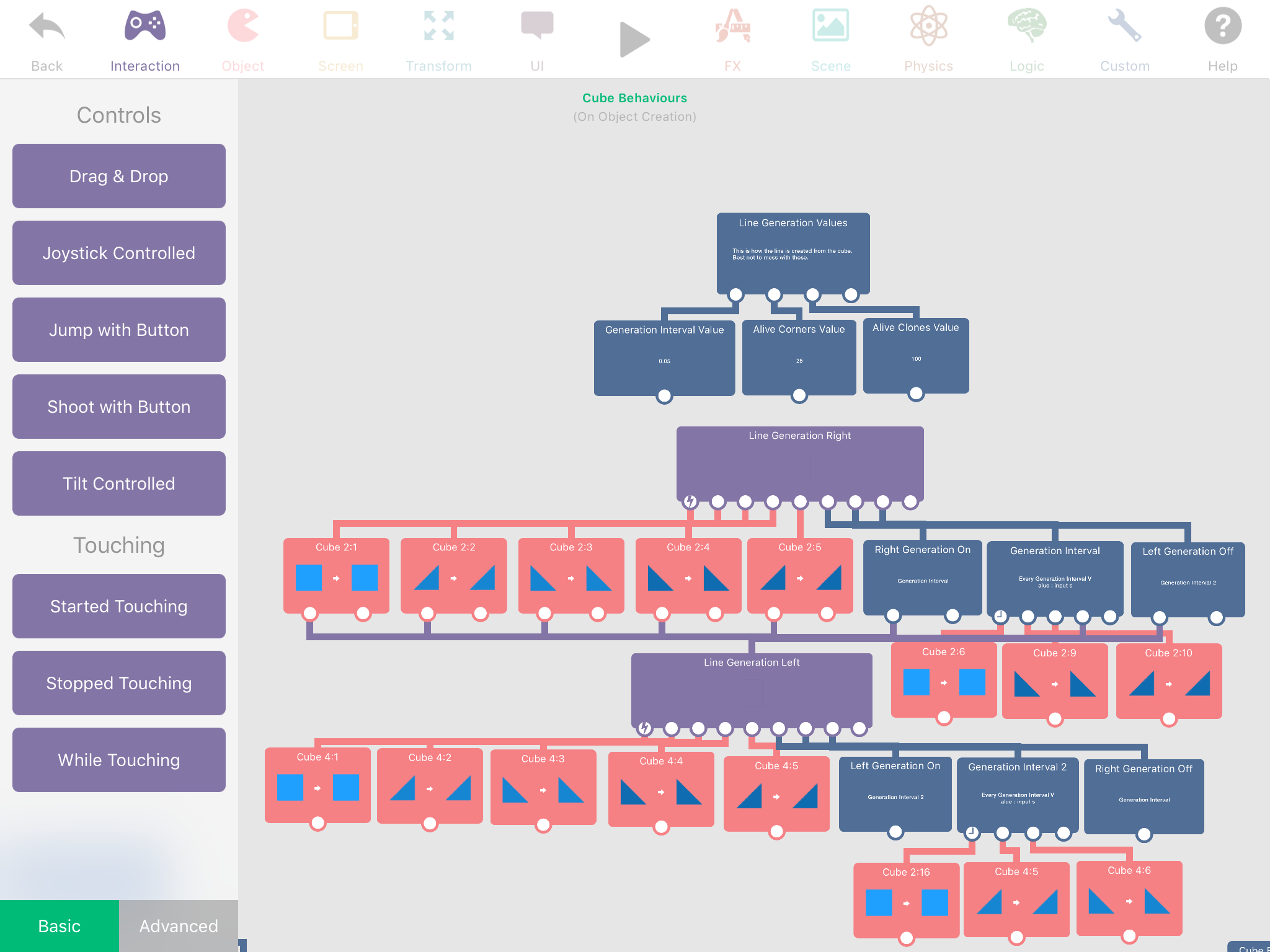
      0_1499081691283_IMG_5075.PNG
      This is the code I used to clone the square and make the line. Then I attempted to change the z order with every tap below it, but it didn't work.

      0_1499081849676_IMG_5077.PNG
      This is what the line looks like. All help would be much appreciated :)

      1 Reply Last reply
      0
      • F Offline
        F Offline
        Flame Games
        wrote on last edited by
        #3

        The sooner I can get a response the quicker I can get back to work :)

        1 Reply Last reply
        0
        • TutorialDoctorT Offline
          TutorialDoctorT Offline
          TutorialDoctor
          wrote on last edited by
          #4

          Is the image above an example of the line going to the left?

          1 Reply Last reply
          0
          • F Offline
            F Offline
            Flame Games
            wrote on last edited by
            #5

            It's of the line going right then left, As you can see when going right the line is clean but when going left the line has an annoying clone on it from the right side.

            1 Reply Last reply
            0
            • Aidan_FireA Offline
              Aidan_FireA Offline
              Aidan_Fire
              wrote on last edited by
              #6

              Can't you try to make a system to detect whether it's going left or right, if it's going left it won't even spawn the triangles used for right and if it's going right it won't spawn triangles for left?

              1 Reply Last reply
              0
              • F Offline
                F Offline
                Flame Games
                wrote on last edited by Flame Games
                #7

                Never mind, I've tried it and ended up with a new problem.
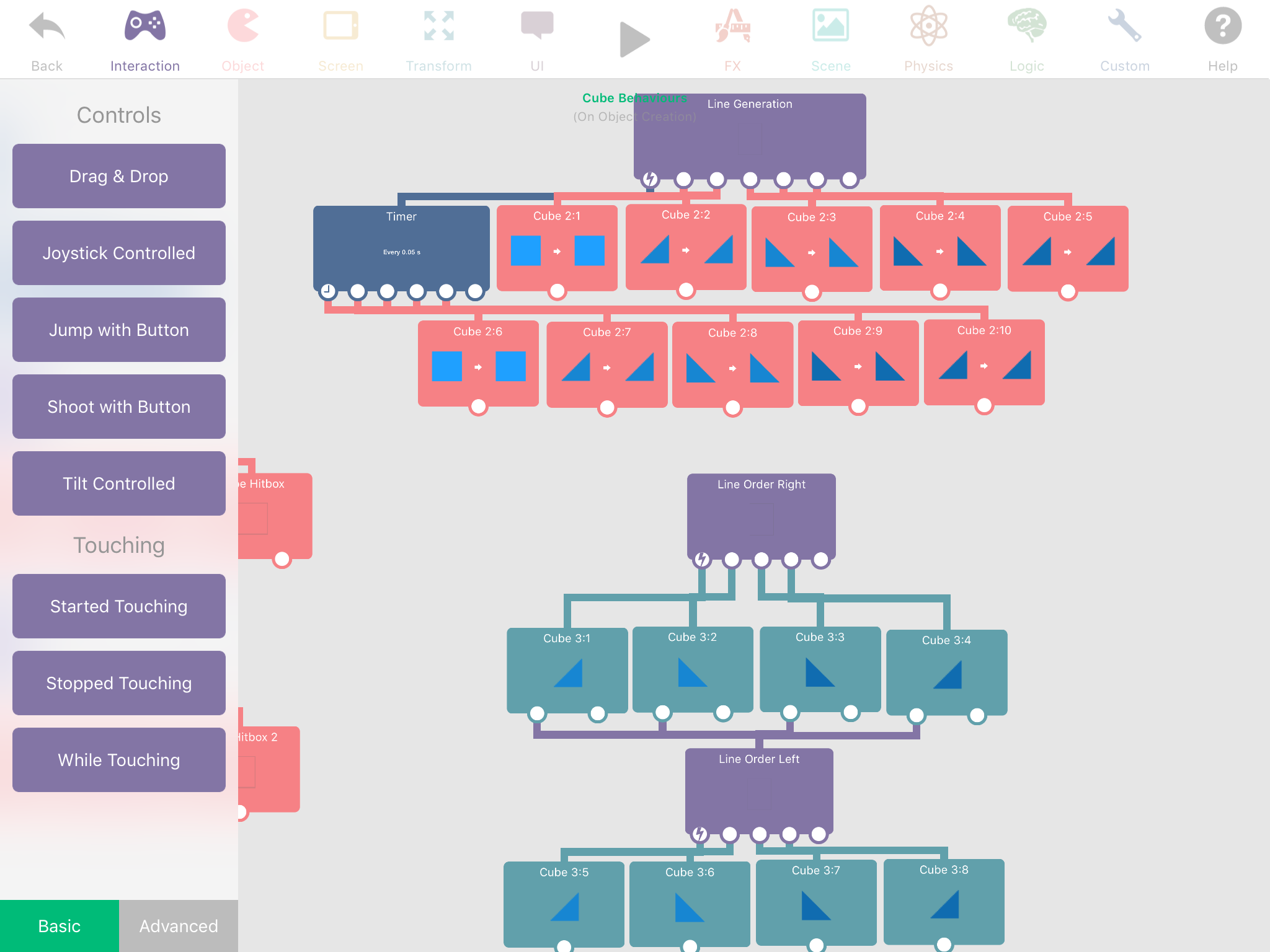
                This is the code I now have to generate the line
                0_1499149361637_IMG_5083.PNG
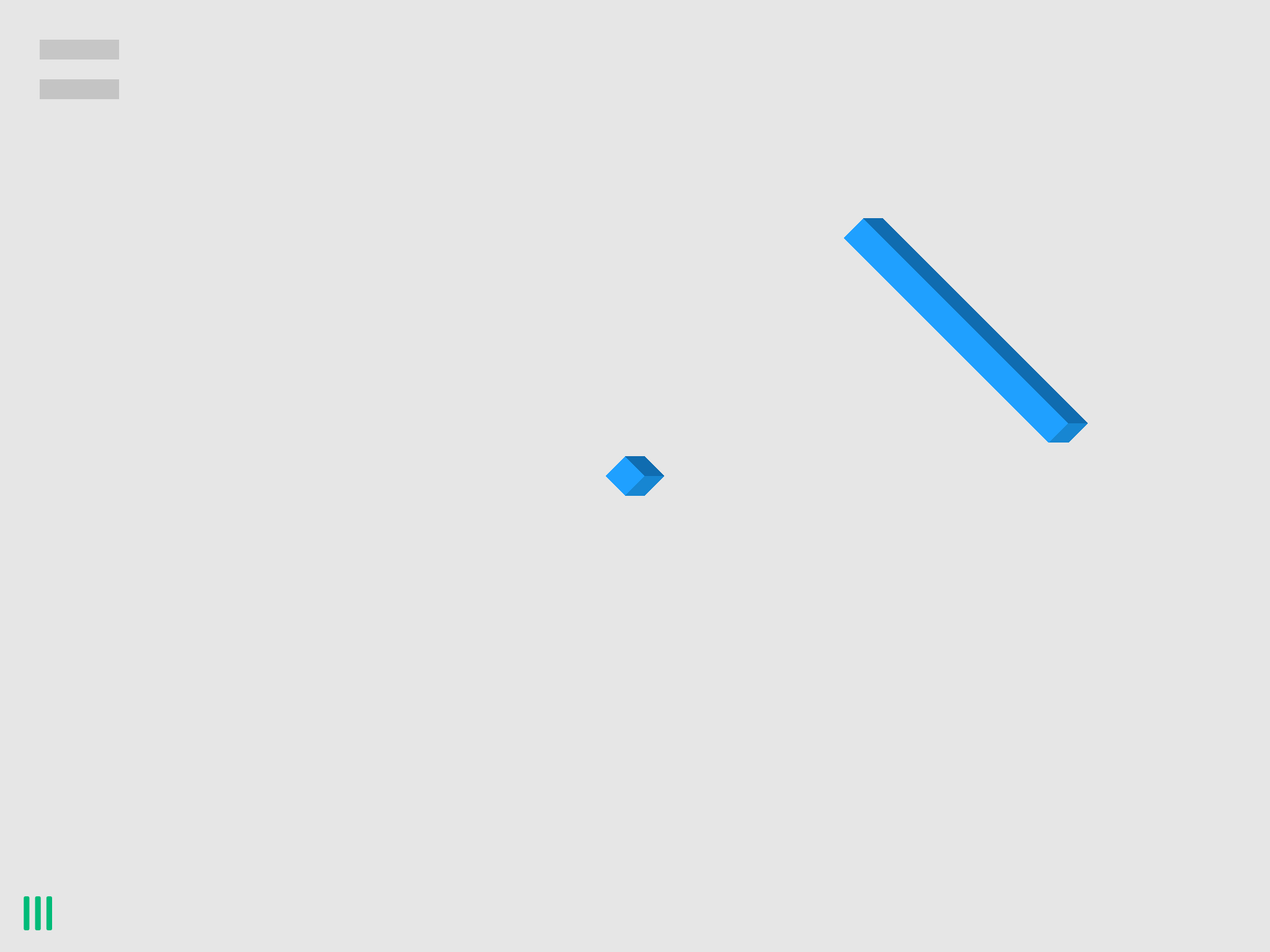
                But it has created this problem
                1_1499149385751_IMG_5085.PNG 0_1499149385751_IMG_5084.PNG
                Do you know how I might be able to fix it?
                Thx in advanced.

                1 Reply Last reply
                0
                • F Offline
                  F Offline
                  Flame Games
                  wrote on last edited by
                  #8

                  Ok I've done more code, part of it seems to work. But it is also lagging out my game after time. Here is the code
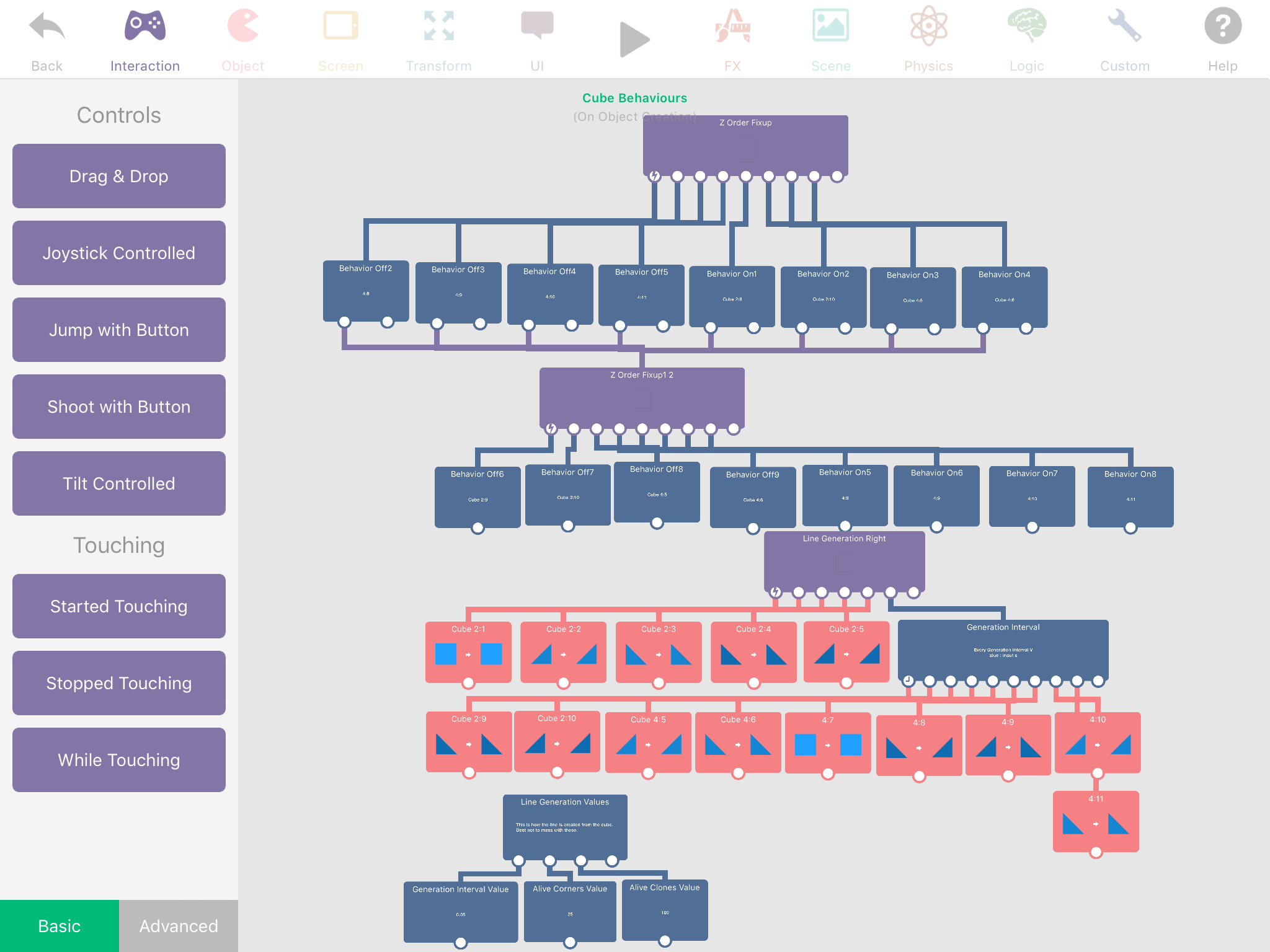
                  0_1499154481658_IMG_5096.PNG
                  This is the outcome
                  0_1499154499703_IMG_5095.PNG
                  I believe I'm getting close, but something isn't working right... any ideas?

                  Jack de WildeJ 1 Reply Last reply
                  0
                  • F Flame Games

                    Ok I've done more code, part of it seems to work. But it is also lagging out my game after time. Here is the code
                    0_1499154481658_IMG_5096.PNG
                    This is the outcome
                    0_1499154499703_IMG_5095.PNG
                    I believe I'm getting close, but something isn't working right... any ideas?

                    Jack de WildeJ Offline
                    Jack de WildeJ Offline
                    Jack de Wilde
                    wrote on last edited by Jack8680
                    #9

                    @Evolution I'm a bit confused... is there a reason your line is made of so many parts? Couldn't you just use a single graphic for each cube? If you do you can set the z order of each cube to (y × -64) I think (used 64 so cubes will have separate z orders as long as they aren't within 1/64th of a metre of each other).
                    Edit: had wrong z order formula.

                    1 Reply Last reply
                    0
                    • F Offline
                      F Offline
                      Flame Games
                      wrote on last edited by
                      #10

                      I've fixed it don't worry. However I need the seperate parts so that all the z layers work. If it was all one texture, upon duplication and mainly when you turn the Z layers wouldn't look right.

                      Jack de WildeJ 1 Reply Last reply
                      0
                      • F Flame Games

                        I've fixed it don't worry. However I need the seperate parts so that all the z layers work. If it was all one texture, upon duplication and mainly when you turn the Z layers wouldn't look right.

                        Jack de WildeJ Offline
                        Jack de WildeJ Offline
                        Jack de Wilde
                        wrote on last edited by
                        #11

                        @Evolution why not? It's at a fixed angle, if you set the z layers right it should work with a single graphic per cube, right?


                        1 Reply Last reply
                        0

                        Hello! It looks like you're interested in this conversation, but you don't have an account yet.

                        Getting fed up of having to scroll through the same posts each visit? When you register for an account, you'll always come back to exactly where you were before, and choose to be notified of new replies (either via email, or push notification). You'll also be able to save bookmarks and upvote posts to show your appreciation to other community members.

                        With your input, this post could be even better 💗

                        Register Login
                        Reply
                        • Reply as topic
                        Log in to reply
                        • Oldest to Newest
                        • Newest to Oldest
                        • Most Votes


                        • Login

                        • Login or register to search.
                        • First post
                          Last post
                        0
                        • Categories
                        • Recent
                        • Tags
                        • Popular
                        • Users
                        • Search