
How to shoot in a specific direction.
-
Hello
I have an enemy shooting at me.
How can I do that?
With move to it works until my character, but the projectile doesn’t continue as its trajectory. It stops.Trying to improvise with sin and cos without popper tutorial, it’s impossible for me. doesn’t make sense to do anything with a proper tutorial anyway.
The shoot button doesn’t work cause of many issues, layer problem and obviously the bullet not being an object.
So how do I shoot in a specific direction?
Where do I get my angle from?
Does anyone have a proper tutorial on how to shoot in a specific direction?I saw the tutorial with the joystick shooting direction… but it doesn’t help at all for what I’m doing. I still don’t understand how to get the angle and it’s a complete different scenario.
It’s a simple bullet hell so one object shooting at another object, but the bullet must continue its way not stopping at the object B
Can you please give me a hand?
Thank you -
I think you can benefit from using a wall object. You can apply a velocity on it using Set Velocity and it will continue moving forever.
Now to make it move in a specific direction, you do need to use a bit of math. The Set Velocity behavior has
xandyinput fields. What do you plug into those?Calculate
xby using the Sine function. Sine takes in an angle.
Calculateyby using the Cosine function. Cosine takes in an angle.Here I take an angle (substitute it with whatever angle you want) and plug it into Math Function behaviors.
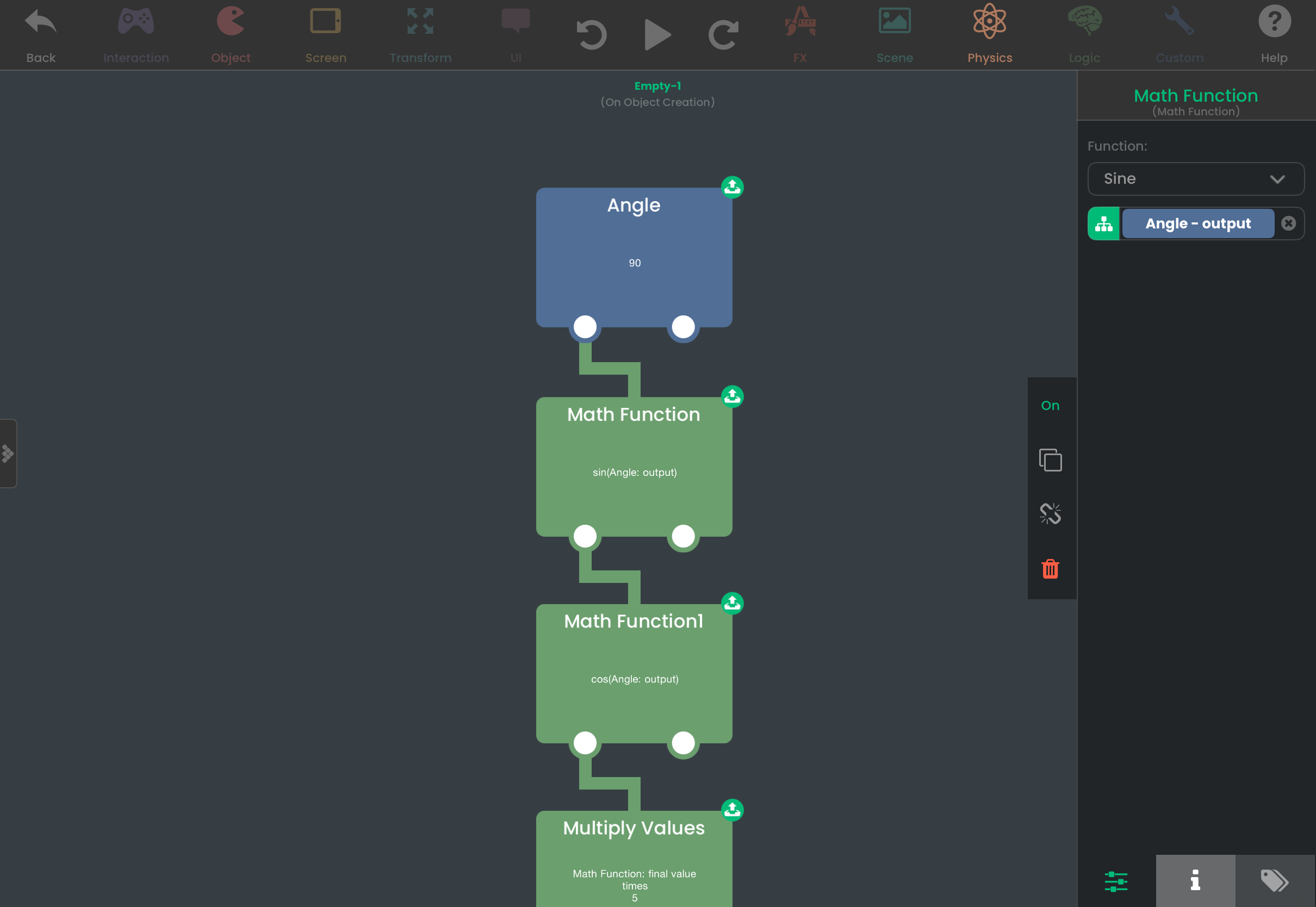
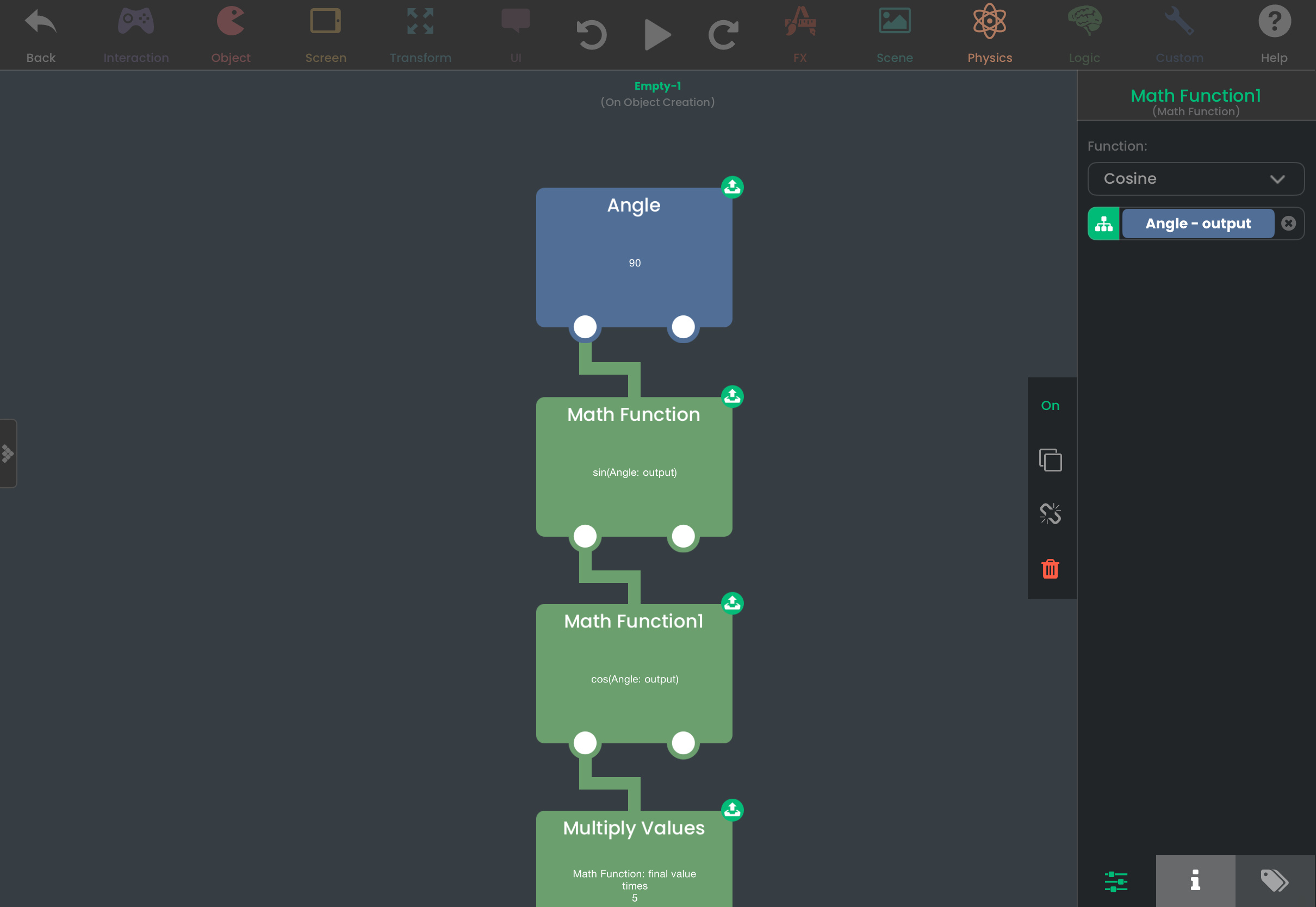
Now I take the outputs of the Math Function behaviors, and multiply them. The bigger the number you multiply with, the faster the object will travel.
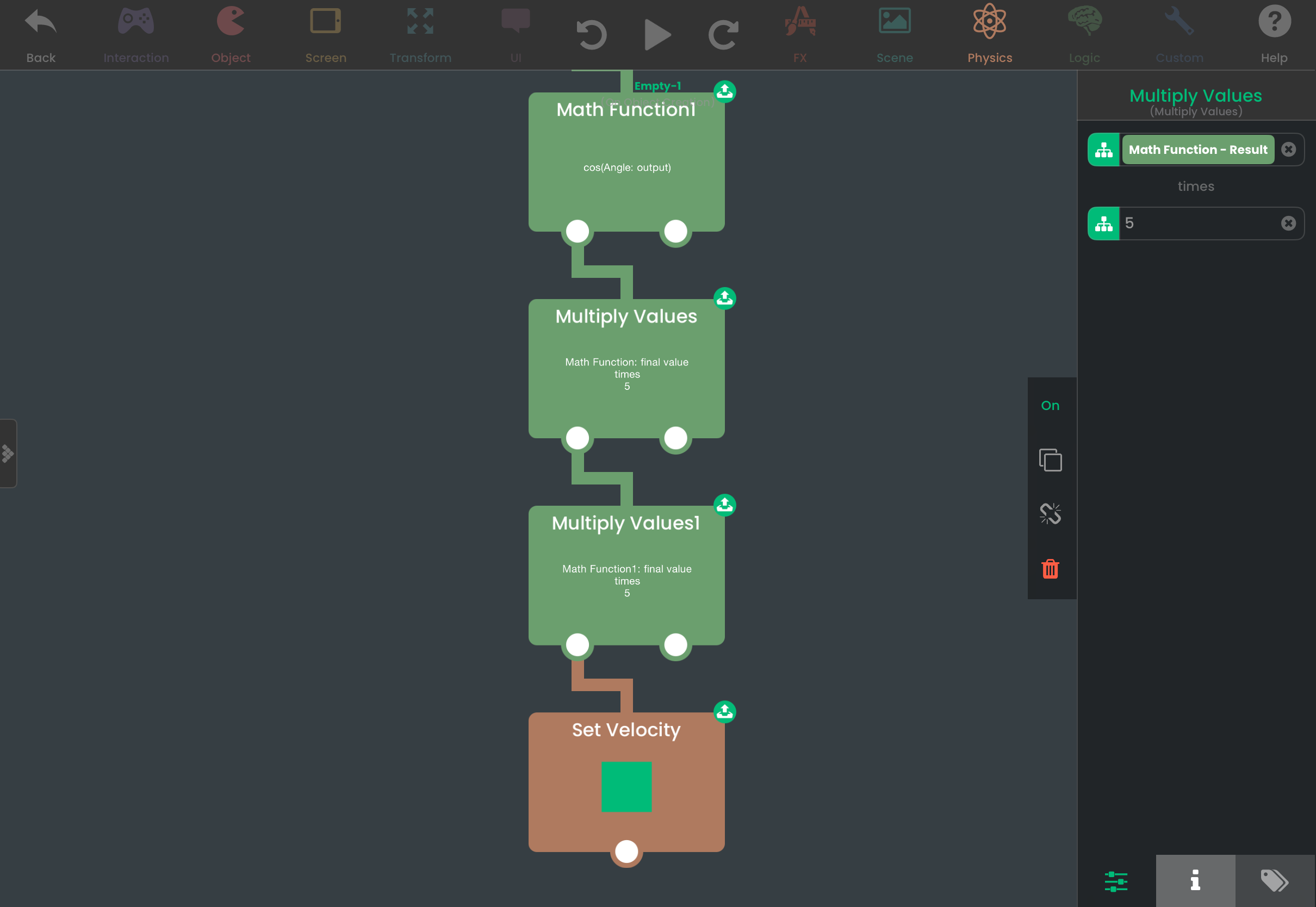
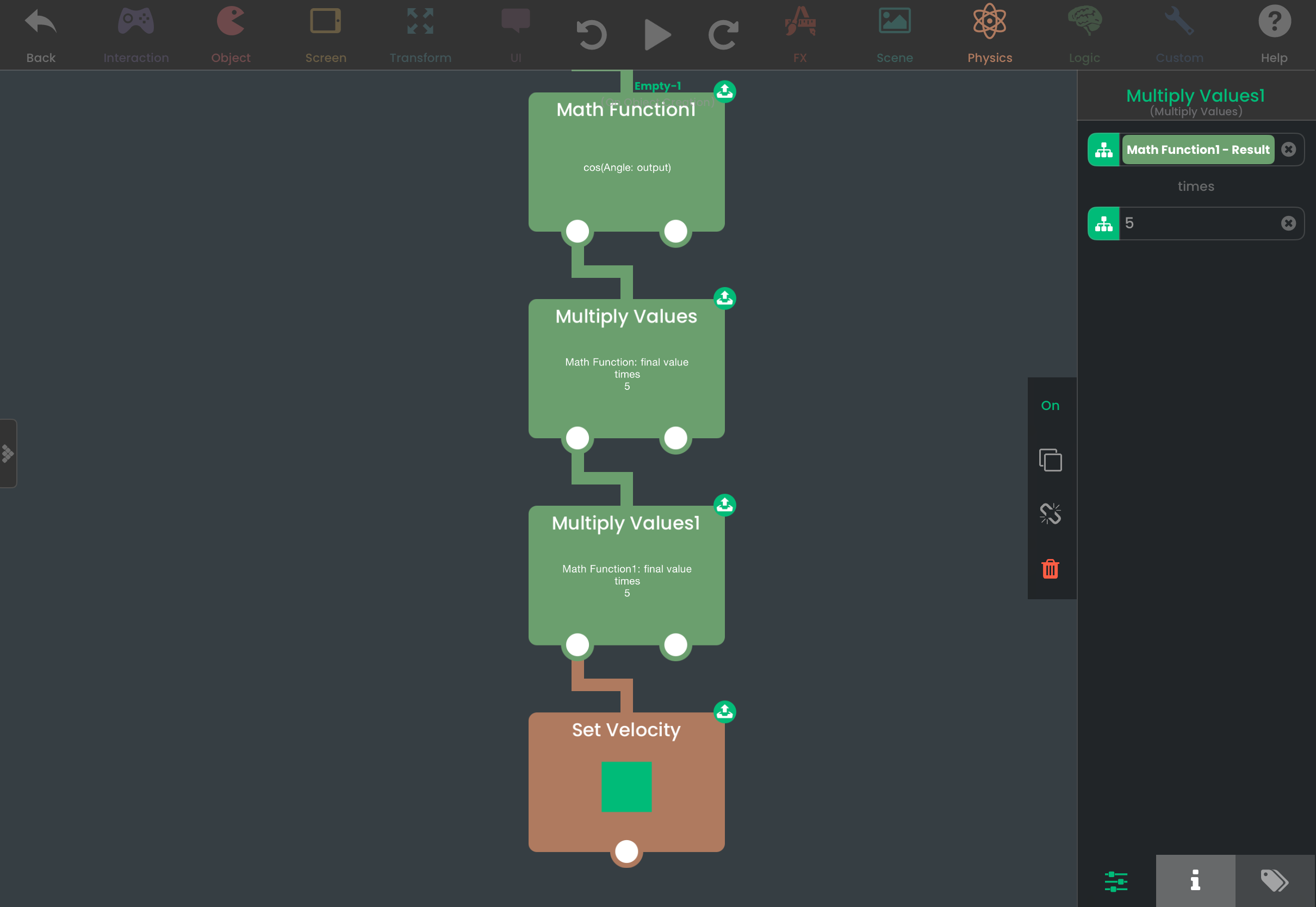
Finally, plug the results of those behaviors into Set Velocity.
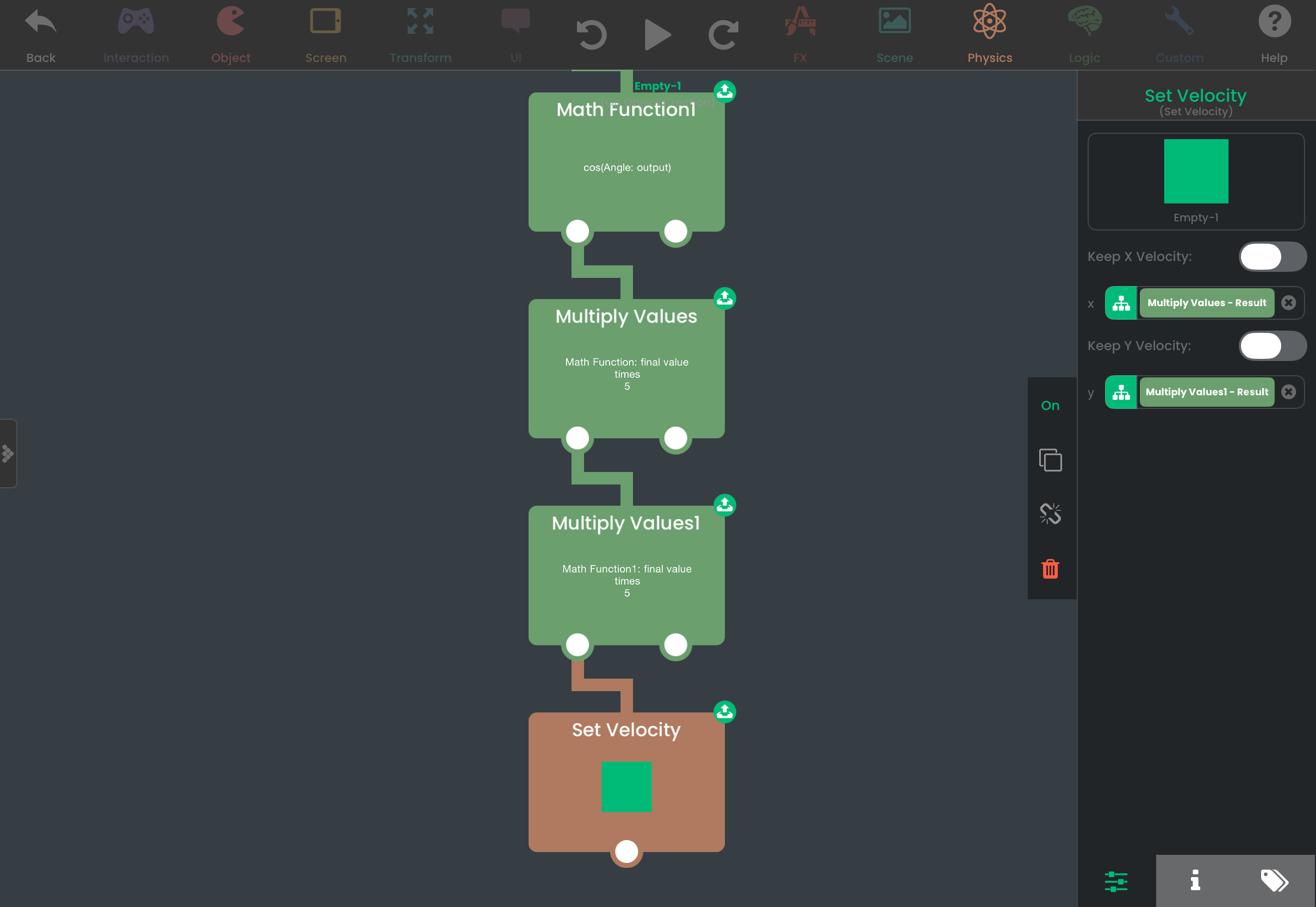
In conclusion, given an
angleandspeedyou want an object to travel, you can calculate thexandyvelocity to apply to a wall object with these equations:x=Sine(angle)*speed
y=Cosine(angle)*speed
Hello! It looks like you're interested in this conversation, but you don't have an account yet.
Getting fed up of having to scroll through the same posts each visit? When you register for an account, you'll always come back to exactly where you were before, and choose to be notified of new replies (either via email, or push notification). You'll also be able to save bookmarks and upvote posts to show your appreciation to other community members.
With your input, this post could be even better 💗
Register Login