
Move Layer, or everything in it, easily?
-
@Deeeds So you want all of the stuff in one of your layer to move, e.g move everything to the right a metre?
-
@Aidan-Oxley Yes, exactly like that, animate over time through rotation, scale and movement.
@Deeeds You could try highlight all your layer using the highlight tool then drag them around or something? Highlight tool is on the left of the screen, looks like a box.
-
@Deeeds You could try highlight all your layer using the highlight tool then drag them around or something? Highlight tool is on the left of the screen, looks like a box.
@Aidan-Oxley Sorry, still not making myself clear.
If I was talking about a normal programming world, I'd say I want to do one of these:
a) Iterate over every object in a layer, transforming each in the same way (with code, in the game, not in the editor, by the use of a "behaviour")
or
b) anchor all objects in a layer to a master object, and move that object (with code) and have that create anchored transformations of the other objects. (commonly called "parenting")
or
c) attach a behaviour (code) to the layer, that causes everything in the layer to move in the same way, as though they're all parented to the layer.
But I can't find anything like this in hyperPad...
-
@Aidan-Oxley Sorry, still not making myself clear.
If I was talking about a normal programming world, I'd say I want to do one of these:
a) Iterate over every object in a layer, transforming each in the same way (with code, in the game, not in the editor, by the use of a "behaviour")
or
b) anchor all objects in a layer to a master object, and move that object (with code) and have that create anchored transformations of the other objects. (commonly called "parenting")
or
c) attach a behaviour (code) to the layer, that causes everything in the layer to move in the same way, as though they're all parented to the layer.
But I can't find anything like this in hyperPad...
@Deeeds Oh, so you want all objects to transform somehow (move etc) at the same time, using behaviours. Put all the objects in that layer into a Tag, then run your behaviour on that tag. I’ll try to take some screenshots for you if you want. (Tags can be added to object by selecting the object then using the bottom right corner button).
-
@Deeeds Oh, so you want all objects to transform somehow (move etc) at the same time, using behaviours. Put all the objects in that layer into a Tag, then run your behaviour on that tag. I’ll try to take some screenshots for you if you want. (Tags can be added to object by selecting the object then using the bottom right corner button).
-
@Aidan-Oxley Yes, please. Very confused about what "tags" are within hyperPad, and how you can run a behaviour on a tag.
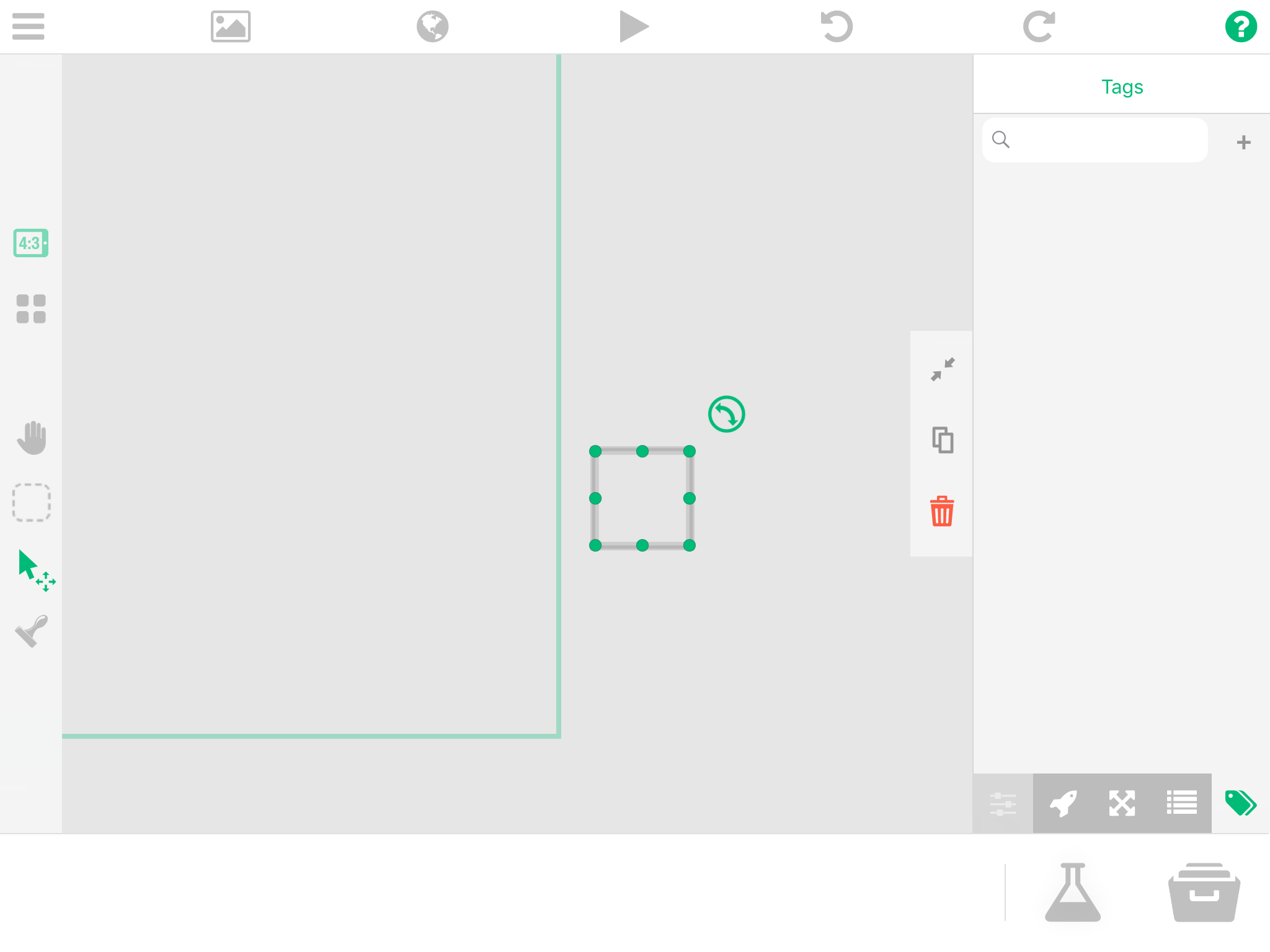
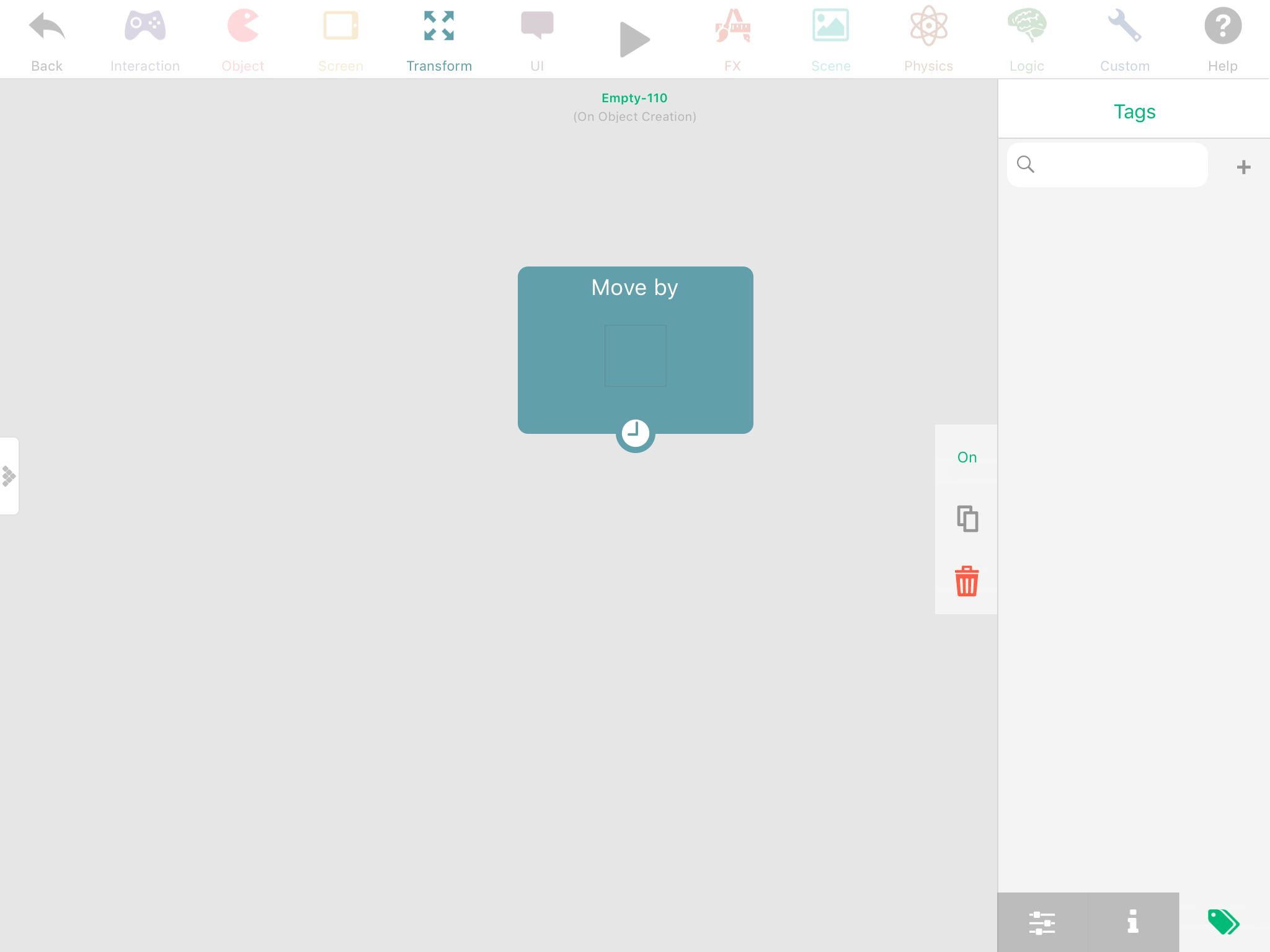
Look in the bottom right corners
-
Look in the bottom right corners
@Aidan-Oxley Yes, I know where tags are, and have tried using them, but I don't know what they're analogous to within the world's of software and sorting ideas I've seen tagging used for in other environments.
eg. How do you "run a behaviour" on a tag?
And what is this doing in the background?
Does hyperPad create dictionaries or arrays of all objects with the same tag, and then iterate over them? FAST?
Or does it have to run a search through every object in the game world and find each one with the right tag, then operate on it? SLOW?
-
Look in the bottom right corners
-
@Aidan-Oxley Yes, I know where tags are, and have tried using them, but I don't know what they're analogous to within the world's of software and sorting ideas I've seen tagging used for in other environments.
eg. How do you "run a behaviour" on a tag?
And what is this doing in the background?
Does hyperPad create dictionaries or arrays of all objects with the same tag, and then iterate over them? FAST?
Or does it have to run a search through every object in the game world and find each one with the right tag, then operate on it? SLOW?
@Deeeds said in Move Layer, or everything in it, easily?:
Does hyperPad create dictionaries or arrays of all objects with the same tag, and then iterate over them? FAST?
Yes it does it the fast way that you described.
@Deeeds said in Move Layer, or everything in it, easily?:
@Aidan-Oxley And... is this the ONLY way to transform all the contents of a layer?
This is the best way that I know of!
-
@Deeeds said in Move Layer, or everything in it, easily?:
Does hyperPad create dictionaries or arrays of all objects with the same tag, and then iterate over them? FAST?
Yes it does it the fast way that you described.
@Deeeds said in Move Layer, or everything in it, easily?:
@Aidan-Oxley And... is this the ONLY way to transform all the contents of a layer?
This is the best way that I know of!
-
@Hamed THANK YOU very much Hamed!
This gives me enormous confidence in tags, and a little insight into how they work and why they're there.
One more tricky question:
How can I apply a behaviour to a tag?
@Deeeds when you tap on a behaviour there's a tab for tags right at the bottom (look at Aidan's second screenshot). Select or create a tag and have all your objects in that tag, then the behaviour will run on all of them. This doesn't work underneath a collided behaviour with the same tag though because it would only run on the object you collide with. Tags can also be used in a loop with "for each" selected, making it Loop over every object in that tag.



Hello! It looks like you're interested in this conversation, but you don't have an account yet.
Getting fed up of having to scroll through the same posts each visit? When you register for an account, you'll always come back to exactly where you were before, and choose to be notified of new replies (either via email, or push notification). You'll also be able to save bookmarks and upvote posts to show your appreciation to other community members.
With your input, this post could be even better 💗
Register Login