
Animations are broken.
-
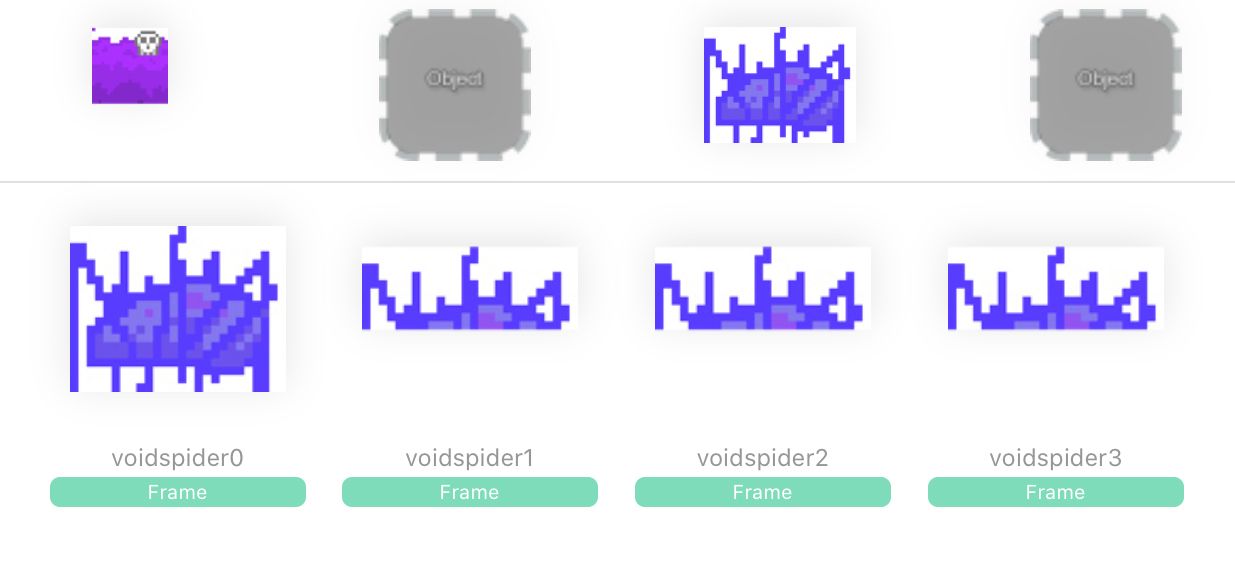
I have a problem. When trying to make animations, the first frame is what it should be, but the others are just halves of it. It cuts them vertically. Never happened before, but now my two new enemies behave like that. The animation is created from separate pictures.
EDIT: also transparency doesn’t work in the new animation. All the old animations made the same way work like they used to.
-
Weird. I don't work with animations much, but maybe you could try import each frame one by one and then use those in the animation behaviour?
-
I can of course try that, but something is clearly wrong here. The way I have made sprites and animations for months suddenly doesn’t work. I’m afraid to go on with this product at the moment. What if I put a year or years in this thing and this program just falls apart?
Nobody else has this issue when importing graphics? All the graphics are made with Pixelable and suddenly they don’t work. Even reuploading previously uploaded graphics don’t work. Everything done before this started is still working normally.
-
I've gotten used to just having to work around bugs that come out in new updates. I don't think hyperPad will fall apart though.
-
I can of course try that, but something is clearly wrong here. The way I have made sprites and animations for months suddenly doesn’t work. I’m afraid to go on with this product at the moment. What if I put a year or years in this thing and this program just falls apart?
Nobody else has this issue when importing graphics? All the graphics are made with Pixelable and suddenly they don’t work. Even reuploading previously uploaded graphics don’t work. Everything done before this started is still working normally.
-
@JiiS when importing your animations, are each of your animation frames the same size? eg. if one of them is 150x150 px, make them all 150x150 px
@Hamed
Yes. This thing happens now with graphics that previously worked. The already created animated objects work, but not the new ones, not even with the same old graphics.
And the ”broken frames” don’t seem to be the correct selected images, but just half showing copies of the first clicked.EDIT: But the other thing is that the transparent parts of the image shows up white. Even if I could somehow go around the frame issue I still couldn’t use the images because they have the white box around them.
EDITEDIT: So just to clarify. I have for example patrolling enemies with graphics A, B, C. If I try to make new enemy using the same files A, B and C they don’t work. But the previously made works correctly.
Something has happened between then and now, in my HyperPad on my iPad or HyperPad-app overall. -
@Hamed
Now we are onto something. Working on iPad it’s difficult to know what images are without checking with some other app. It seems they are JPEGs according to Photo Investigator’s metadata, but Linking the image here shows it to be PNG?. But how the heck did they work perfectly and the backgrounds were transparent and now they stopped working?And I feel like I still have to say this: The SAME files work and don’t work depending on when I imported them to HyperPad. I am super hyped all you people are trying to help, but It’s just so frustrating that everything worked, and still works, but one day just doing what I’ve done the same way started giving me different results.
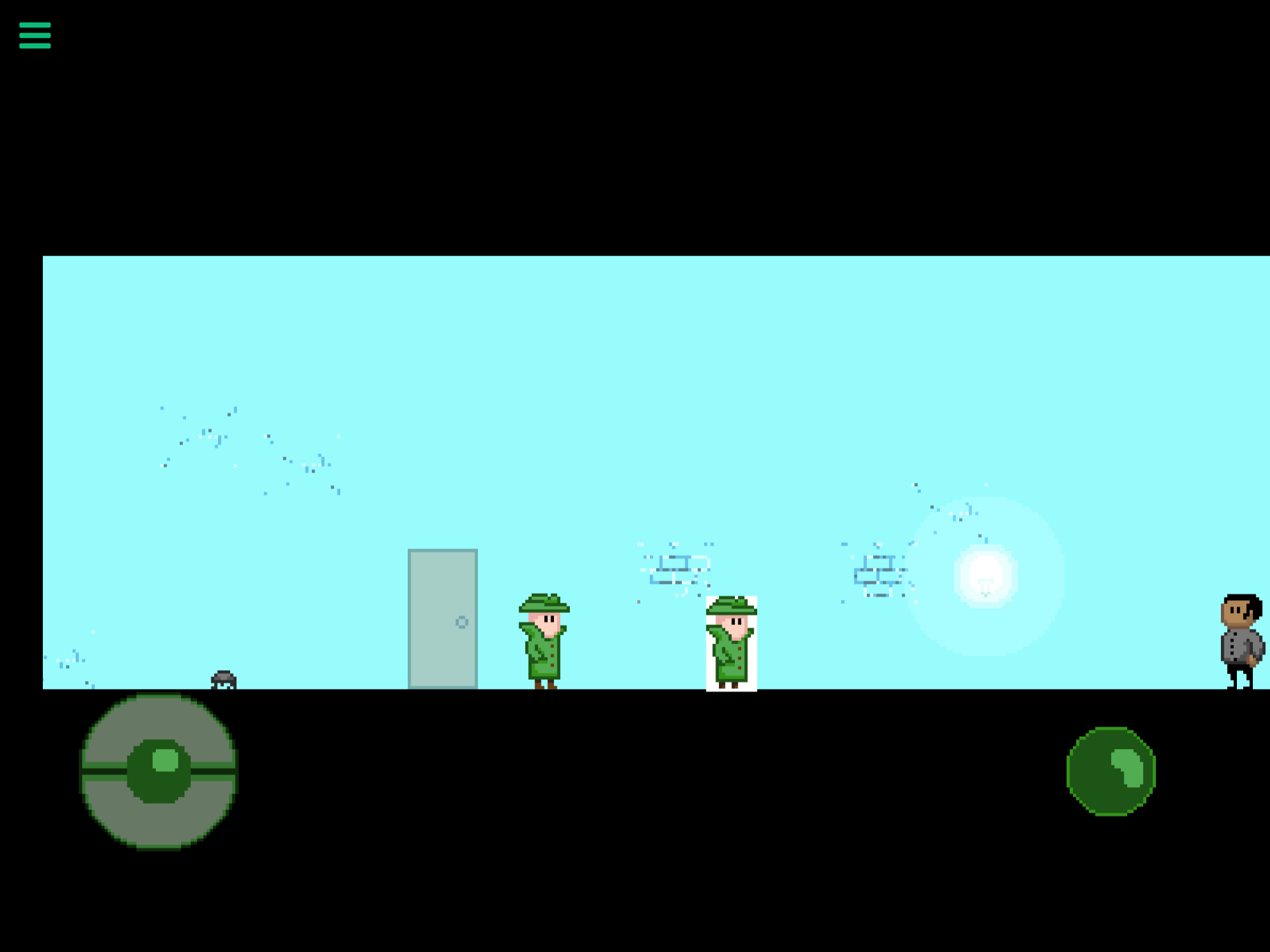
This is one frame of my hero character. It works perfectly in the game. If I try to make a new hero importing the same frames the animation and graphics behave differently than in the already made hero character I’ve made months ago.

EDIT: I can send the files, but here is the project:
http://bit.ly/2tEqC29It’s very under construction and there is plenty of temp stuff, but I created a simple clone of the hero in level one. It uses the same files, but looks and behaves wrong.
-
I’ve gone a little bit deeper into it. I think there is maybe a problem with your drawing app. I got the picture that you had for example with your hero character, and there is an invisible outline surrounding your image
.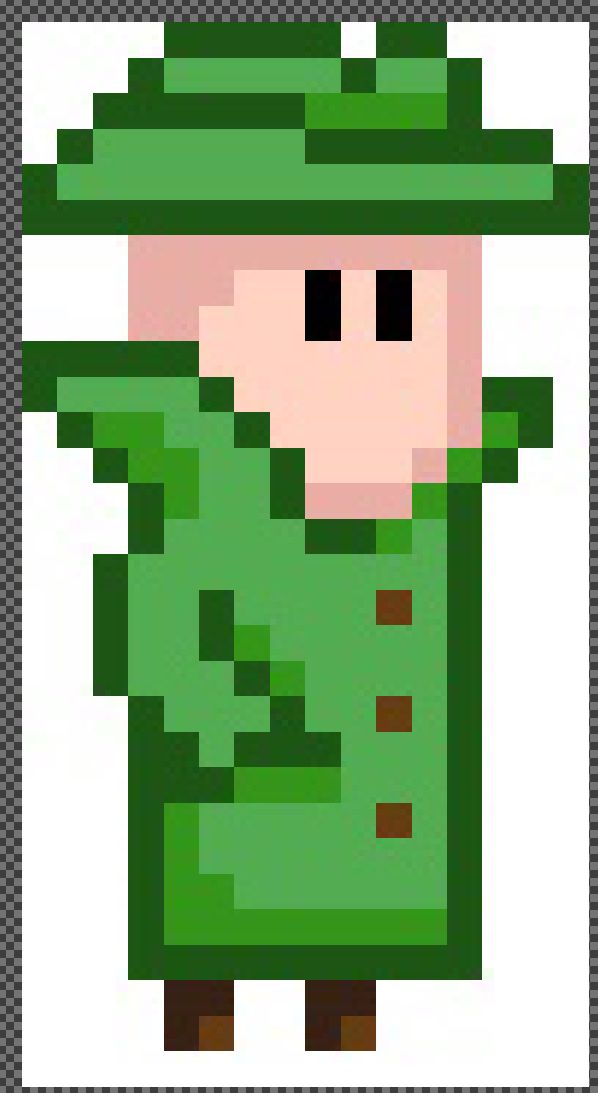
I know it’s very frustrating when you work hard for one thing and it suddenly doesn’t work as it has to be. But for this problem in particular, I don’t think we can fix this. Actually maybe we can but it’s just my idea of it. It seems to be a problem with the image itself.




Hello! It looks like you're interested in this conversation, but you don't have an account yet.
Getting fed up of having to scroll through the same posts each visit? When you register for an account, you'll always come back to exactly where you were before, and choose to be notified of new replies (either via email, or push notification). You'll also be able to save bookmarks and upvote posts to show your appreciation to other community members.
With your input, this post could be even better 💗
Register Login