
Can you save the progress of a health bar
-
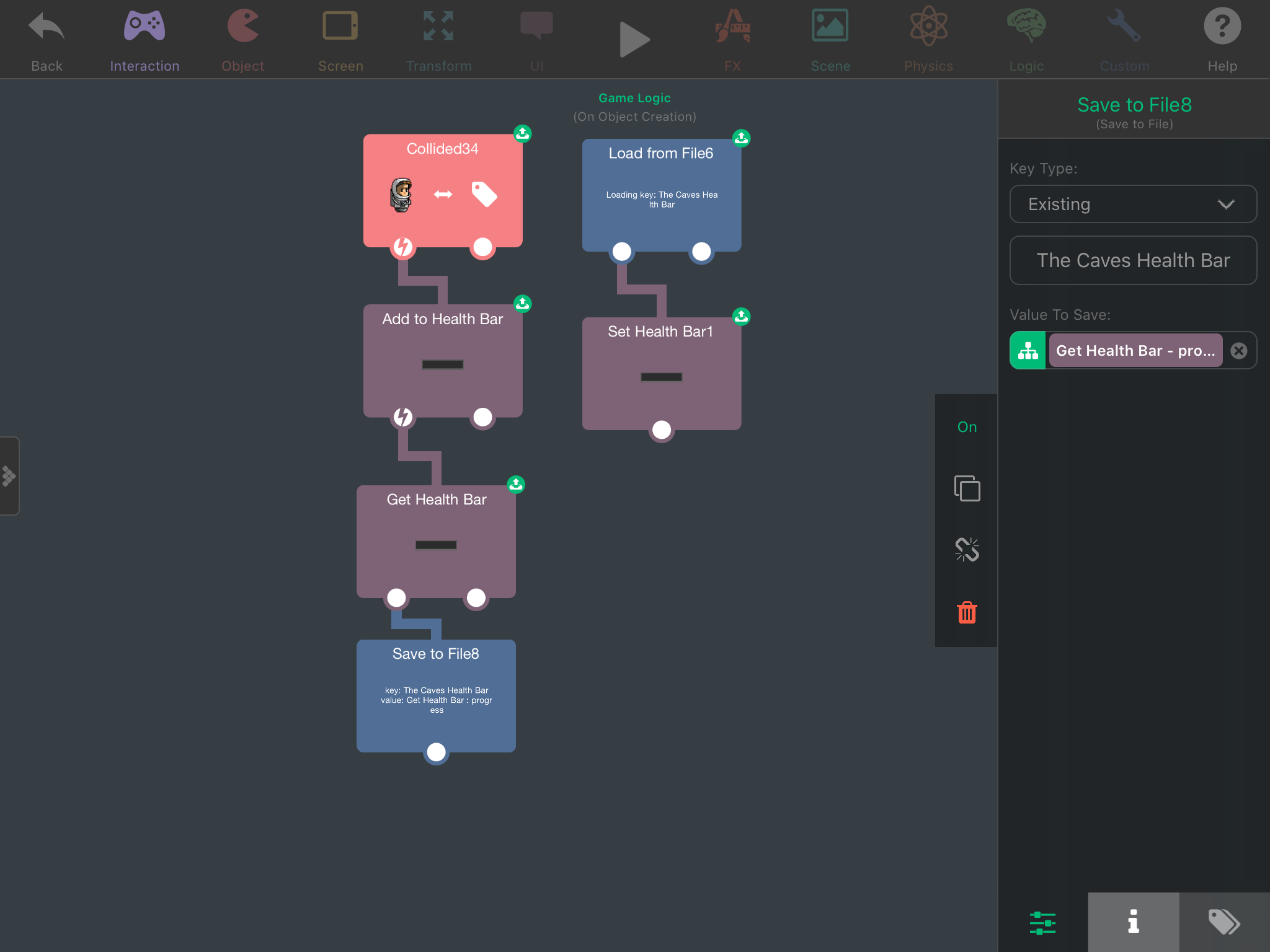
I would think saving the health bar is very similar to how everything is is saved and loaded. With labels its get label, save to file. Then load from file, set label. I tried the same method with trying to save a health bar and everytime the scene restarts it will never show the correct value. In fact it shows it as empty everytime. Check the screenshot. What step am i missing.
 .
.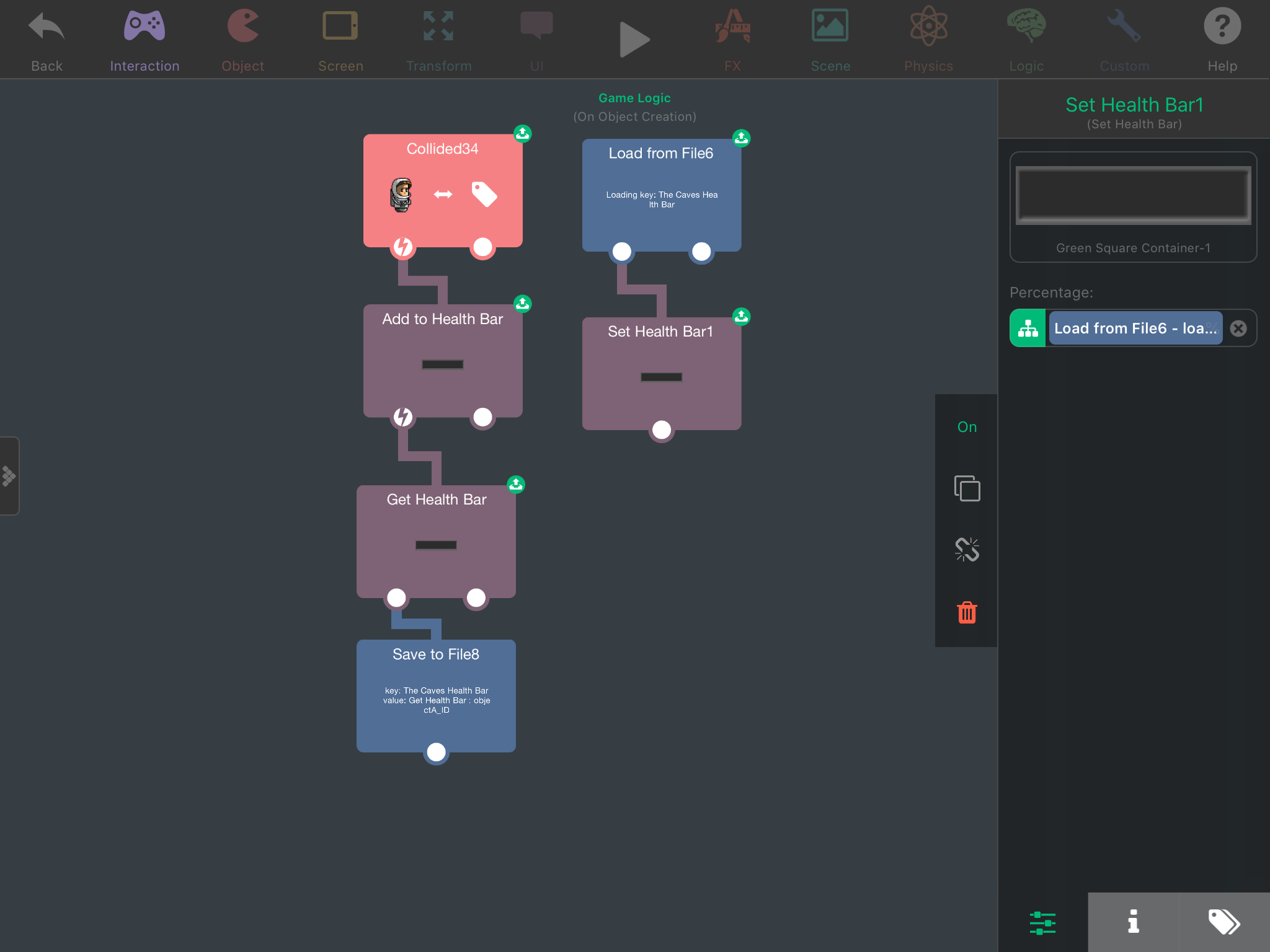
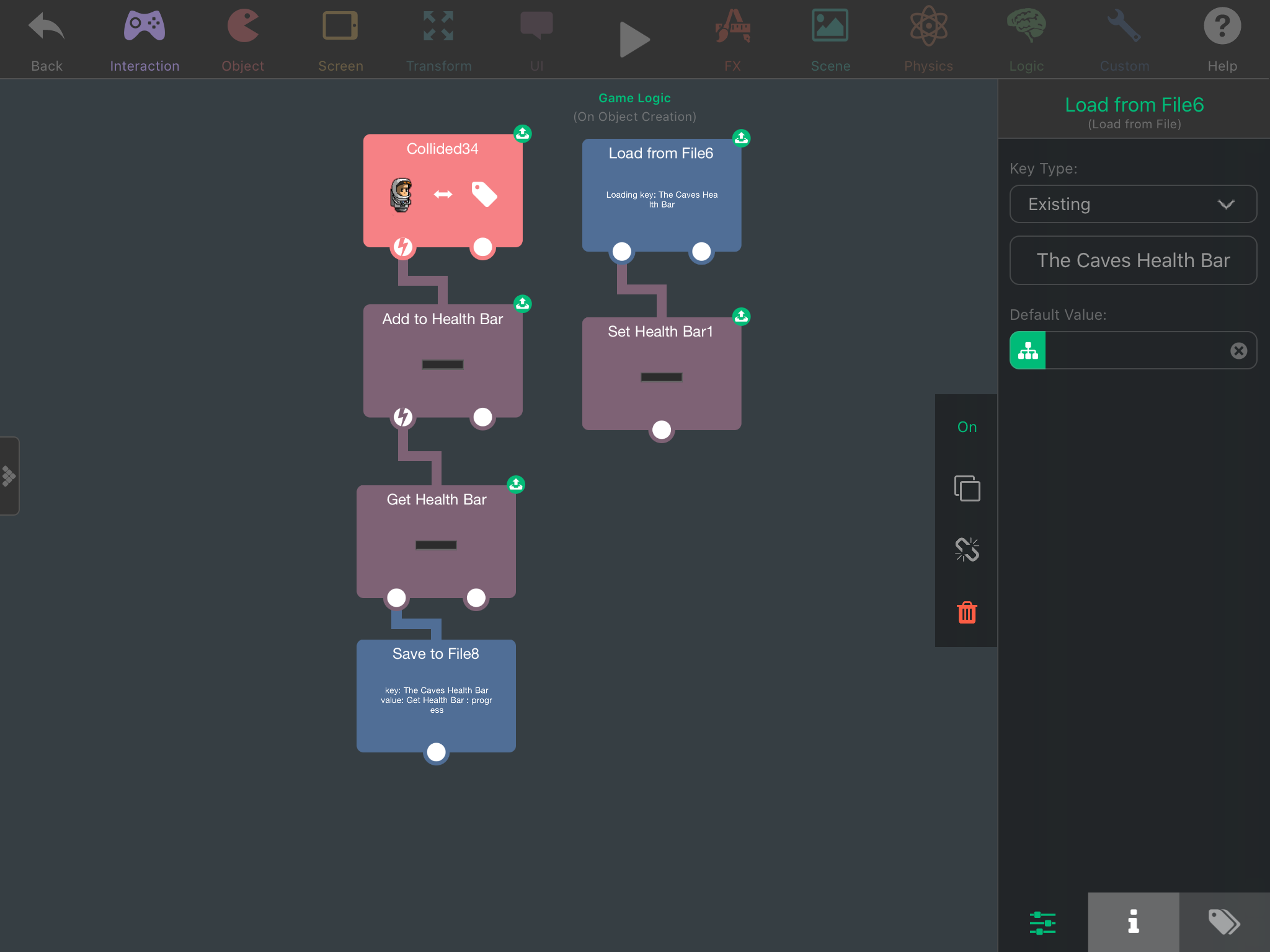
@SplitMindGaming In your second screenshot there I can see you are saving the health bar object ID instead of the health. I think this could be what's wrong, but why is it different in the other 2 screenshots?
-
I would think saving the health bar is very similar to how everything is is saved and loaded. With labels its get label, save to file. Then load from file, set label. I tried the same method with trying to save a health bar and everytime the scene restarts it will never show the correct value. In fact it shows it as empty everytime. Check the screenshot. What step am i missing.
. @SplitMindGaming In the load from file behaviour, can you try setting the default value to maybe 50, and tell me what happens?
-
@SplitMindGaming In the load from file behaviour, can you try setting the default value to maybe 50, and tell me what happens?
@Aidan-Oxley yes that screenshot shows the object id because i was also testing that out as well. It also doesnt save when i drag in the object progress. When i set the default value to 50 it doesnt save its progress as well it just looks like it deals more damage. I will create a simple version to share. I cant even do this with life indicator.
-
@Aidan-Oxley yes that screenshot shows the object id because i was also testing that out as well. It also doesnt save when i drag in the object progress. When i set the default value to 50 it doesnt save its progress as well it just looks like it deals more damage. I will create a simple version to share. I cant even do this with life indicator.
@SplitMindGaming heres a test file. I place the default value of the health bar to 50 under the load from file. Because if i leave it at default 0. It will spawn with nothing.Test.tap
-
To replicate the problem simply drag the player to the enemy to deal some damage. Then click the restart scene on top to see if it saves your progress.
-
To replicate the problem simply drag the player to the enemy to deal some damage. Then click the restart scene on top to see if it saves your progress.
@SplitMindGaming So, every time you load the health bar, it appears as 50% now right? When you change default to 50.
-
To replicate the problem simply drag the player to the enemy to deal some damage. Then click the restart scene on top to see if it saves your progress.
@SplitMindGaming Anyway, here's the problem I should've realised this earlier lol:
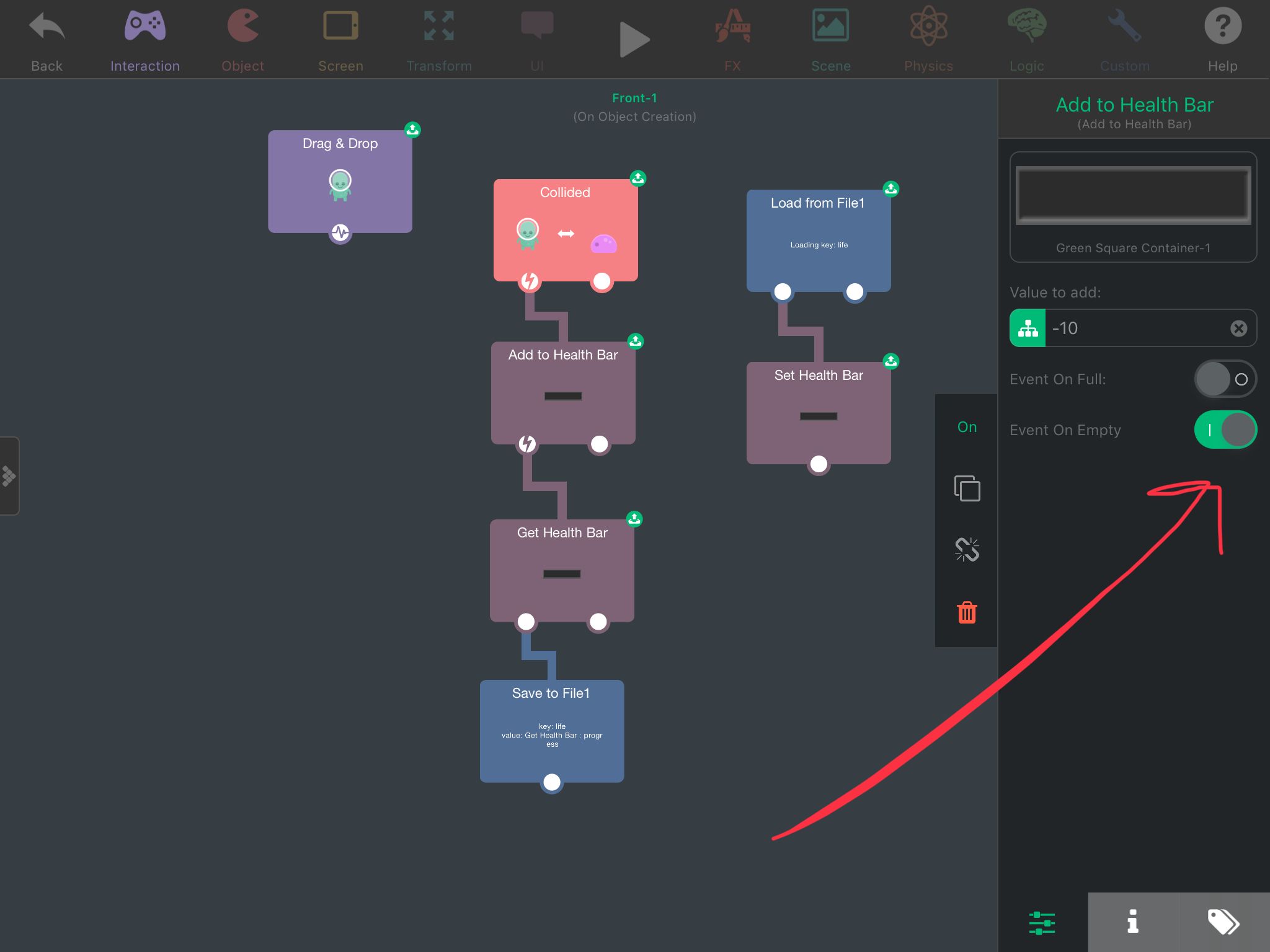
Event on empty means it will only trigger behaviours underneath it once the health bar is empty, so all you needed to do in this case was put the behaviours side by side (left to right) like this:
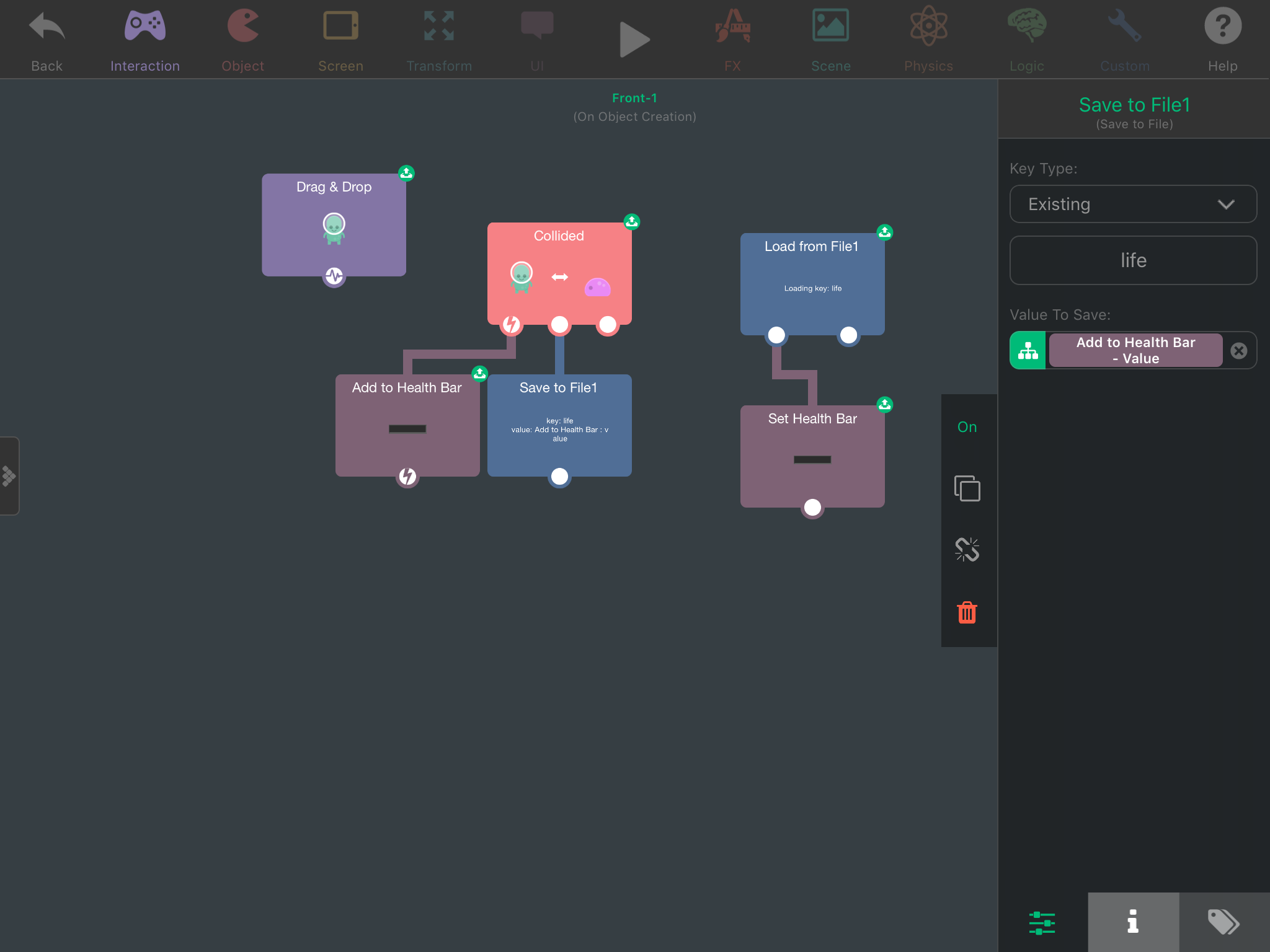
Turns out you don't even need the Get Health Bar behaviour here since Add to Health Bar seems to be capable of outputting the current health after changing the health bar. Also, since the health bar is instantly loaded every time, now I would recommend setting the default value of load from file to 100 (default value means if there is nothing saved yet, I.e it's your first time ever fighting the enemy with this health bar, it will by default set the health bar to 100%). -
@SplitMindGaming Anyway, here's the problem I should've realised this earlier lol:
Event on empty means it will only trigger behaviours underneath it once the health bar is empty, so all you needed to do in this case was put the behaviours side by side (left to right) like this:
Turns out you don't even need the Get Health Bar behaviour here since Add to Health Bar seems to be capable of outputting the current health after changing the health bar. Also, since the health bar is instantly loaded every time, now I would recommend setting the default value of load from file to 100 (default value means if there is nothing saved yet, I.e it's your first time ever fighting the enemy with this health bar, it will by default set the health bar to 100%).@Aidan-Oxley wow thanks for that. Do u know if theres a way to manipulate the healthbar images. When i go to choose my own the alignment of the 2 seems off. I also would want an animated healthbar as well. Would you happen to know if hyperpad can load those in?
-
@Aidan-Oxley wow thanks for that. Do u know if theres a way to manipulate the healthbar images. When i go to choose my own the alignment of the 2 seems off. I also would want an animated healthbar as well. Would you happen to know if hyperpad can load those in?
@SplitMindGaming If you want the alignment to be correct, make sure that both the images for the frame and the bar are the exact same resolution, and the frame and bars are in the middle of the image you made.
-
@Aidan-Oxley wow thanks for that. Do u know if theres a way to manipulate the healthbar images. When i go to choose my own the alignment of the 2 seems off. I also would want an animated healthbar as well. Would you happen to know if hyperpad can load those in?
@SplitMindGaming I think you can animate the frame, but not the bar itself. If you wanted to have more custom health bars you would have to program one yourself using other objects.


Hello! It looks like you're interested in this conversation, but you don't have an account yet.
Getting fed up of having to scroll through the same posts each visit? When you register for an account, you'll always come back to exactly where you were before, and choose to be notified of new replies (either via email, or push notification). You'll also be able to save bookmarks and upvote posts to show your appreciation to other community members.
With your input, this post could be even better 💗
Register Login