
Is “While Touching” broken?
-
@SplitMindGaming 'Wrap Around Screen' behavior does what you want. It'll wrap around the screen the object you want to apply this. So if an object goes down your screen, it'll reappear up screen. You can also set up where you want it to wrap ( if you want it to wrap only up or down and not left to right, you can manipulate that ).
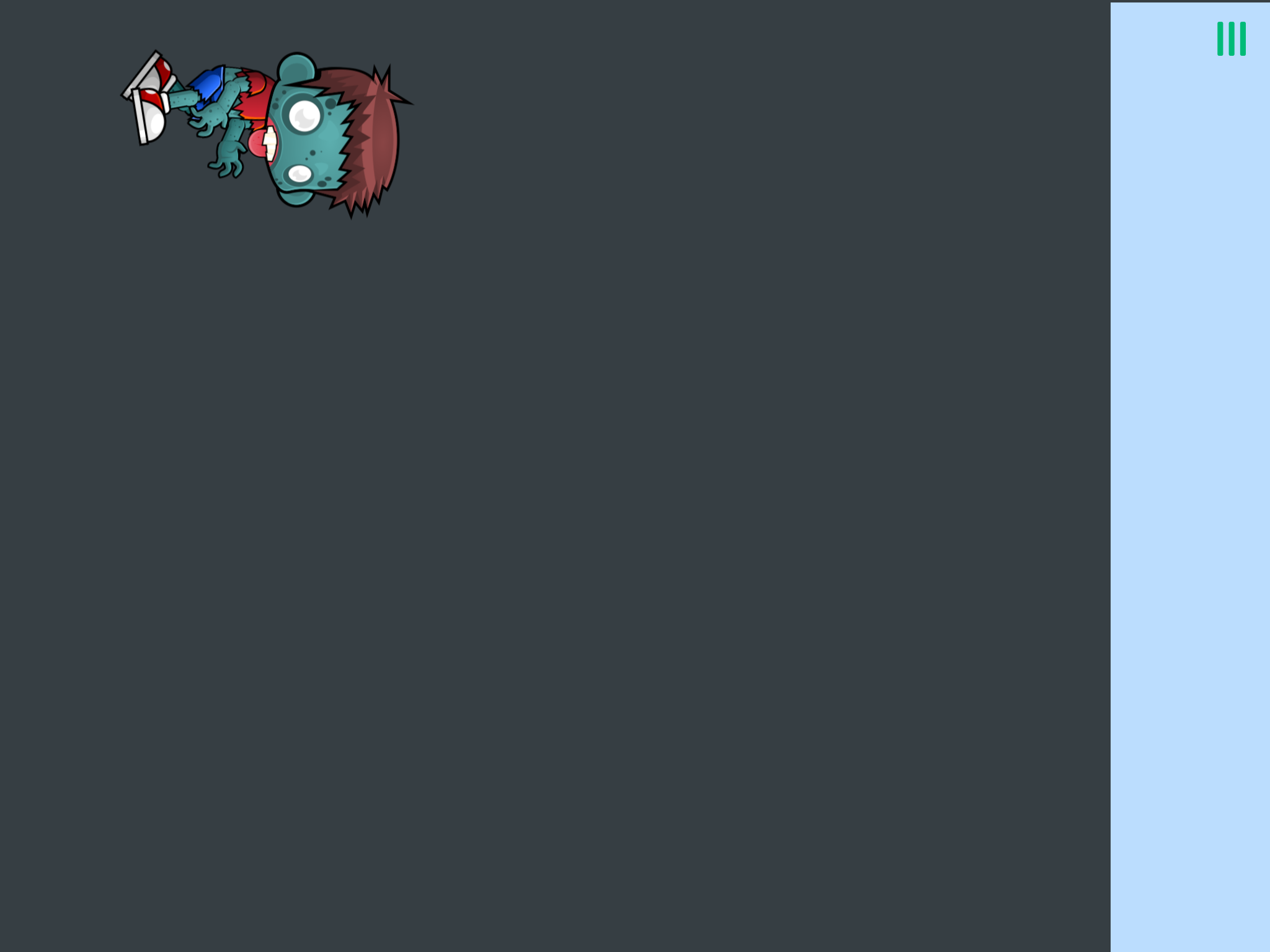
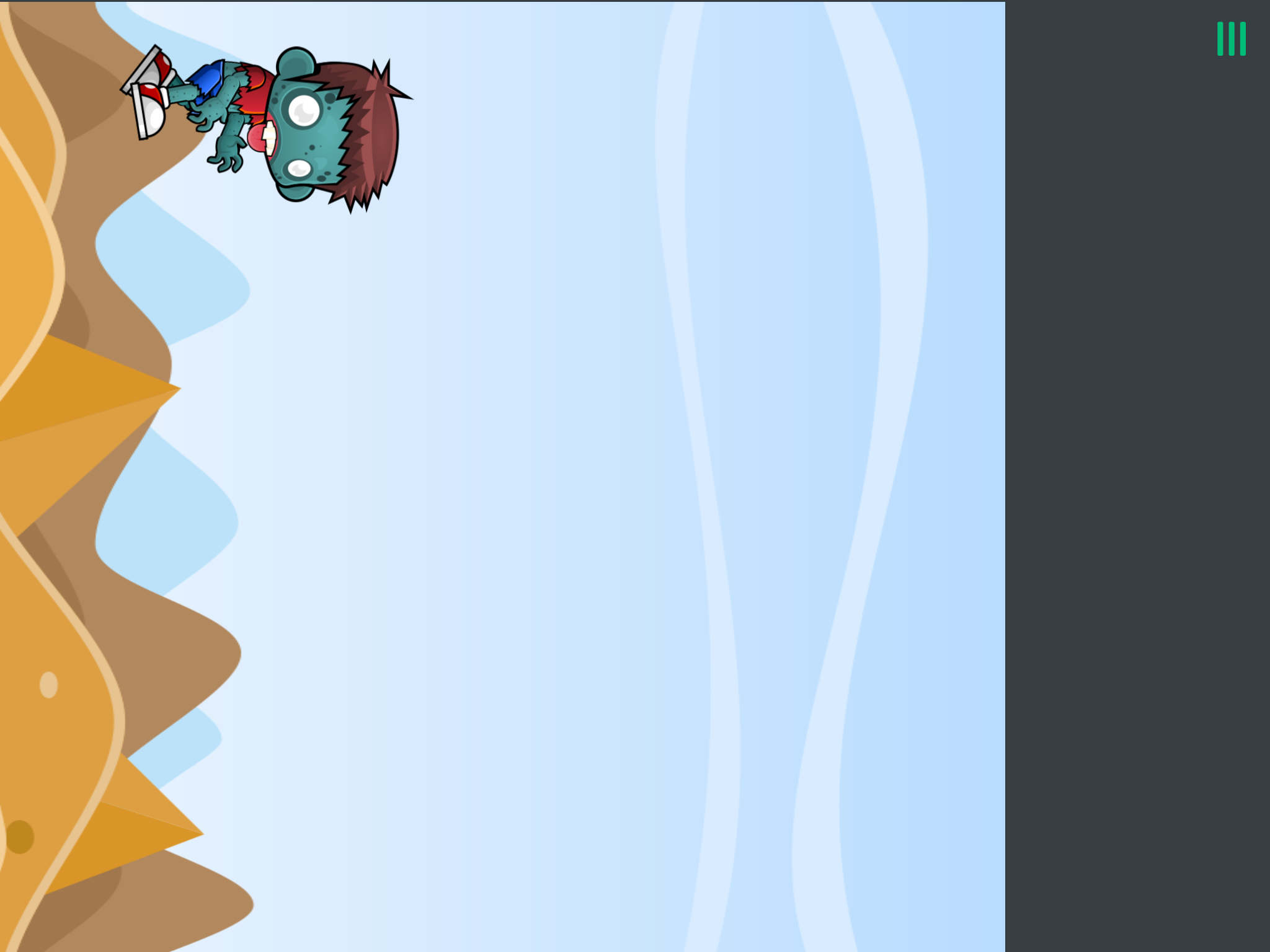
@XxWhiteHearrxX hey so i placed wrap screen on the background image to test out and had the character fly up. The bg did eventually wrap up infinitely but had a huge gap in between the wrapping. Any idea how to fix this? Screenshots are shown.
-
@XxWhiteHearrxX hey so i placed wrap screen on the background image to test out and had the character fly up. The bg did eventually wrap up infinitely but had a huge gap in between the wrapping. Any idea how to fix this? Screenshots are shown.
-
@SplitMindGaming Maybe putting another bg that will fill this gap
@XxWhiteHearrxX yes i did that as well. It seems to have a gap the same exact size as the bg image. Lets say i make the screen size extremey tall. By the time it reaches the top. It will have a gap the same size as that bg.
-
@XxWhiteHearrxX yes i did that as well. It seems to have a gap the same exact size as the bg image. Lets say i make the screen size extremey tall. By the time it reaches the top. It will have a gap the same size as that bg.
@SplitMindGaming If you make one bg tall, there will be a long gap. Because it doesn't directly wrap around the screen ( like cutting the image and putting it on top ), it's just that when the image isn't shown on the screen and it's moving somewhere, it'll reappear at the opposite edge. You can still try to making two bg tall with the wrap around screen behavior, it could work.
-
To have a looping background, you will need two separate background objects both at least one screen long. If there's still a gap when you have this then there's something wrong with the logic probably. Or 4 if the screen moves in both directions.
-
I did a bit of testing. The wrap around screen behaviour is very unreliable for wrapping background objects, it kept creating gaps over time by itself even though I had no gaps in my pattern. Gonna have to do it using other behaviours.
-
I did a bit of testing. The wrap around screen behaviour is very unreliable for wrapping background objects, it kept creating gaps over time by itself even though I had no gaps in my pattern. Gonna have to do it using other behaviours.
-
I did a bit of testing. The wrap around screen behaviour is very unreliable for wrapping background objects, it kept creating gaps over time by itself even though I had no gaps in my pattern. Gonna have to do it using other behaviours.
@Aidan-Oxley yes it is may just be a bug with its design. I think its mainly made for an object to go left and right on the screen. If you are able to get a flawless seamless like pattern going on using diferrent behaviors. Please let me know. At this point the only way i can find a true fix is by really testing out everything and finding it by accident as I have no knowledge when it comes to coding. Thanks for your help.
-
@Aidan-Oxley Yeah true. It's not good for true bg graphic ( like whole drawn scene ), but for separate parts like clouds, it could work. So maybe making the bg color blue sky and putting clouds with wrap around screen on it.
@XxWhiteHearrxX yes I actually did thought of that and was able to add a small rectangle with clouds on it. But the true reason i wanted a seamless pattern going on was because i was going to add different vertical stages. Such as scenes from a cave, skyscrapers. Would be nice if i can incorporate Those scenery.
-
@XxWhiteHearrxX yes I actually did thought of that and was able to add a small rectangle with clouds on it. But the true reason i wanted a seamless pattern going on was because i was going to add different vertical stages. Such as scenes from a cave, skyscrapers. Would be nice if i can incorporate Those scenery.
Then took the separates part of a cave for example ( such as rock, etc ) and play with it 🤷 But making different part will be hard tho for you as I understand that you don't have a lot of knowledge on hyperPad. And the wrap around screen is not reliable because the edge screen ( Wich I things are like objects we can interact with ) are a bit laggy? When you watch the boundaries collision ( I think it's called like that ) of the scene, the screen ( Wich is the boxes in yellow ) are a bit delayed sometimes ( you really have to experiment with it ). Try making things simple, if you don't then you'll probably give up on your projects as you go over a ton of complex goal. I would recommend to focus more on the gameplay first and after that you can focus on other things such as artistic things ( music, bg, characters ) but it's just my personal tips.
-
Then took the separates part of a cave for example ( such as rock, etc ) and play with it 🤷 But making different part will be hard tho for you as I understand that you don't have a lot of knowledge on hyperPad. And the wrap around screen is not reliable because the edge screen ( Wich I things are like objects we can interact with ) are a bit laggy? When you watch the boundaries collision ( I think it's called like that ) of the scene, the screen ( Wich is the boxes in yellow ) are a bit delayed sometimes ( you really have to experiment with it ). Try making things simple, if you don't then you'll probably give up on your projects as you go over a ton of complex goal. I would recommend to focus more on the gameplay first and after that you can focus on other things such as artistic things ( music, bg, characters ) but it's just my personal tips.
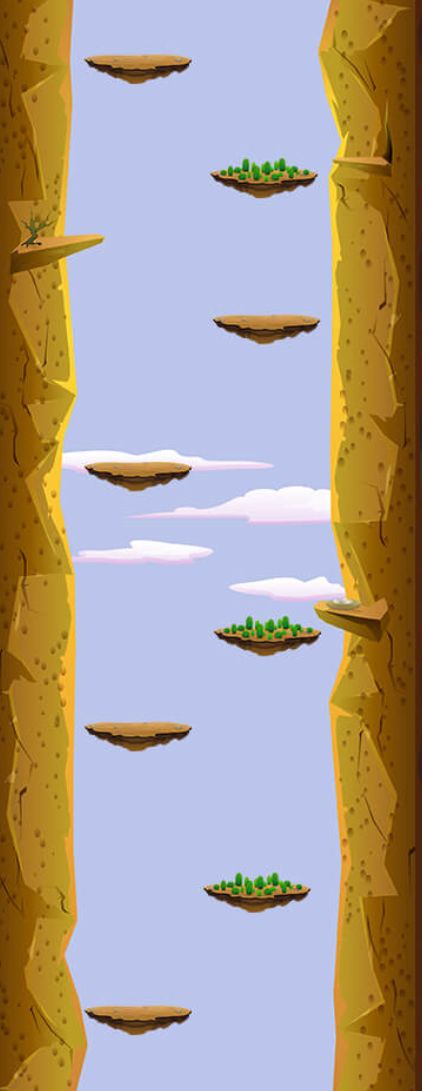
@XxWhiteHearrxX yes I actually already have the gameplay all figured out. Im actually carrying a game i made called StoneVsCaveman. I created it using kwiksher which is a photoshop plugin that outputs to coronasd. Very similiar to cocosd which hyperpad uses. I just wanted to add a different version to the game which was the ability to go upwards. The reason for the background is because I will be using seamless vertical backgrounds such as the example image below. There has to be an easier way to simply just loop the background. In kwiksher all i would have to do is select the background image and select loop vertically.
-
@XxWhiteHearrxX yes I actually already have the gameplay all figured out. Im actually carrying a game i made called StoneVsCaveman. I created it using kwiksher which is a photoshop plugin that outputs to coronasd. Very similiar to cocosd which hyperpad uses. I just wanted to add a different version to the game which was the ability to go upwards. The reason for the background is because I will be using seamless vertical backgrounds such as the example image below. There has to be an easier way to simply just loop the background. In kwiksher all i would have to do is select the background image and select loop vertically.
I just really like hyperpad as it is really the only drag and drop app for the ipad. I decided to ditch my pc a long time ago.
-
I just really like hyperpad as it is really the only drag and drop app for the ipad. I decided to ditch my pc a long time ago.
@SplitMindGaming If you really don't find anything, just put the bg as a true bg ( you can see a graphic icon on the top left of the screen in the editor, there you can change the bg and camera position ) it'll not wrap around but stay on the screen as a background. Its really better than nothing.
-
@SplitMindGaming If you really don't find anything, just put the bg as a true bg ( you can see a graphic icon on the top left of the screen in the editor, there you can change the bg and camera position ) it'll not wrap around but stay on the screen as a background. Its really better than nothing.
@XxWhiteHearrxX yes its funny me and you think alike. I actually have that to set background fill screen. The only problem is that it doesnt look like hes moving upwards. I message murtaza. Hopefully he has a feature for this type of request. He has been ignoring me latley tho. Probably tired of all my questions lol. I will make a new thread dedicated to a vertical background screen wrap. Im pretty sure future game developers would want to make a vertical game at some point or would reap the benefits of that type of feature.
-
@XxWhiteHearrxX yes its funny me and you think alike. I actually have that to set background fill screen. The only problem is that it doesnt look like hes moving upwards. I message murtaza. Hopefully he has a feature for this type of request. He has been ignoring me latley tho. Probably tired of all my questions lol. I will make a new thread dedicated to a vertical background screen wrap. Im pretty sure future game developers would want to make a vertical game at some point or would reap the benefits of that type of feature.
@SplitMindGaming I know how to do it. I'll make an example for you soon and post it on the other forum post you made.
-
@SplitMindGaming I know how to do it. I'll make an example for you soon and post it on the other forum post you made.
@Aidan-Oxley wow thank u so much.



Hello! It looks like you're interested in this conversation, but you don't have an account yet.
Getting fed up of having to scroll through the same posts each visit? When you register for an account, you'll always come back to exactly where you were before, and choose to be notified of new replies (either via email, or push notification). You'll also be able to save bookmarks and upvote posts to show your appreciation to other community members.
With your input, this post could be even better 💗
Register Login