
How to delete keys from hyperpad UI
-
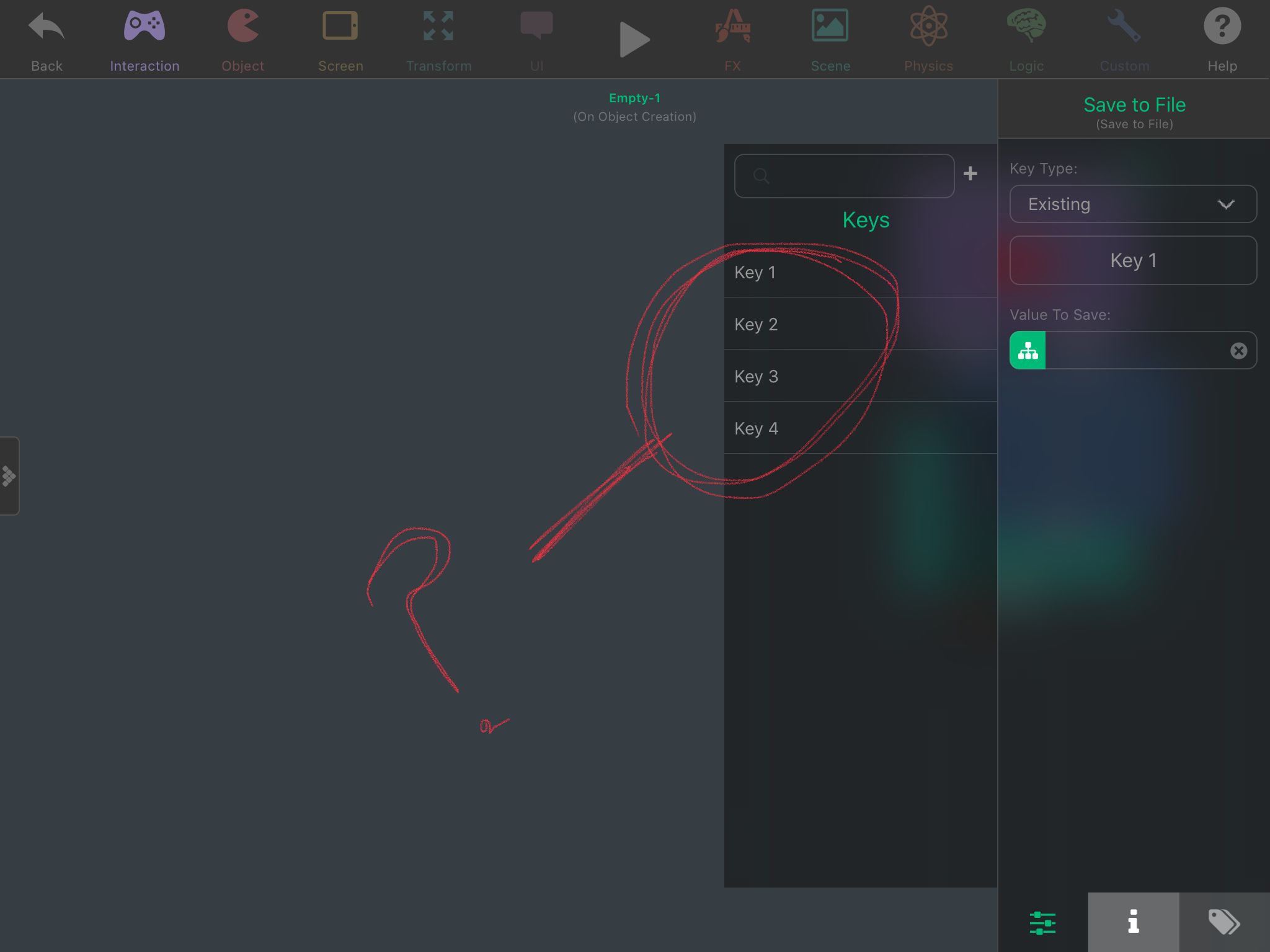
How do you Delete Save from file keys from the hyperpad UI? Theres a bunch i accidentally made or was experimenting on. Check screen shot.
-
How do you Delete Save from file keys from the hyperpad UI? Theres a bunch i accidentally made or was experimenting on. Check screen shot.
@SplitMindGaming I don't think you can through hyperPad. I tried to remove them by editing the hyperPad project file once though I don't remember whether it fully worked.
-
@SplitMindGaming I don't think you can through hyperPad. I tried to remove them by editing the hyperPad project file once though I don't remember whether it fully worked.
@Aidan-Oxley well thats a bummer for a neat freak like me. Now i need to remember whats an active key and whats not.
-
@SplitMindGaming I don't think you can through hyperPad. I tried to remove them by editing the hyperPad project file once though I don't remember whether it fully worked.
@Aidan-Oxley also quick question. Do you know if theres a way to delete all saved keys at once? I want to set up a button that basically does the same thing That the delete all saved data does from within the hyperpad playback menu. Because i see the Delete from file behavior. But it only lets me select 1 variable to delete. I would literally need to set up like 10 delete from files if i want to really have the player start from scratch.
-
@Aidan-Oxley also quick question. Do you know if theres a way to delete all saved keys at once? I want to set up a button that basically does the same thing That the delete all saved data does from within the hyperpad playback menu. Because i see the Delete from file behavior. But it only lets me select 1 variable to delete. I would literally need to set up like 10 delete from files if i want to really have the player start from scratch.
@SplitMindGaming You have to select each one individually, save/load behaviours don't work on multiple at once.
-
@Aidan-Oxley also quick question. Do you know if theres a way to delete all saved keys at once? I want to set up a button that basically does the same thing That the delete all saved data does from within the hyperpad playback menu. Because i see the Delete from file behavior. But it only lets me select 1 variable to delete. I would literally need to set up like 10 delete from files if i want to really have the player start from scratch.
@SplitMindGaming Does the Delete from File behaviour not remove your extra keys that you didn't want any more?
-
@SplitMindGaming Does the Delete from File behaviour not remove your extra keys that you didn't want any more?
@Aidan-Oxley no it still stays within the hyperpad UI.


Hello! It looks like you're interested in this conversation, but you don't have an account yet.
Getting fed up of having to scroll through the same posts each visit? When you register for an account, you'll always come back to exactly where you were before, and choose to be notified of new replies (either via email, or push notification). You'll also be able to save bookmarks and upvote posts to show your appreciation to other community members.
With your input, this post could be even better 💗
Register Login