
How to make checkpoints?
-
Hello hello! I’ve been struggling to make a checkpoints in my games. I can show what I’ve got so far but no dice unfortunately on actually making it work. I’m using attributes and save/load blocks to get it to work.
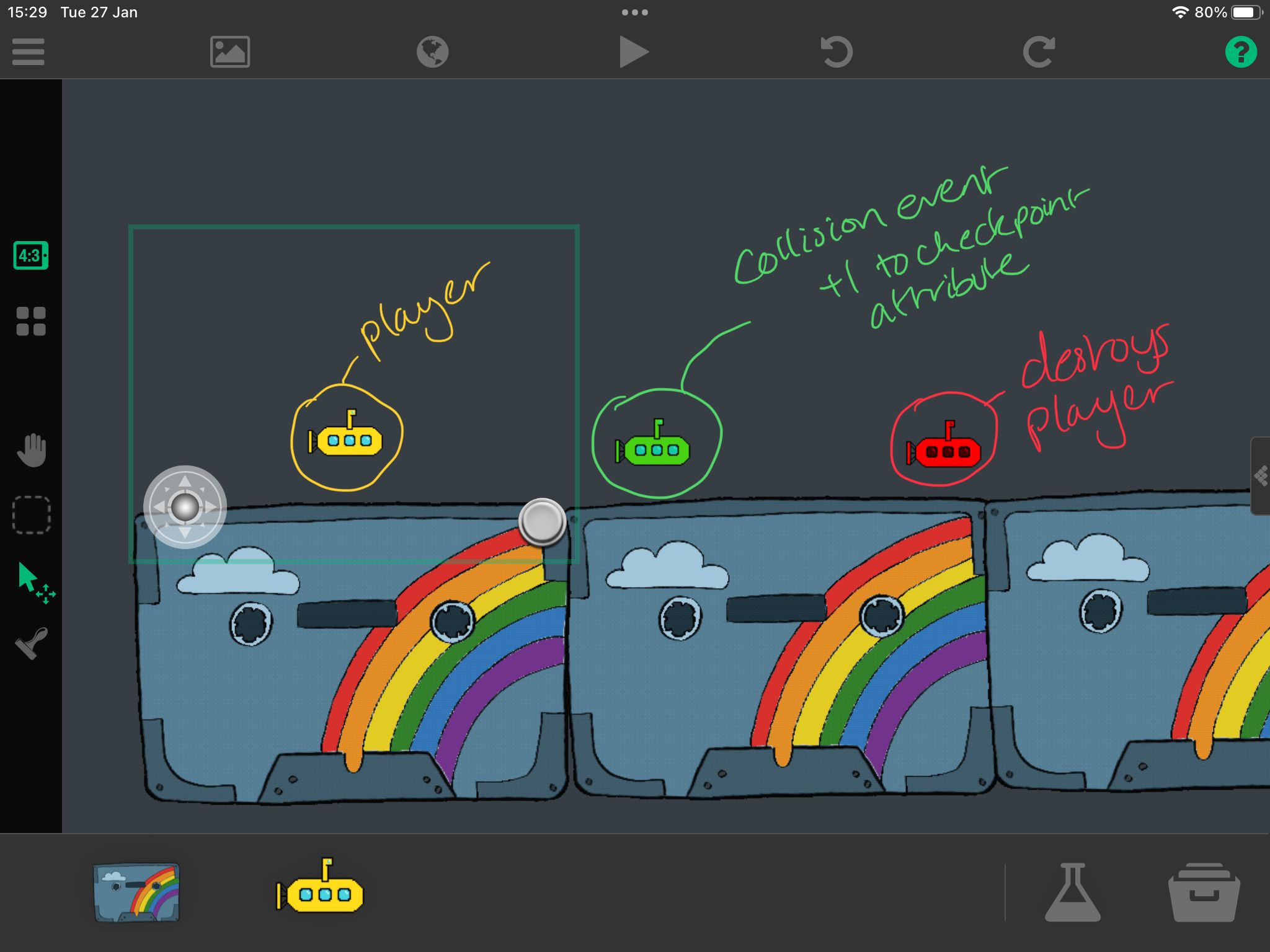
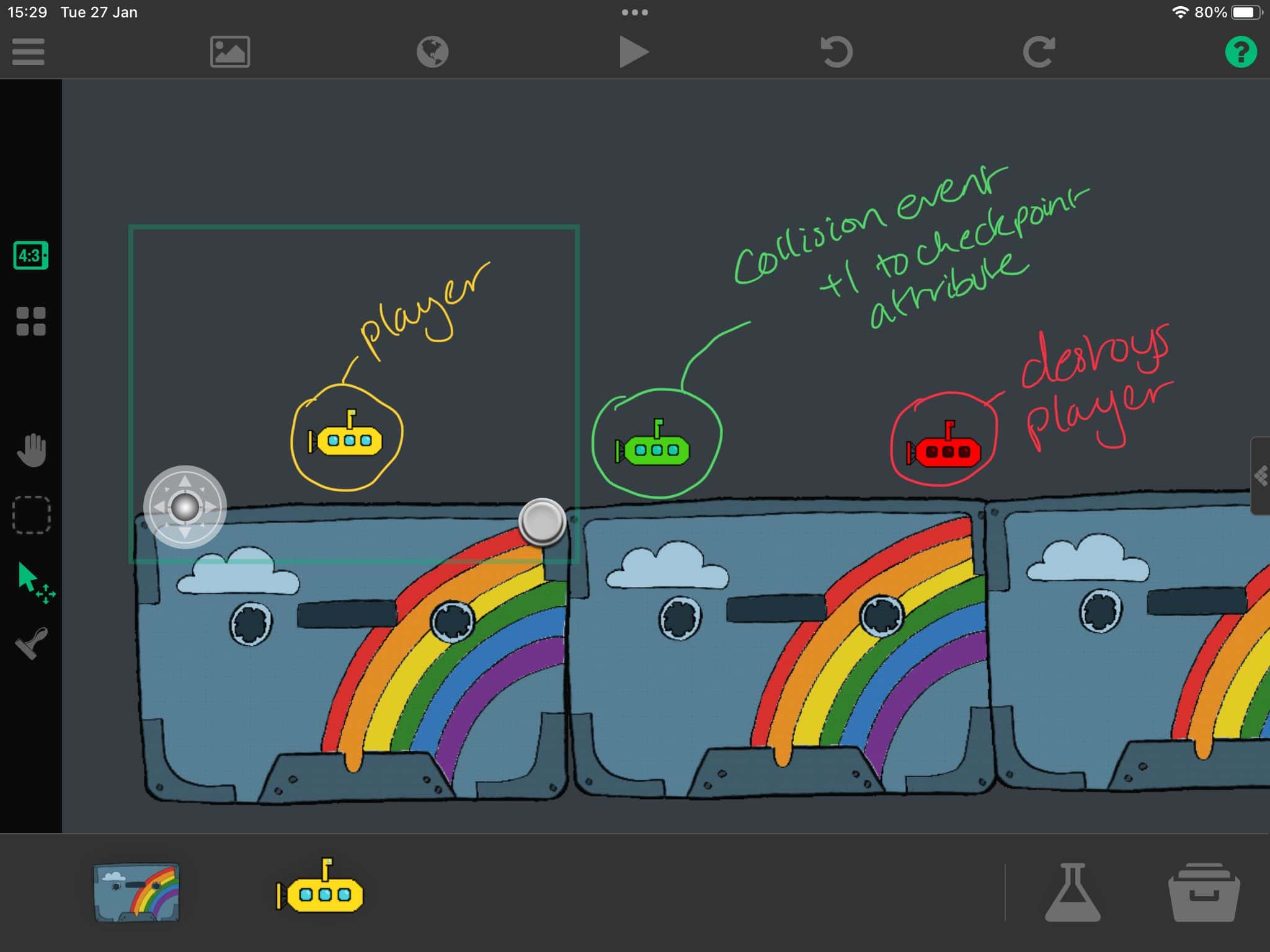 This is my set up at the moment.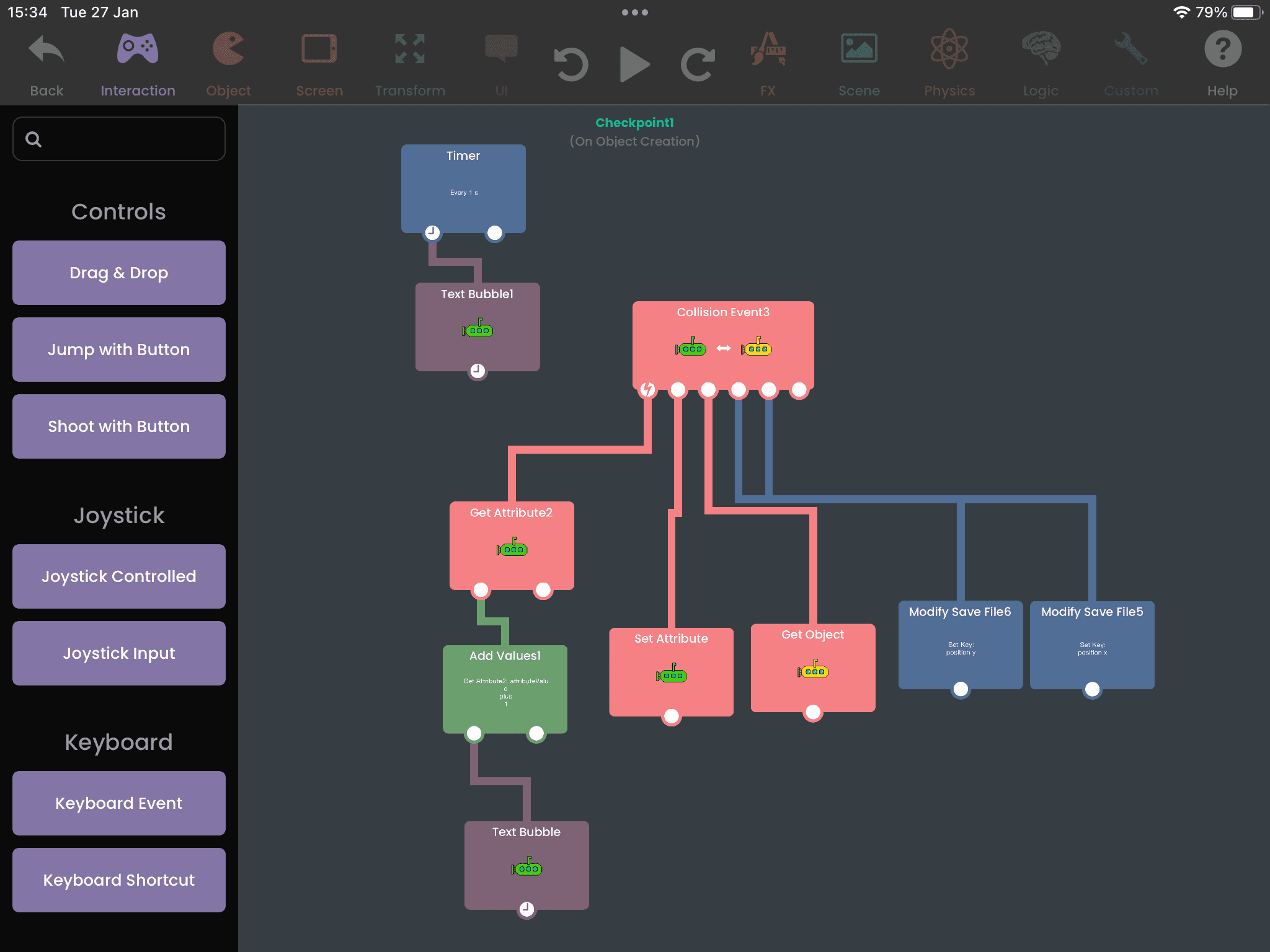
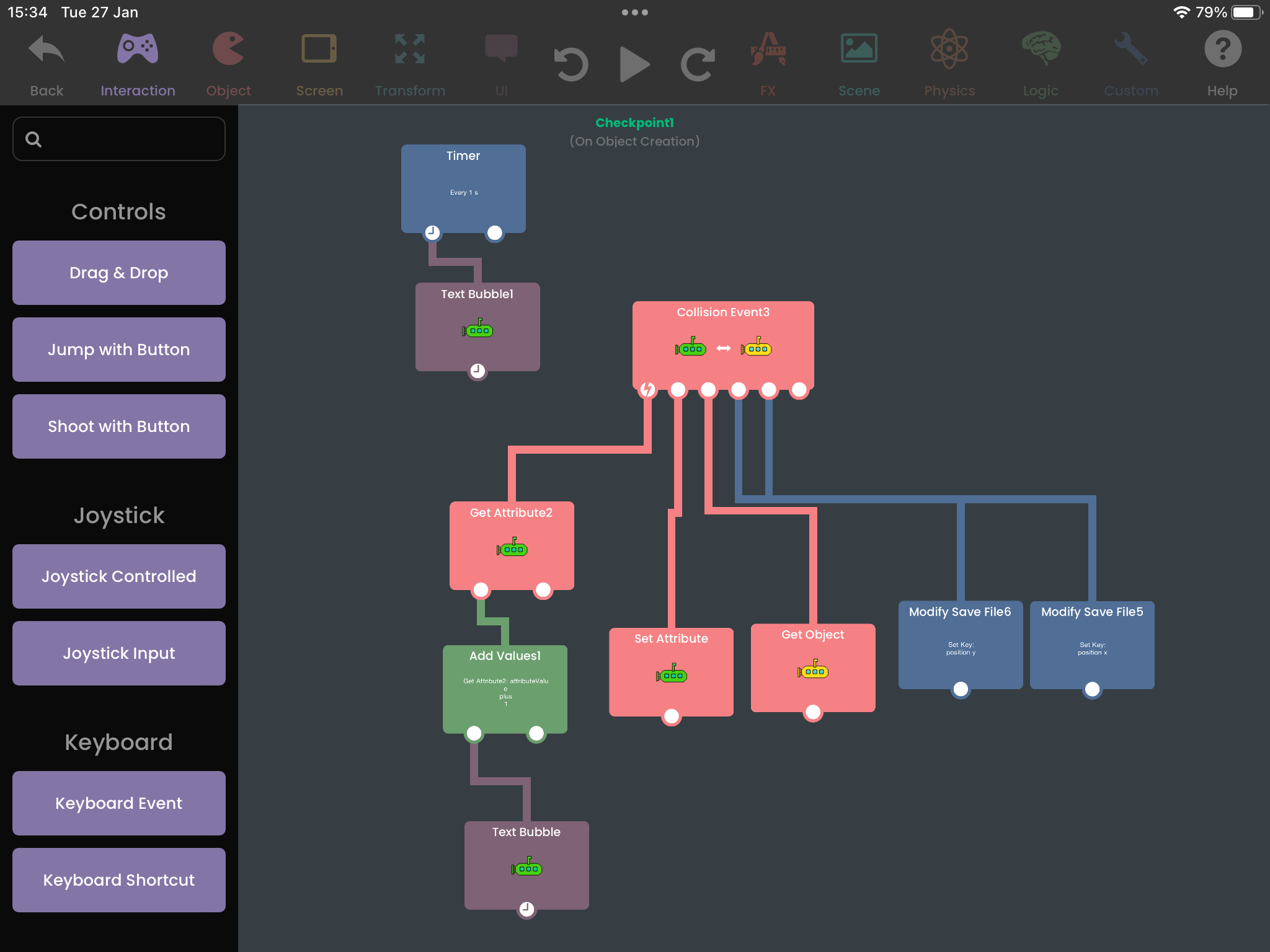
This is the code I have in the checkpoint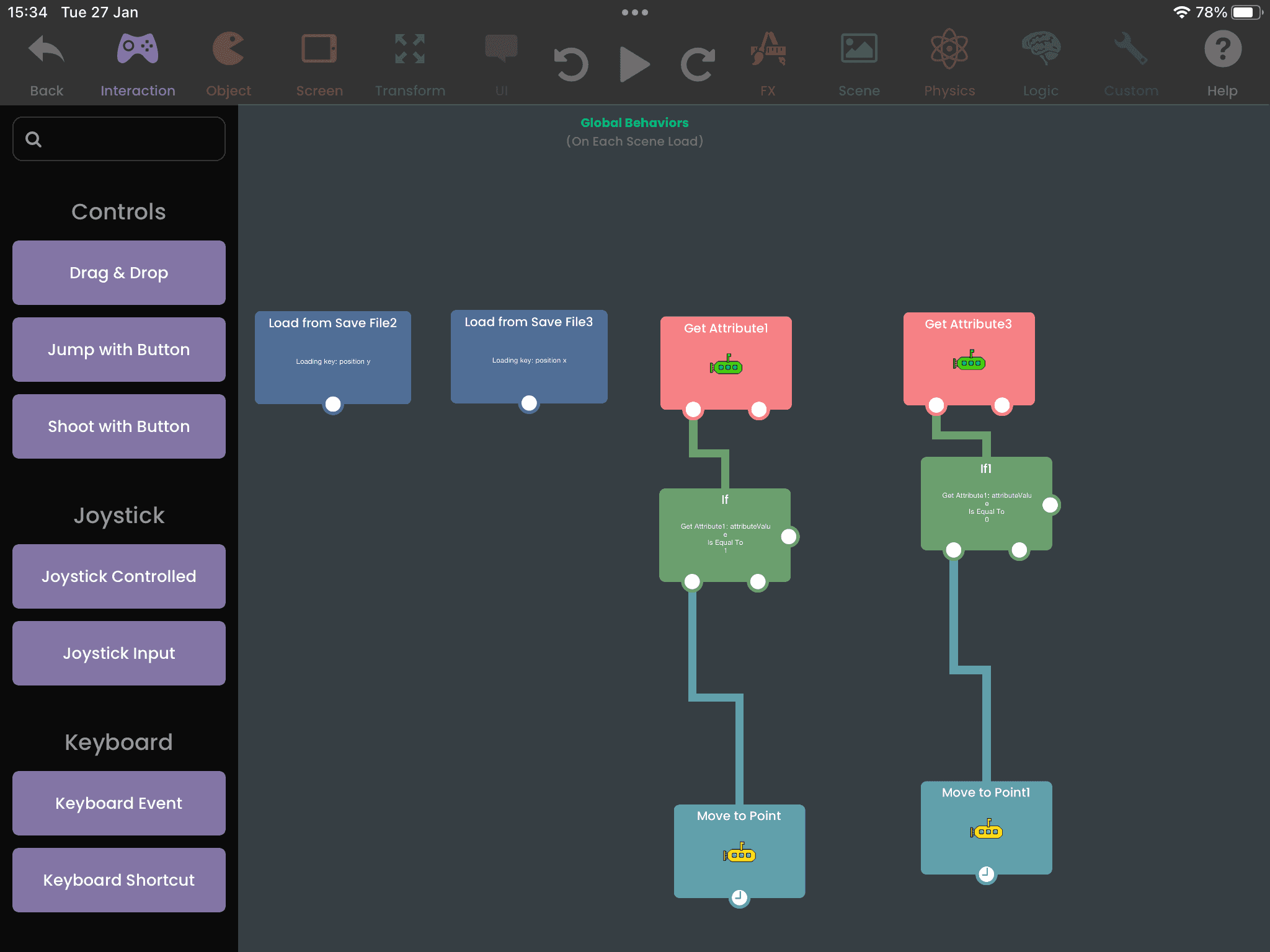
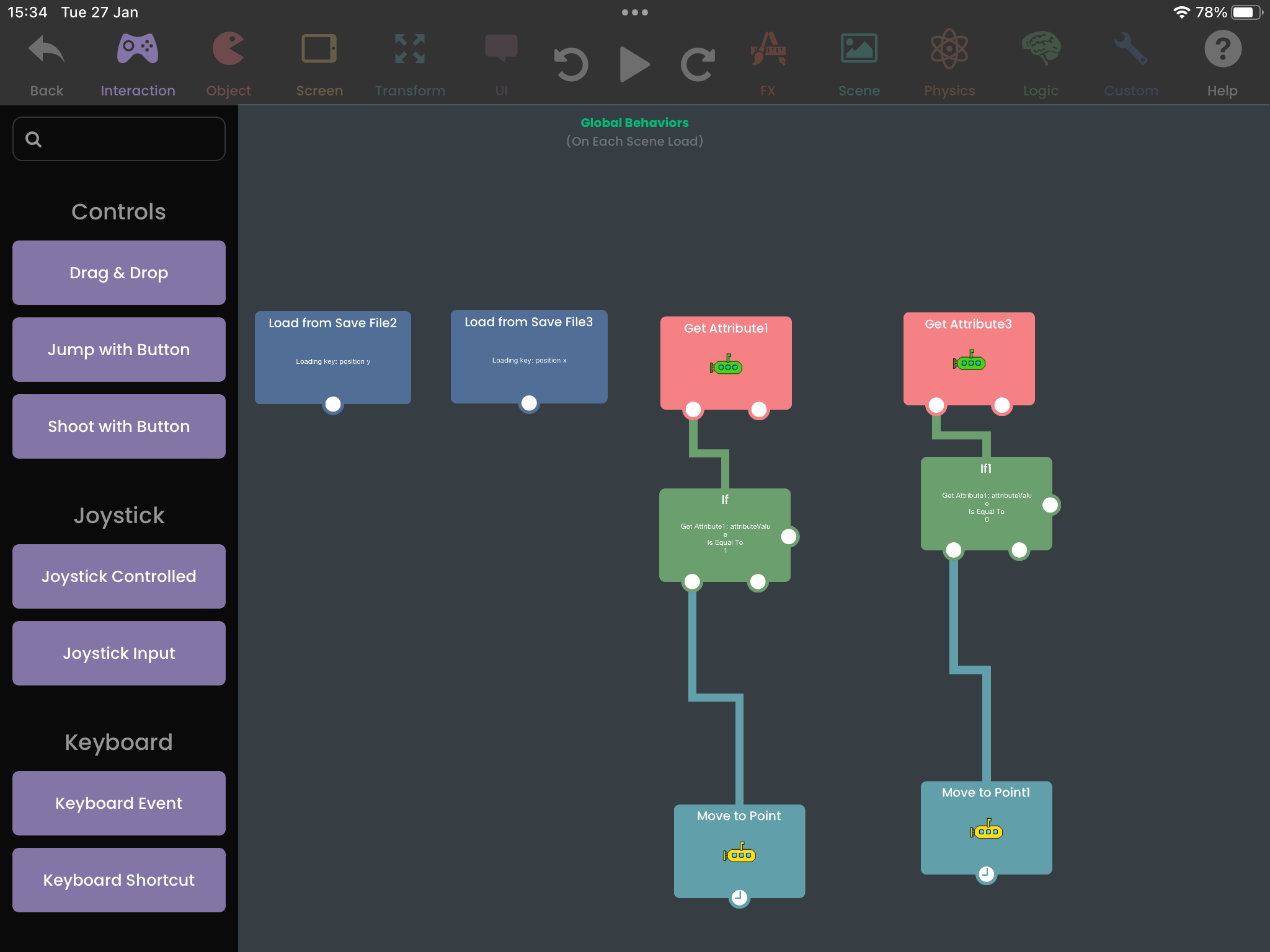
This is the code I have in the world behavioursI’m not sure super sure what I’m doing wrong. Here’s a link to the project (hopefully it works okay!) please take a look and see what I’m doing wrong :’)
-
Hello hello! I’ve been struggling to make a checkpoints in my games. I can show what I’ve got so far but no dice unfortunately on actually making it work. I’m using attributes and save/load blocks to get it to work.
This is my set up at the moment.
This is the code I have in the checkpoint
This is the code I have in the world behavioursI’m not sure super sure what I’m doing wrong. Here’s a link to the project (hopefully it works okay!) please take a look and see what I’m doing wrong :’)
The link to the project is here! https://bit.ly/4r9tOKC
-
Hello hello! I’ve been struggling to make a checkpoints in my games. I can show what I’ve got so far but no dice unfortunately on actually making it work. I’m using attributes and save/load blocks to get it to work.
This is my set up at the moment.
This is the code I have in the checkpoint
This is the code I have in the world behavioursI’m not sure super sure what I’m doing wrong. Here’s a link to the project (hopefully it works okay!) please take a look and see what I’m doing wrong :’)
@Franjipang You have all the right behaviors. You just want to make sure they are being triggered in the right order. First, you'd want to load all the values before you try using them.
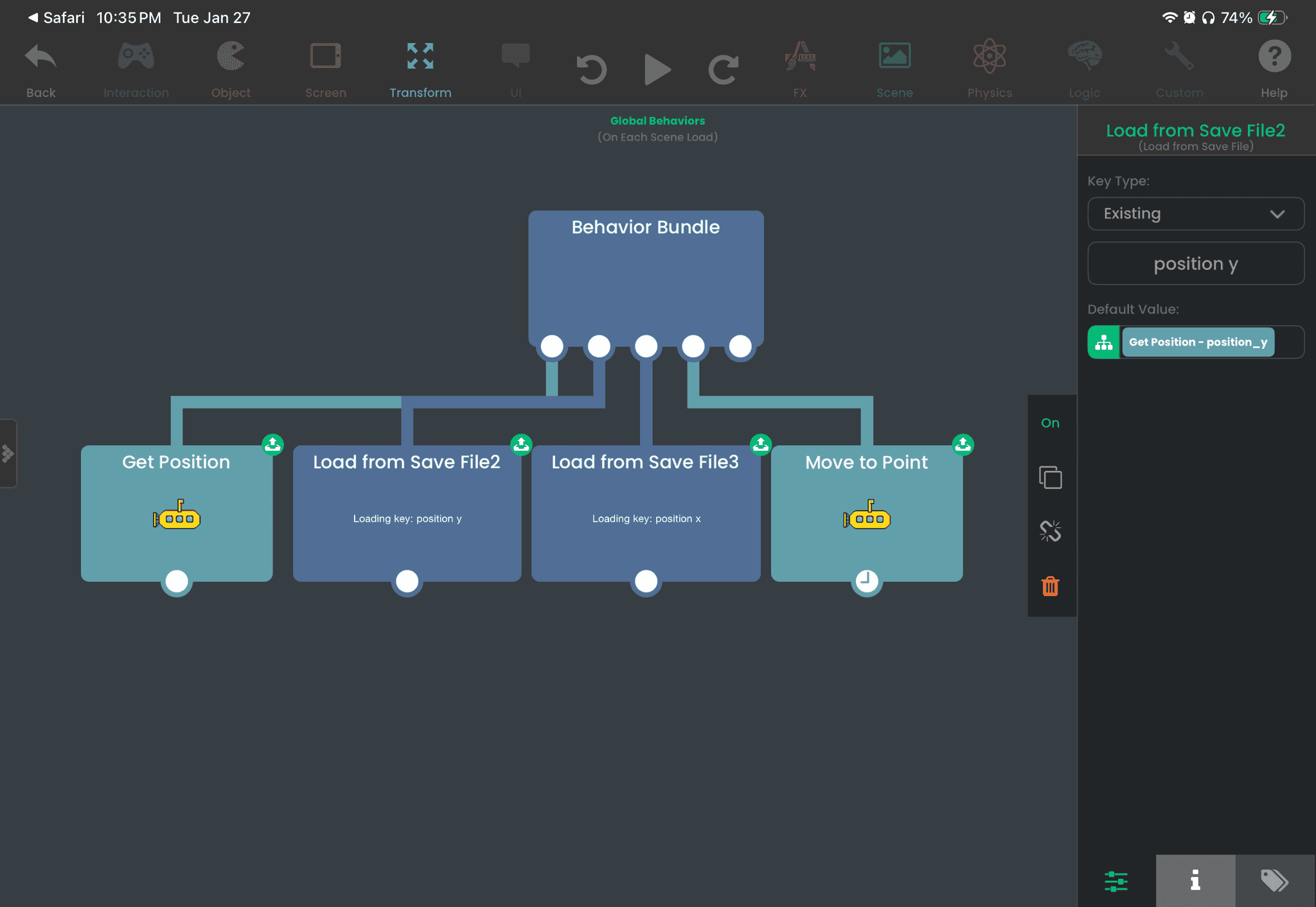
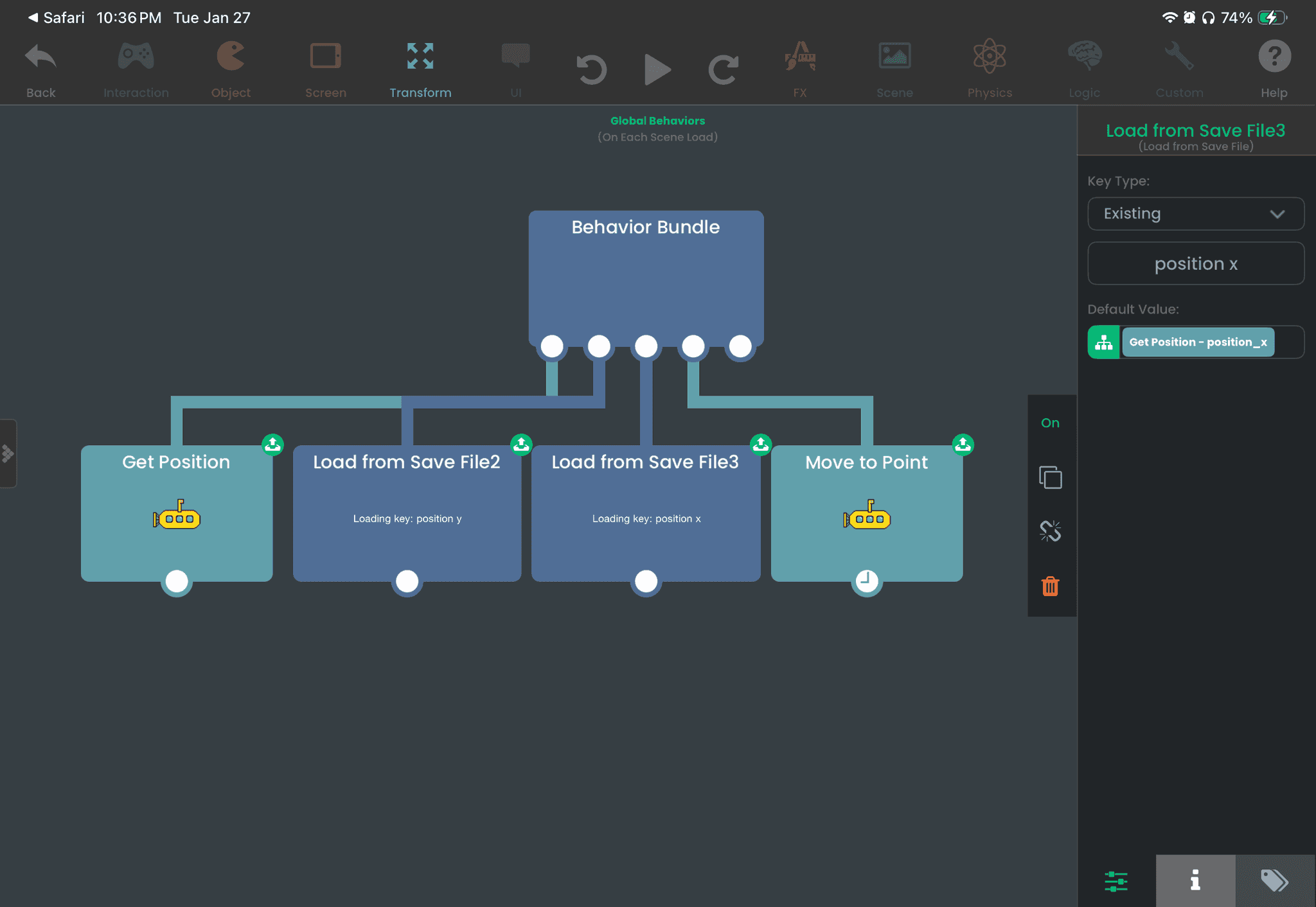
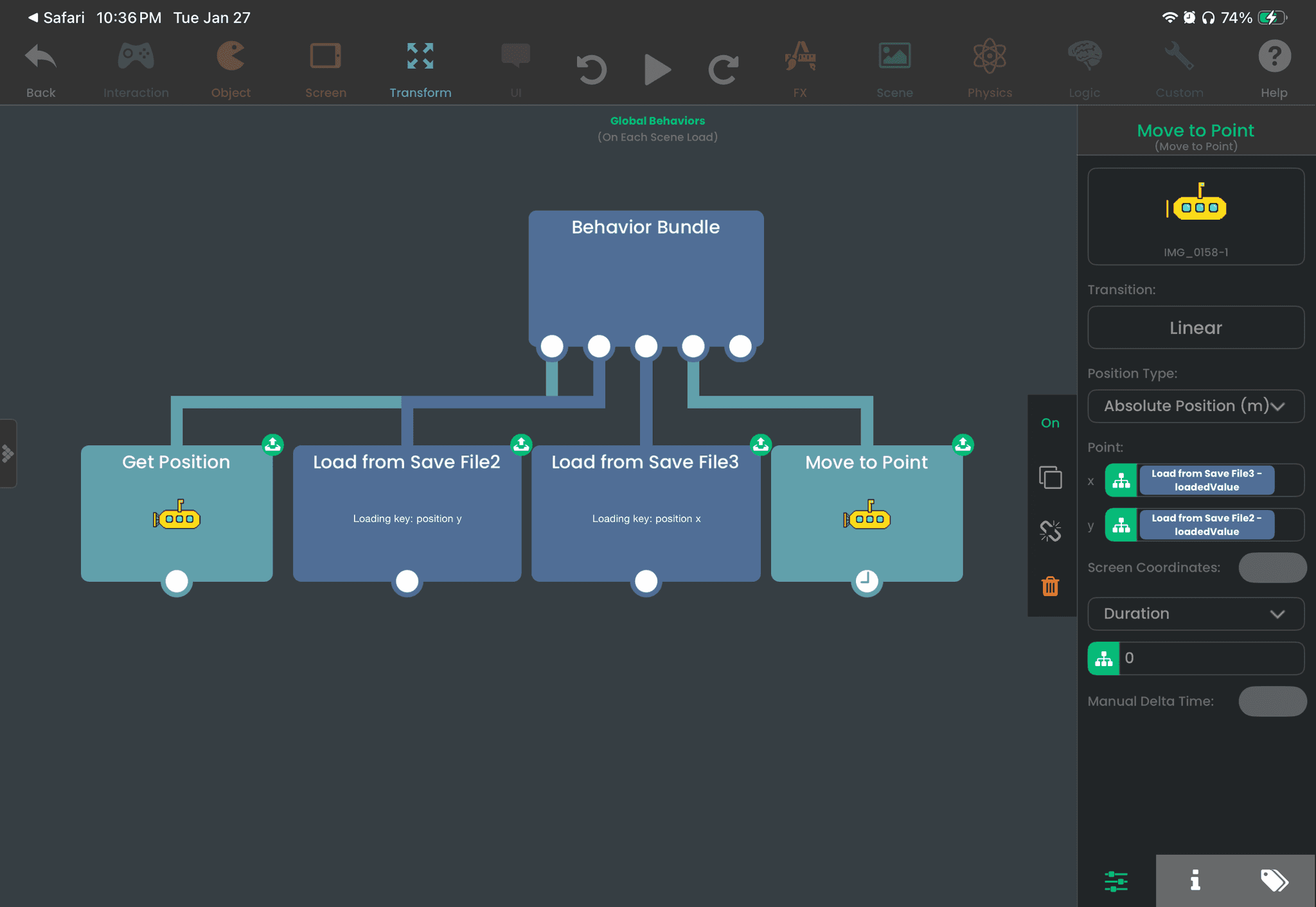
I used a Behavior Bundle to ensure that behaviors are triggered in the right order (left to right). To simplify your logic, I made the player's position the default value for the Load from Save File behaviors. So on a fresh save file, it will just move the player to its original position. When these values are saved, it will use those saved values.
-
@Franjipang You have all the right behaviors. You just want to make sure they are being triggered in the right order. First, you'd want to load all the values before you try using them.
I used a Behavior Bundle to ensure that behaviors are triggered in the right order (left to right). To simplify your logic, I made the player's position the default value for the Load from Save File behaviors. So on a fresh save file, it will just move the player to its original position. When these values are saved, it will use those saved values.
I noticed you have a "checkpoint" save key in your project. You don't need it if you're only saving player position. But if you want to find out what checkpoint the player is at, then it does make sense to have a "checkpoint" save key. Just make sure you use the Load from File behavior to retrieve the checkpoint, since it will be up to date.
-
I noticed you have a "checkpoint" save key in your project. You don't need it if you're only saving player position. But if you want to find out what checkpoint the player is at, then it does make sense to have a "checkpoint" save key. Just make sure you use the Load from File behavior to retrieve the checkpoint, since it will be up to date.
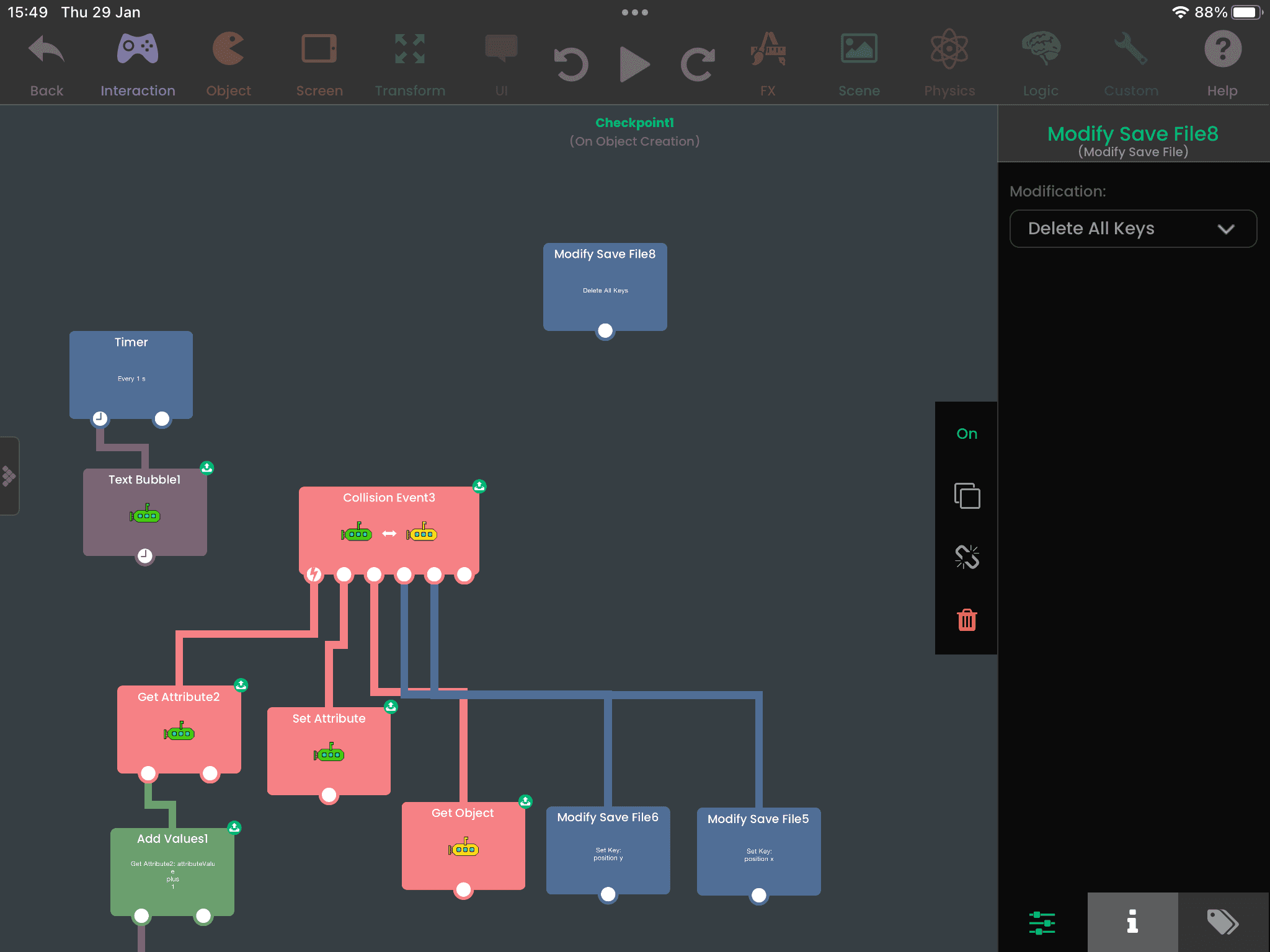
@RobinsonX I do plan to do different checkpoints yes! This is really helpful though. Thank you so much for your help :) how would you clear out the save when you start a new game? I’m using the modify save file>delete all keys but it’s not clearing the keys just yet.
-
@RobinsonX I do plan to do different checkpoints yes! This is really helpful though. Thank you so much for your help :) how would you clear out the save when you start a new game? I’m using the modify save file>delete all keys but it’s not clearing the keys just yet.
@Franjipang The Modify Save File behavior will have a
Delete All Keysoption which is equivalent to resetting the entire save file (what you shown in the screenshot). The thing is you want to trigger it before loading save values, so you'd want to trigger it before going into the level. This could be done in the title screen so the data isn't reset every time you restart the level. -
@Franjipang The Modify Save File behavior will have a
Delete All Keysoption which is equivalent to resetting the entire save file (what you shown in the screenshot). The thing is you want to trigger it before loading save values, so you'd want to trigger it before going into the level. This could be done in the title screen so the data isn't reset every time you restart the level.@RobinsonX yoooo thank you so much! This has worked perfectly :)

Hello! It looks like you're interested in this conversation, but you don't have an account yet.
Getting fed up of having to scroll through the same posts each visit? When you register for an account, you'll always come back to exactly where you were before, and choose to be notified of new replies (either via email, or push notification). You'll also be able to save bookmarks and upvote posts to show your appreciation to other community members.
With your input, this post could be even better 💗
Register Login