
Can’t switch joysticks (Change weapon)
-
@MrAeon1111 I am assuming that disabling a Joystick Controlled behavior has no effect? That sounds like a bug - I'll look deeper into it when I get the opportunity.
Alternatively, you could use the Joystick Analog behavior to code the exact behavior you want. It takes more work, but it is doable. The behavior executes repeatedly while holding the joystick - the idea is that you can enable/disable logic under the behavior whenever you want. So there can be a Set Velocity behavior that moves one object, and another one that moves another object. You can disable/enable those to change which object the joystick is controlling.
-
@MrAeon1111 I am assuming that disabling a Joystick Controlled behavior has no effect? That sounds like a bug - I'll look deeper into it when I get the opportunity.
Alternatively, you could use the Joystick Analog behavior to code the exact behavior you want. It takes more work, but it is doable. The behavior executes repeatedly while holding the joystick - the idea is that you can enable/disable logic under the behavior whenever you want. So there can be a Set Velocity behavior that moves one object, and another one that moves another object. You can disable/enable those to change which object the joystick is controlling.
@RobinsonX The disable function works. But I cannot activate the new joystick. Enable and execute do not work on the new joystick
-
@RobinsonX The disable function works. But I cannot activate the new joystick. Enable and execute do not work on the new joystick
MrAeon1111 in fact, two joystick do not work. Do you have any system with two working joystick in the same project? If yes, can you show me the code?
-
MrAeon1111 in fact, two joystick do not work. Do you have any system with two working joystick in the same project? If yes, can you show me the code?
-
MrAeon1111

-
MrAeon1111

MrAeon1111
This set up simply two joysticks doesn’t work
-
The problem is when, you copy a behaviour joystick.
I cannot make the switch between the two copy.
I want one joystick with gun and the other joystick with a laser. -
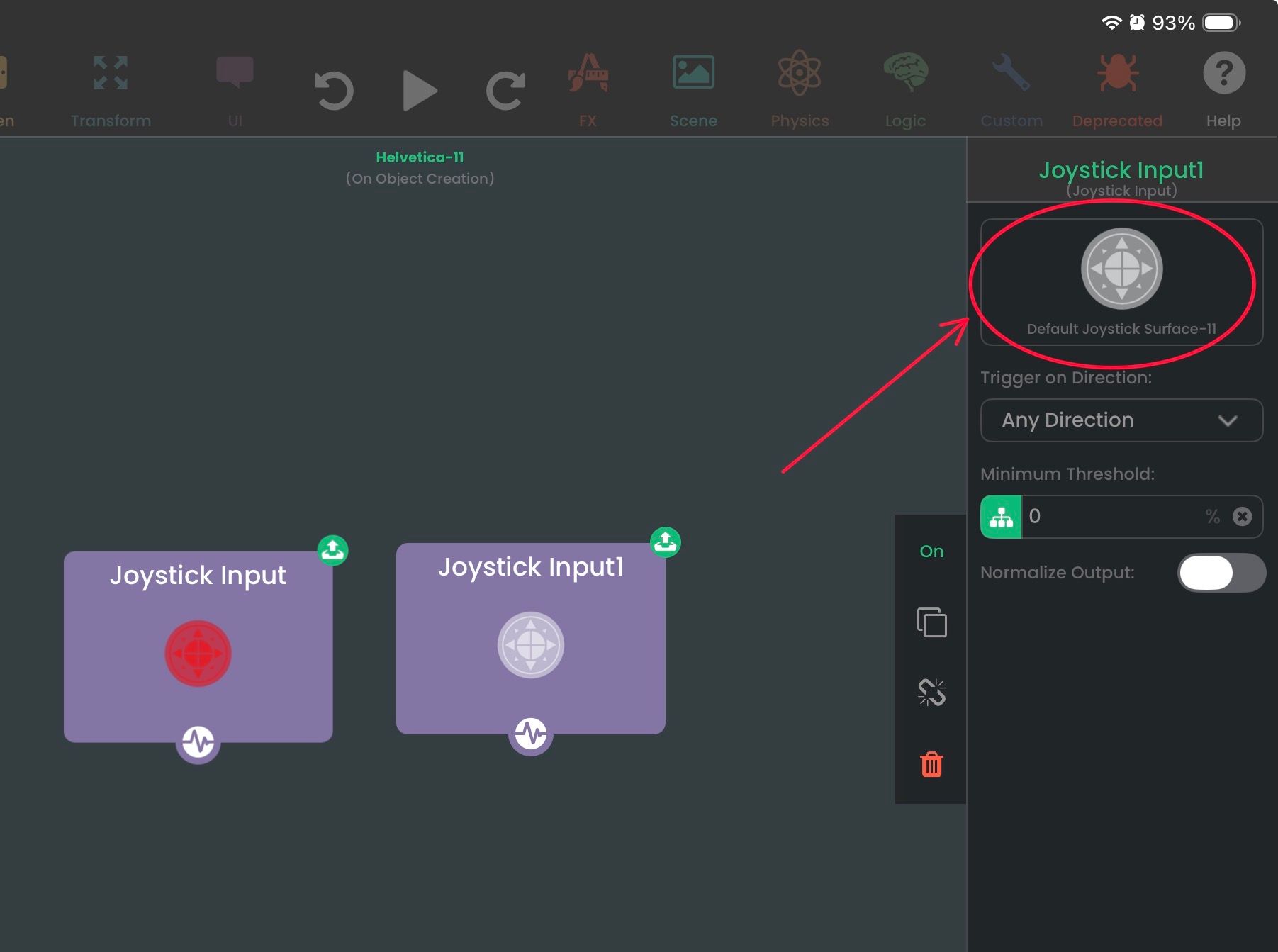
I have this Joystick behavior (notice that I already have one selected for the left behavior - it's red). You can tap on the object in any behavior to change the object.
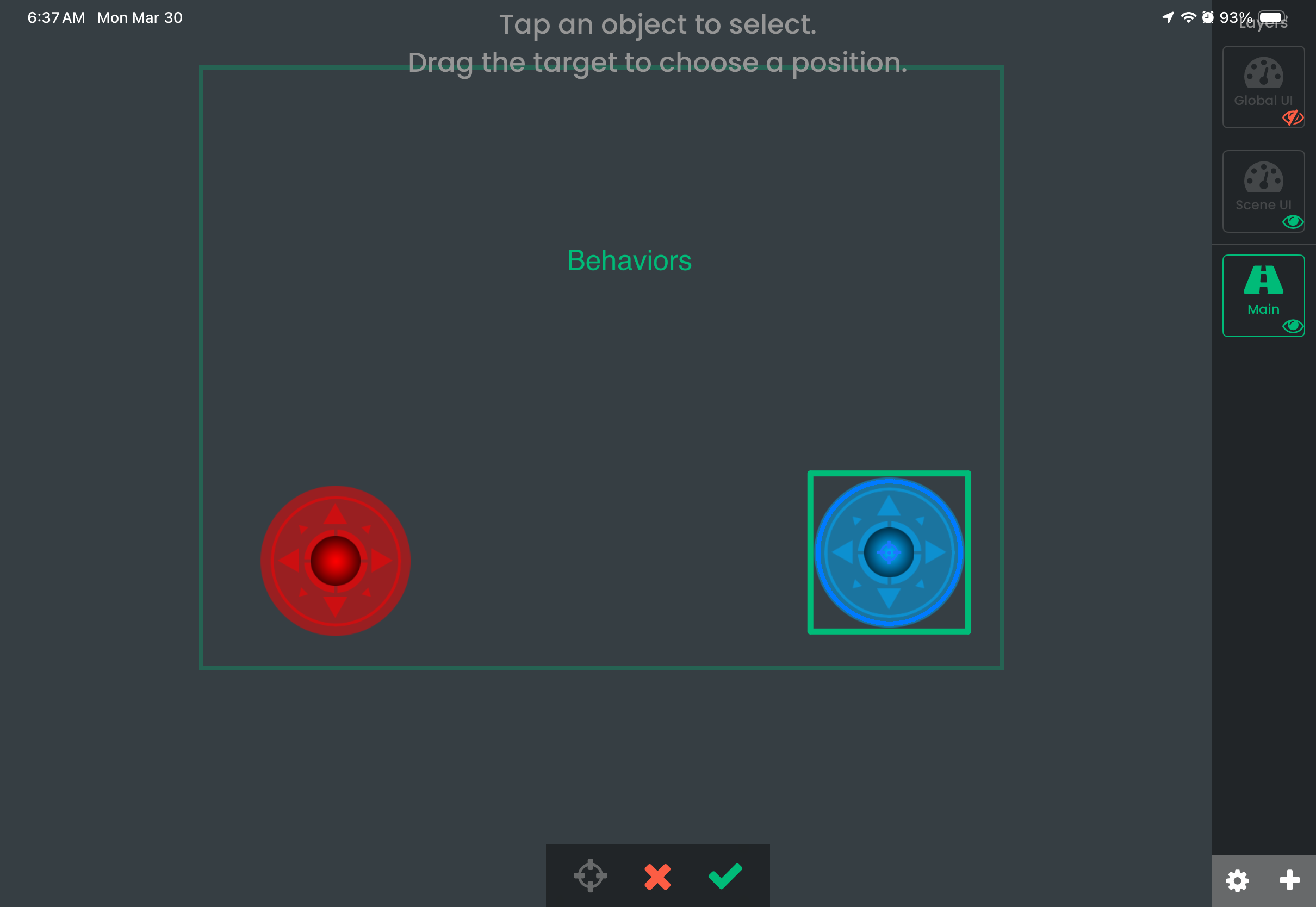
Now it will take you to the scene to select another object. In this example, I'm selecting the blue joystick.
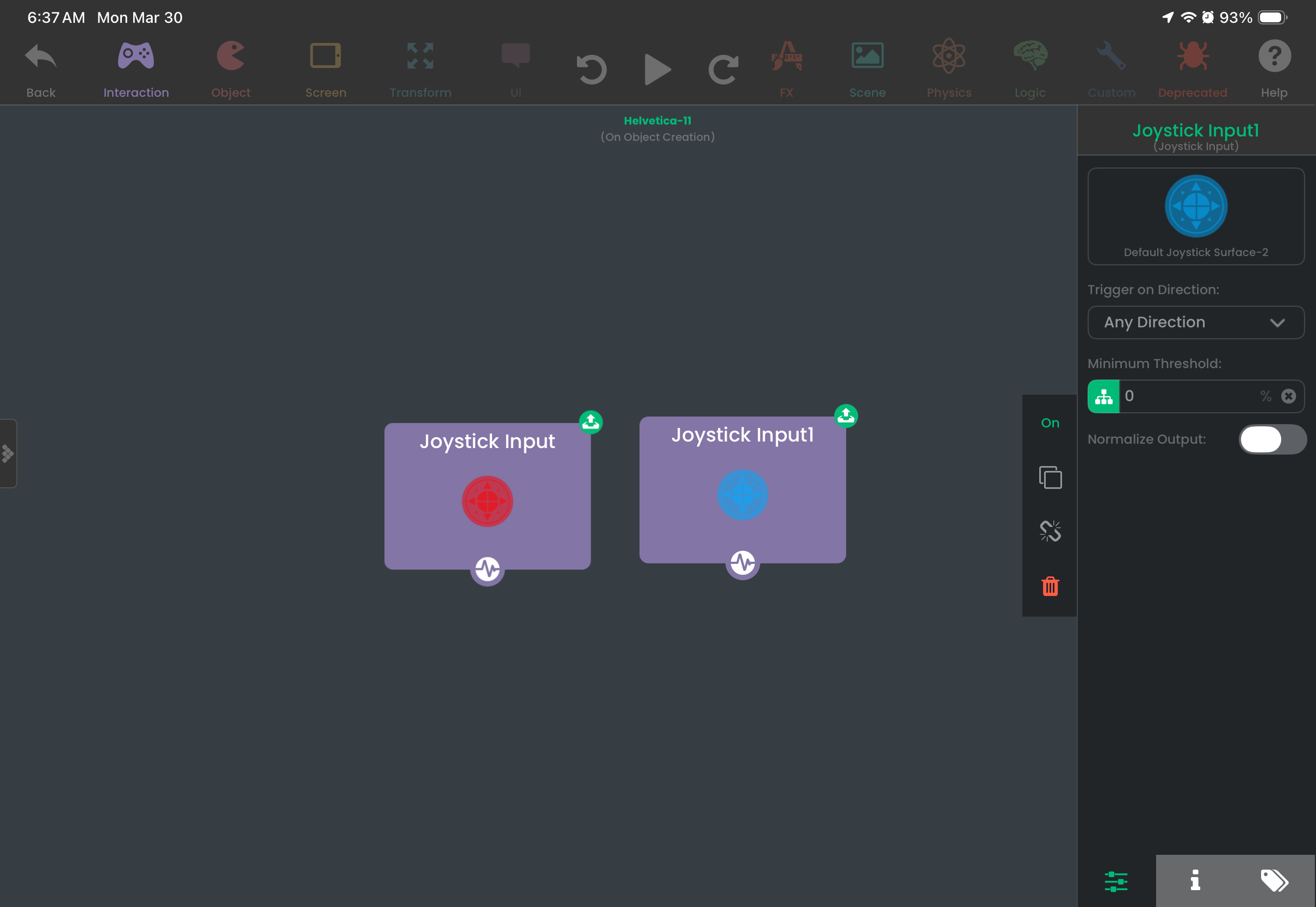
After pressing the checkmark, the blue joystick has been selected for this behavior. Now I have two joystick behaviors, each triggering when their corresponding joysticks are being used.
-
It’s about having two copies of joystick control behaviour.
And I cannot switch from one joystick control behaviour to another.
If I have one joystick in my UI and two copies of joystick behaviour.
I cannot switch from one to the other…
That was my point… -
It works with joystick input but not with joystick control.

Hello! It looks like you're interested in this conversation, but you don't have an account yet.
Getting fed up of having to scroll through the same posts each visit? When you register for an account, you'll always come back to exactly where you were before, and choose to be notified of new replies (either via email, or push notification). You'll also be able to save bookmarks and upvote posts to show your appreciation to other community members.
With your input, this post could be even better 💗
Register Login