
Set specific collide point
-
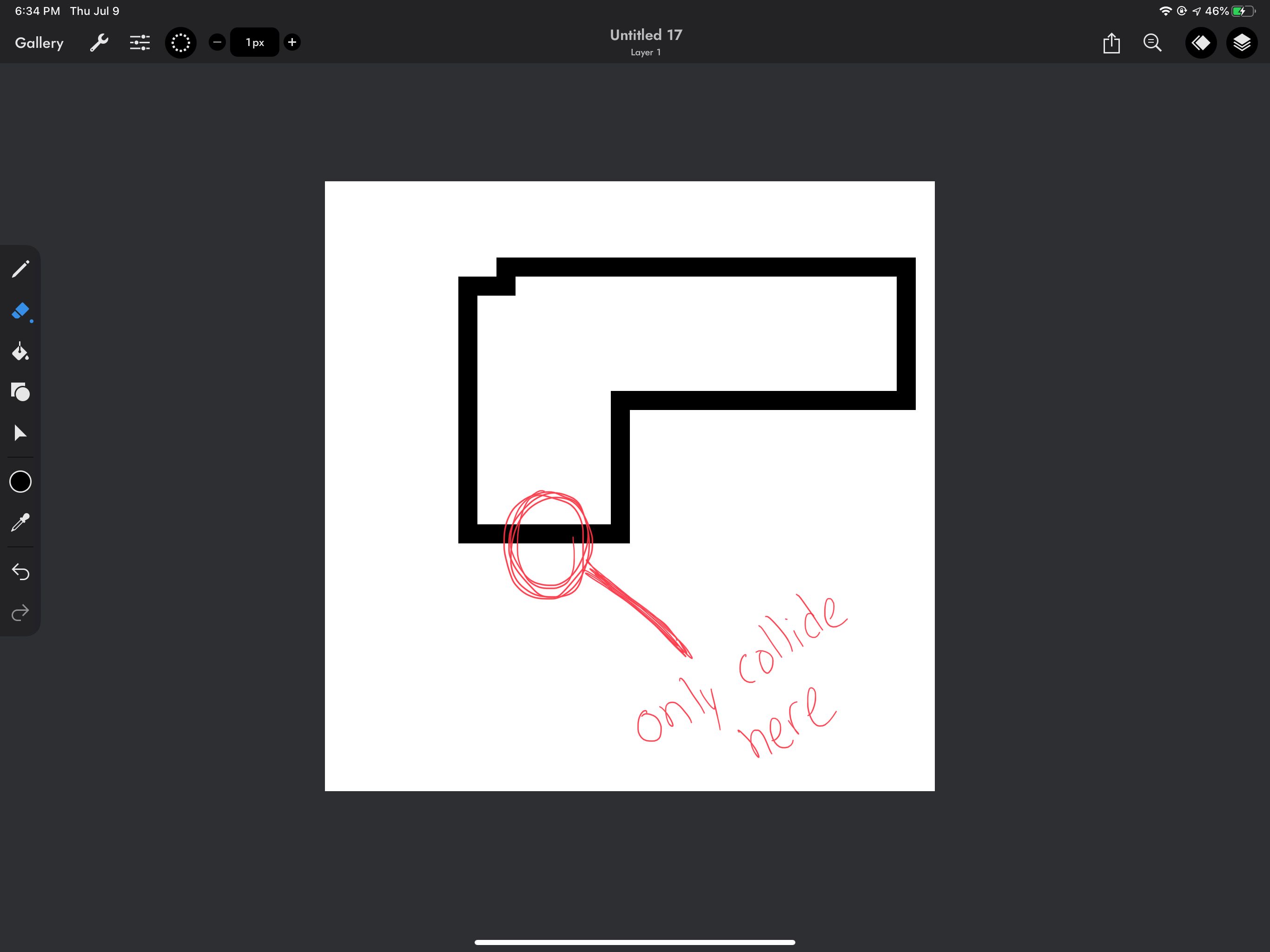
I have this shape that i only want to trigger a series of events when colliding with a specific point. Is there a way to do this? I know i can simply create another empty object and place it where i want the collide point to be but the problem is that as you switch through different screen aspects. The empty container will not be in the right location. I think I asked this before but i notice theres a drag position option when selecting the object i want to collide with. But this apparently does nothing. I have included a screenshot of a specific shape that i only wanted the collide point to register from. Any ideas?
-
Collided behaviour outputs an x and y position of where it collided: https://hyperpad.zendesk.com/hc/en-us/articles/115001430843-Collided
Does that do what you need?
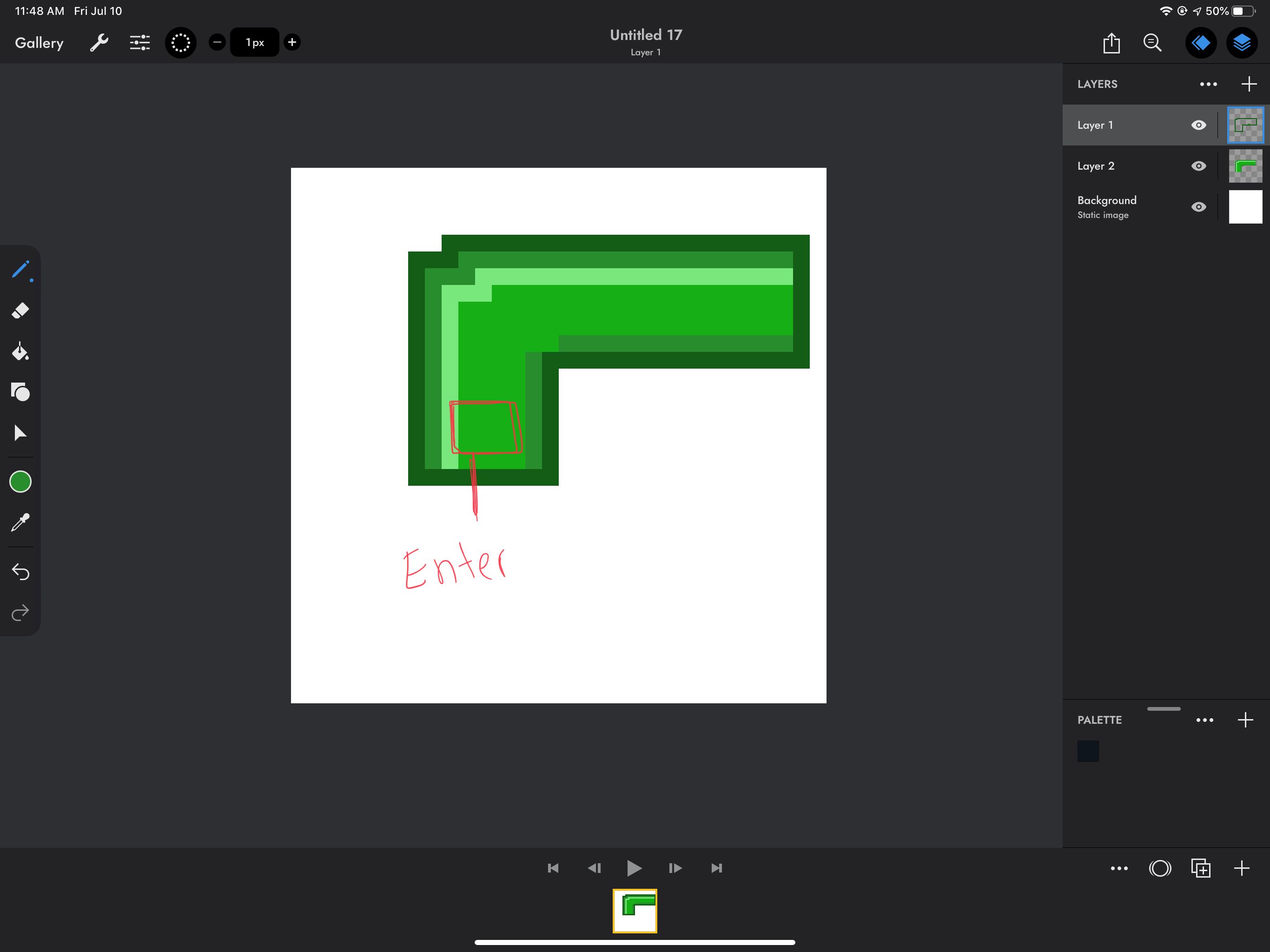
@Hamed how do you set it up to pinpoint where you want the collide to happen if i output the x and y. I filled in the illustration to get a better point on why i only want the specific collide point. Think of a mario tube that you enter. I only want the collide to register the chain of event from the entry point. Because if i choose like top or bottom. The player can enter the tube from any top or bottom point.
-
I would have an if connected to collide behaviour. If X/Y is between a certain position, perform this action.
To find out what to make your if behaviour, output x and y to a label and see what to make it.
@Hamed oh I see yes thats perfect. Thank you.


Hello! It looks like you're interested in this conversation, but you don't have an account yet.
Getting fed up of having to scroll through the same posts each visit? When you register for an account, you'll always come back to exactly where you were before, and choose to be notified of new replies (either via email, or push notification). You'll also be able to save bookmarks and upvote posts to show your appreciation to other community members.
With your input, this post could be even better 💗
Register Login