Skip to content
  • Categories
  • Recent
  • Tags
  • Popular
  • Users
  • Search
Skins
  • Light
  • Brite
  • Cerulean
  • Cosmo
  • Flatly
  • Journal
  • Litera
  • Lumen
  • Lux
  • Materia
  • Minty
  • Morph
  • Pulse
  • Sandstone
  • Simplex
  • Sketchy
  • Spacelab
  • United
  • Yeti
  • Zephyr
  • Dark
  • Cyborg
  • Darkly
  • Quartz
  • Slate
  • Solar
  • Superhero
  • Vapor

  • Default (No Skin)
  • No Skin
Collapse
hyperPad

hyperPad Forum

  1. Home
  2. Bug Reports
  3. Fixed
  4. Scene/Global UI positioning glitched on iPad Pro

Scene/Global UI positioning glitched on iPad Pro

Scheduled Pinned Locked Moved Fixed
7 Posts 5 Posters 2.1k Views 1 Watching
  • Oldest to Newest
  • Newest to Oldest
  • Most Votes
Reply
  • Reply as topic
Log in to reply
This topic has been deleted. Only users with topic management privileges can see it.
  • KamdroidK Offline
    KamdroidK Offline
    Kamdroid
    wrote on last edited by
    #1

    iPad Model: iPad Pro 11-inch (bug may effect other iPad Pro models(
    iOS version: 13.2.3
    hyperPad Version: 1.25
    Description:
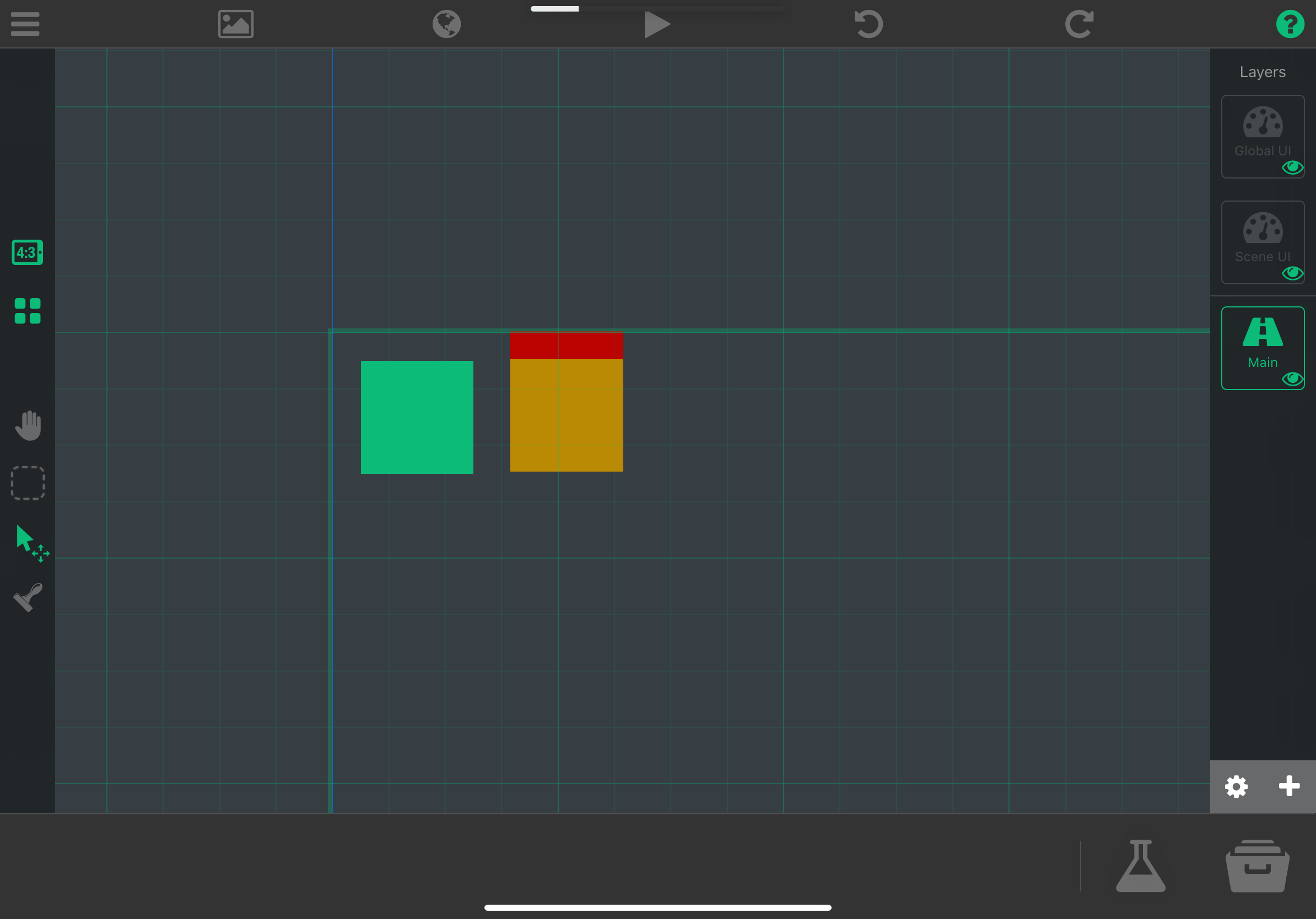
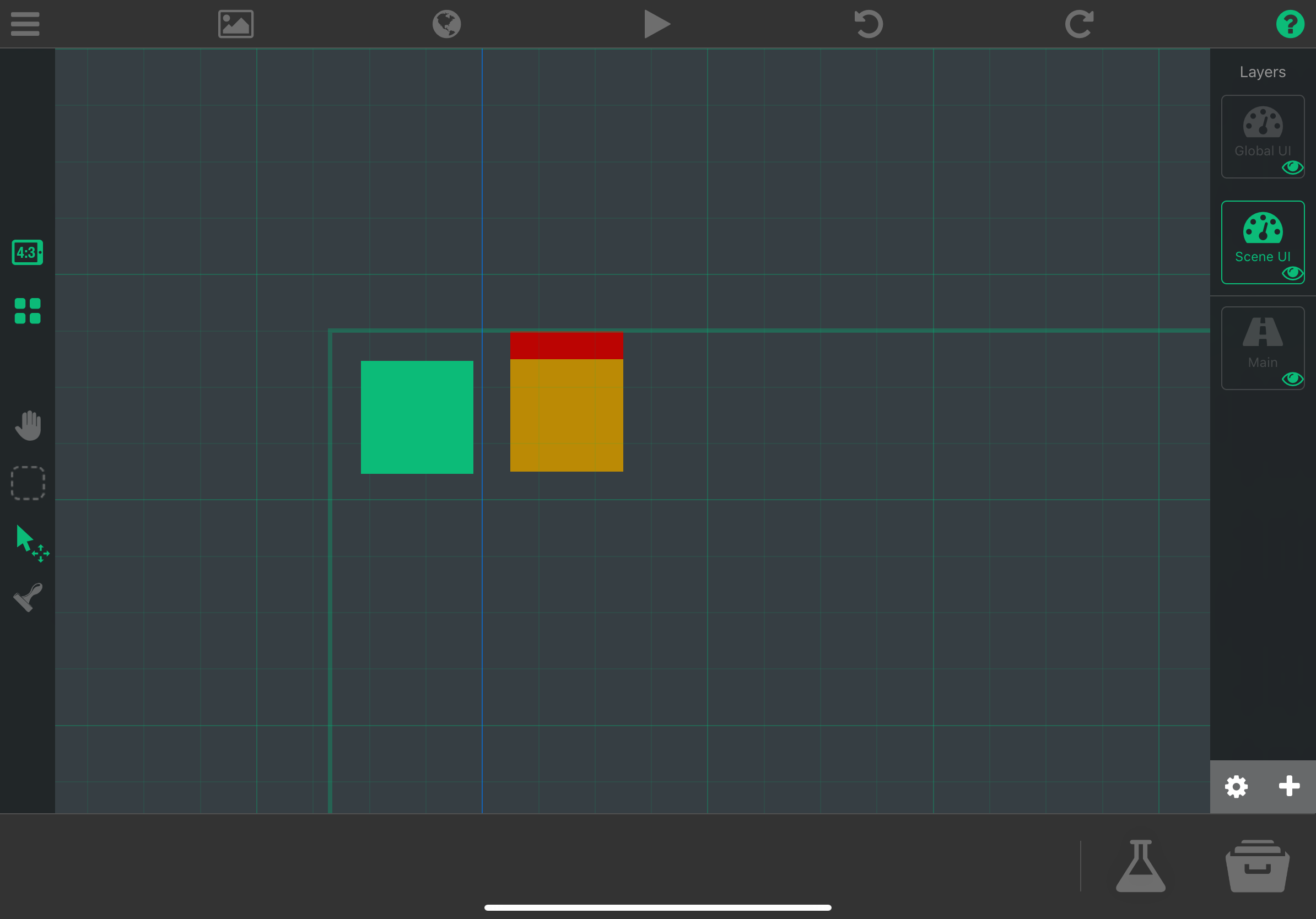
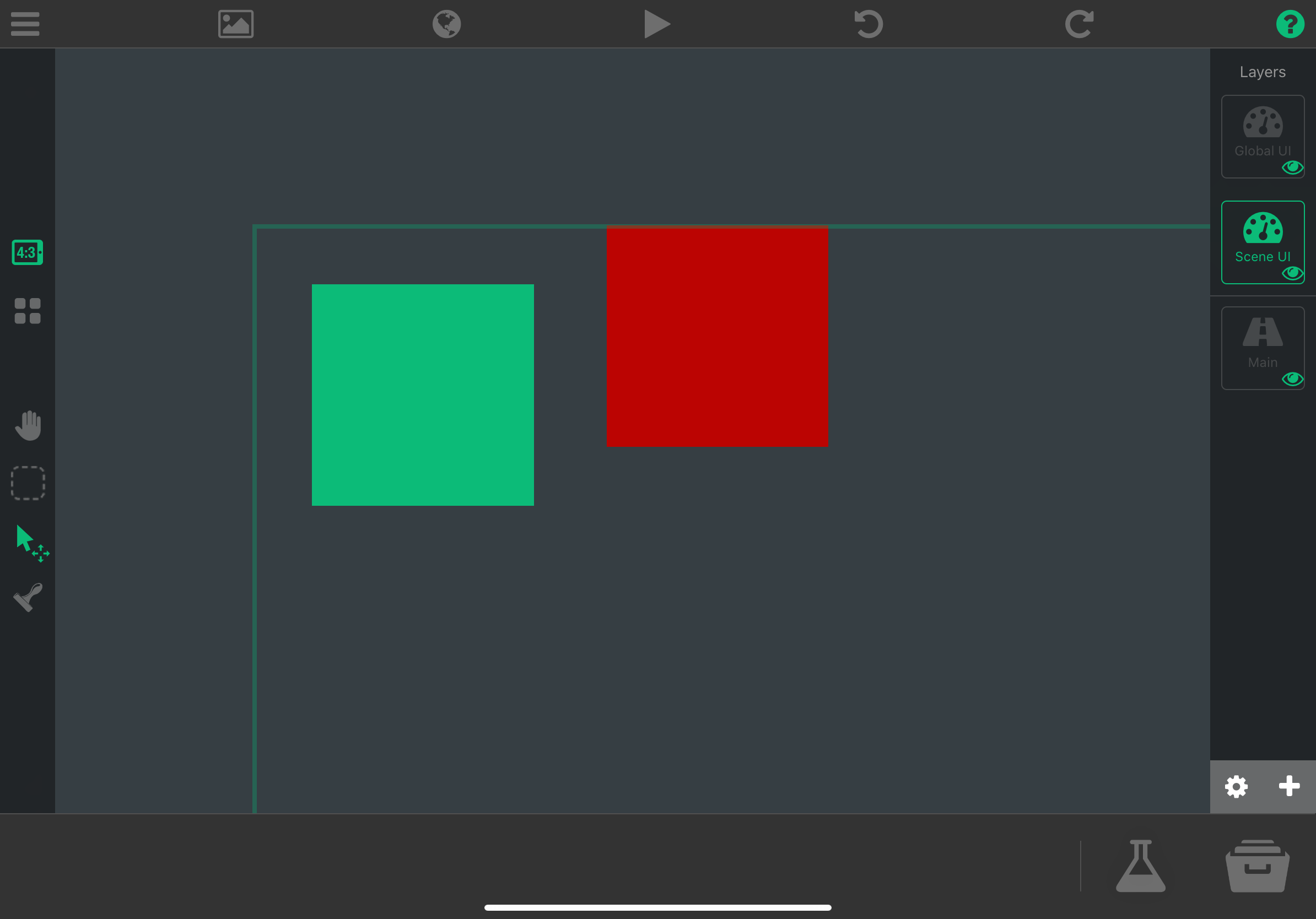
    Any objects placed on the UI or Global Layer will have the position glitched (offset position). The grid view is also displayed incorrectly on the UI and Global Layer, as compared to any other normal layer.

    Steps to reproduce:
    Create a project on an iPad Pro 11-inch and place an object in the scene or global UI layer. Enter play mode and you'll see the positioning is incorrectly different from how it is on editor mode.

    I also noticed switching on and off the iPad Pro aspect ratio in editor may further cause a different glitched offset position on objects in the UI/Global layer.

    Additional info:
    017962DB-7DCB-4748-96F6-59D5C72F0682.png
    7C85A864-39C0-4E8D-B658-022E4FC16904.png

    Video:
    FullSizeRender.mov

    Grid on main layer (correct):
    D7FF8628-96EB-4E5E-9811-C7BAB0822AA1.png
    Grid on UI layer (incorrect)
    B31E0537-C27E-44FB-94DC-C85E939DA889.png

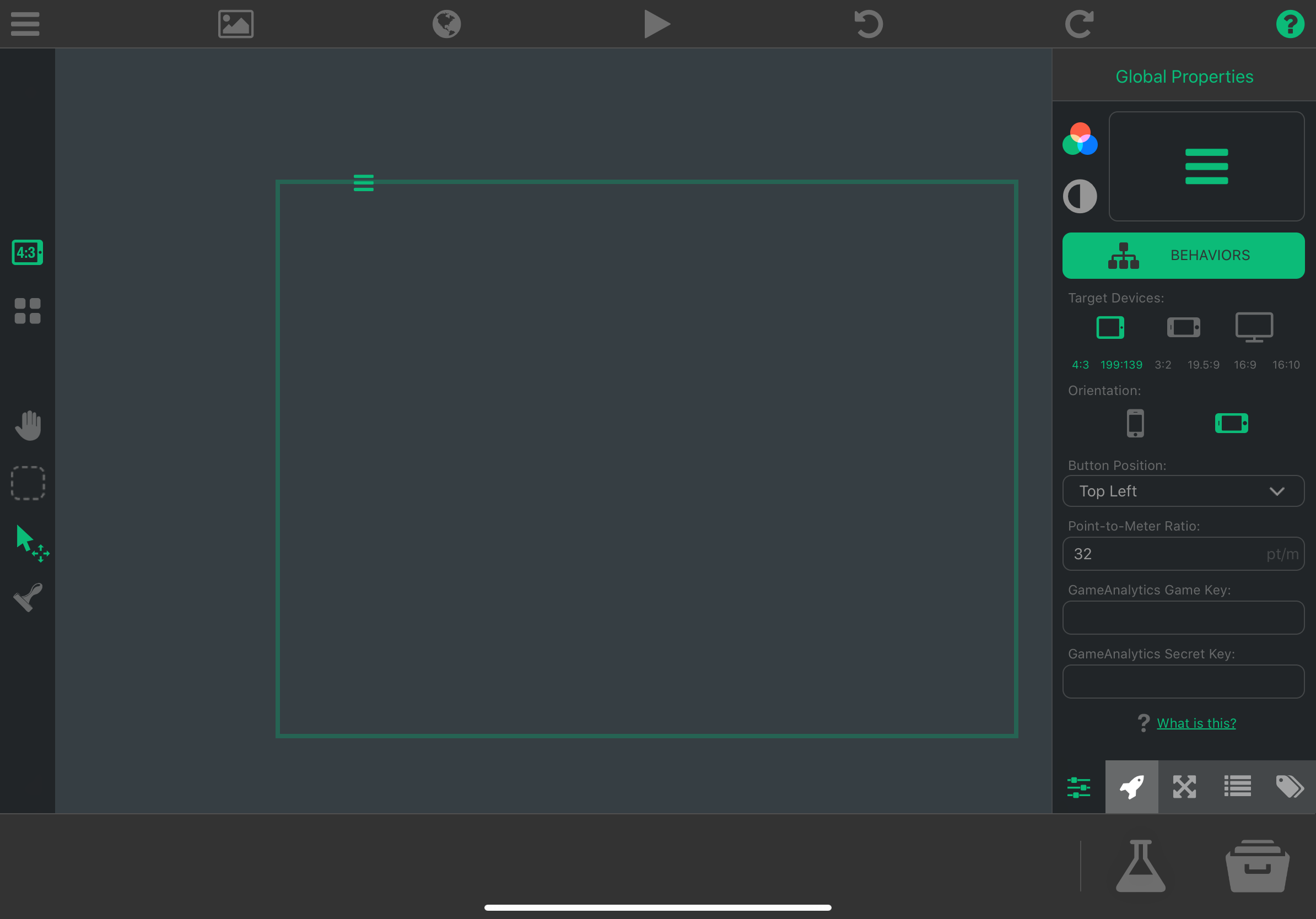
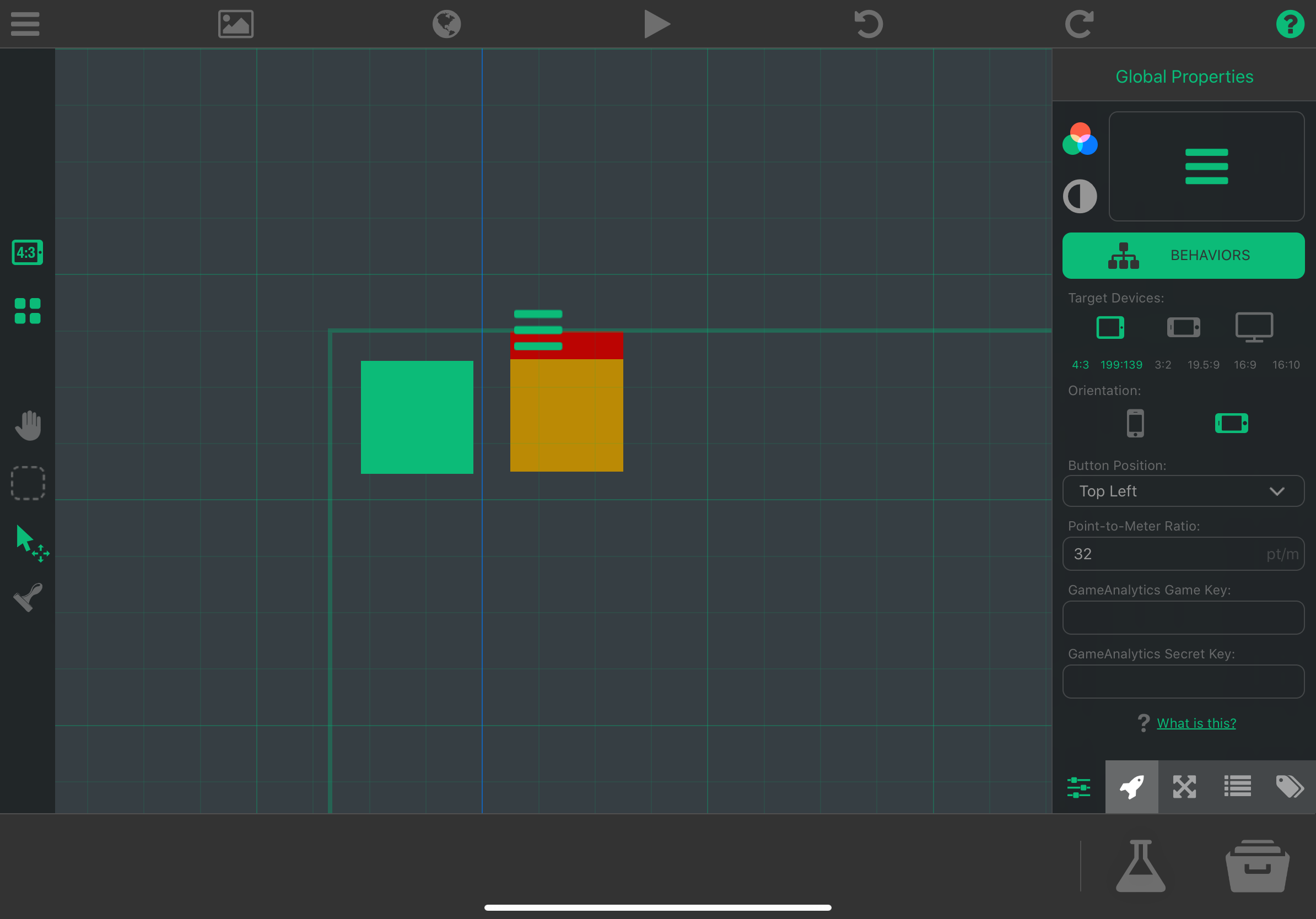
    Switching project's target aspect ratio to a different one and then back to regular iPad aspect, will persist a glitched hyperPad menu button position on the editor; play mode is not effected by this.
    05E423F4-2E0B-4FA3-87F1-A48B4CFB5EC3.png

    1 Reply Last reply
    1
    • HamedH Offline
      HamedH Offline
      Hamed
      Admin
      wrote on last edited by
      #2

      Thanks for the excellent bug report. Thought we fixed this before

      1 Reply Last reply
      0
      • KamdroidK Offline
        KamdroidK Offline
        Kamdroid
        wrote on last edited by
        #3

        @Hamed @Murtaza Any estimated time when this will be fixed? I'd appreciate a fix ASAP since this is the reason why I can't work on any projects.

        MurtazaM 1 Reply Last reply
        0
        • KamdroidK Kamdroid

          @Hamed @Murtaza Any estimated time when this will be fixed? I'd appreciate a fix ASAP since this is the reason why I can't work on any projects.

          MurtazaM Offline
          MurtazaM Offline
          Murtaza
          Admin
          wrote on last edited by
          #4

          @Kamdroid
          We've fixed the bug (along with a bunch of others).
          Theres a few more to get through that have recently been reported. So once those are done we'll release. Unfortunately @Hamed just had a hard drive crash as well so that will also slow some things down a little :(

          SplitMindGamingS 1 Reply Last reply
          0
          • MurtazaM Murtaza

            @Kamdroid
            We've fixed the bug (along with a bunch of others).
            Theres a few more to get through that have recently been reported. So once those are done we'll release. Unfortunately @Hamed just had a hard drive crash as well so that will also slow some things down a little :(

            SplitMindGamingS Offline
            SplitMindGamingS Offline
            SplitMindGaming
            wrote on last edited by
            #5

            @Murtaza excited for the update.

            1 Reply Last reply
            0
            • RobinsonXR Offline
              RobinsonXR Offline
              RobinsonX
              wrote on last edited by
              #6

              Awww, that sucks.. 😬

              But whenever the update comes out, I'm hoping it can fix a bunch of weird bugs we are having. 👍

              1 Reply Last reply
              0
              • KamdroidK Offline
                KamdroidK Offline
                Kamdroid
                wrote on last edited by
                #7

                @Murtaza The beta has fixed this issue. The only thing left is just a non-important visual glitch, where the hyperPad menu button still shows on the wrong position:
                B4E40322-2F37-4C4F-A93F-CE7482024C80.png

                1 Reply Last reply
                0

                Hello! It looks like you're interested in this conversation, but you don't have an account yet.

                Getting fed up of having to scroll through the same posts each visit? When you register for an account, you'll always come back to exactly where you were before, and choose to be notified of new replies (either via email, or push notification). You'll also be able to save bookmarks and upvote posts to show your appreciation to other community members.

                With your input, this post could be even better 💗

                Register Login
                Reply
                • Reply as topic
                Log in to reply
                • Oldest to Newest
                • Newest to Oldest
                • Most Votes


                • Login

                • Login or register to search.
                • First post
                  Last post
                0
                • Categories
                • Recent
                • Tags
                • Popular
                • Users
                • Search