Skip to content
  • Categories
  • Recent
  • Tags
  • Popular
  • Users
  • Search
Skins
  • Light
  • Brite
  • Cerulean
  • Cosmo
  • Flatly
  • Journal
  • Litera
  • Lumen
  • Lux
  • Materia
  • Minty
  • Morph
  • Pulse
  • Sandstone
  • Simplex
  • Sketchy
  • Spacelab
  • United
  • Yeti
  • Zephyr
  • Dark
  • Cyborg
  • Darkly
  • Quartz
  • Slate
  • Solar
  • Superhero
  • Vapor

  • Default (No Skin)
  • No Skin
Collapse
hyperPad

hyperPad Forum

  1. Home
  2. Comments & Feedback
  3. Event handling in the Game loop

Event handling in the Game loop

Scheduled Pinned Locked Moved Comments & Feedback
7 Posts 5 Posters 1.2k Views 2 Watching
  • Oldest to Newest
  • Newest to Oldest
  • Most Votes
Reply
  • Reply as topic
Log in to reply
This topic has been deleted. Only users with topic management privileges can see it.
  • TutorialDoctorT Offline
    TutorialDoctorT Offline
    TutorialDoctor
    wrote on last edited by
    #1

    We find ourselves using a timer set to 0 seconds to process behaviors on any given frame of the game loop.

    Any plans to allow us to make updates in the game loop without timers and the limits that comes with?

    1 Reply Last reply
    1
    • HamedH Offline
      HamedH Offline
      Hamed
      Admin
      wrote on last edited by
      #2

      Timers of 0 is the game loop. Basically we just say don't do too much in your game loop because it will start lagging.

      1 Reply Last reply
      0
      • Michael KhalfinG Offline
        Michael KhalfinG Offline
        Michael Khalfin
        wrote on last edited by
        #3

        I never use 0. More like 0.1, rarely does it have to be that sudden...

        1 Reply Last reply
        0
        • Aidan_FireA Offline
          Aidan_FireA Offline
          Aidan_Fire
          wrote on last edited by
          #4

          Depends on what you're doing, sometimes 0.1 is ok but sometimes it looks too rough for what you're trying to do. 3D was too laggy with 0s so I made it 0.1 with the moves taking 0.1 seconds to finish.

          Jack de WildeJ 1 Reply Last reply
          0
          • Aidan_FireA Aidan_Fire

            Depends on what you're doing, sometimes 0.1 is ok but sometimes it looks too rough for what you're trying to do. 3D was too laggy with 0s so I made it 0.1 with the moves taking 0.1 seconds to finish.

            Jack de WildeJ Offline
            Jack de WildeJ Offline
            Jack de Wilde
            wrote on last edited by
            #5

            @Aidan-Oxley yeah, if you want a transition or to draw something, you probably want it at timer 0 since that's 60 per second, same as the fps. You can also do timer(0.033) if you want it to be every second frame. Also, @Hamed, does the input for timer and wait get rounded to the nearest 60th, or does it run in between game ticks if we don't have a rational number?

            1 Reply Last reply
            1
            • HamedH Offline
              HamedH Offline
              Hamed
              Admin
              wrote on last edited by
              #6

              It gets rounded.

              1 Reply Last reply
              0
              • TutorialDoctorT Offline
                TutorialDoctorT Offline
                TutorialDoctor
                wrote on last edited by TutorialDoctor
                #7

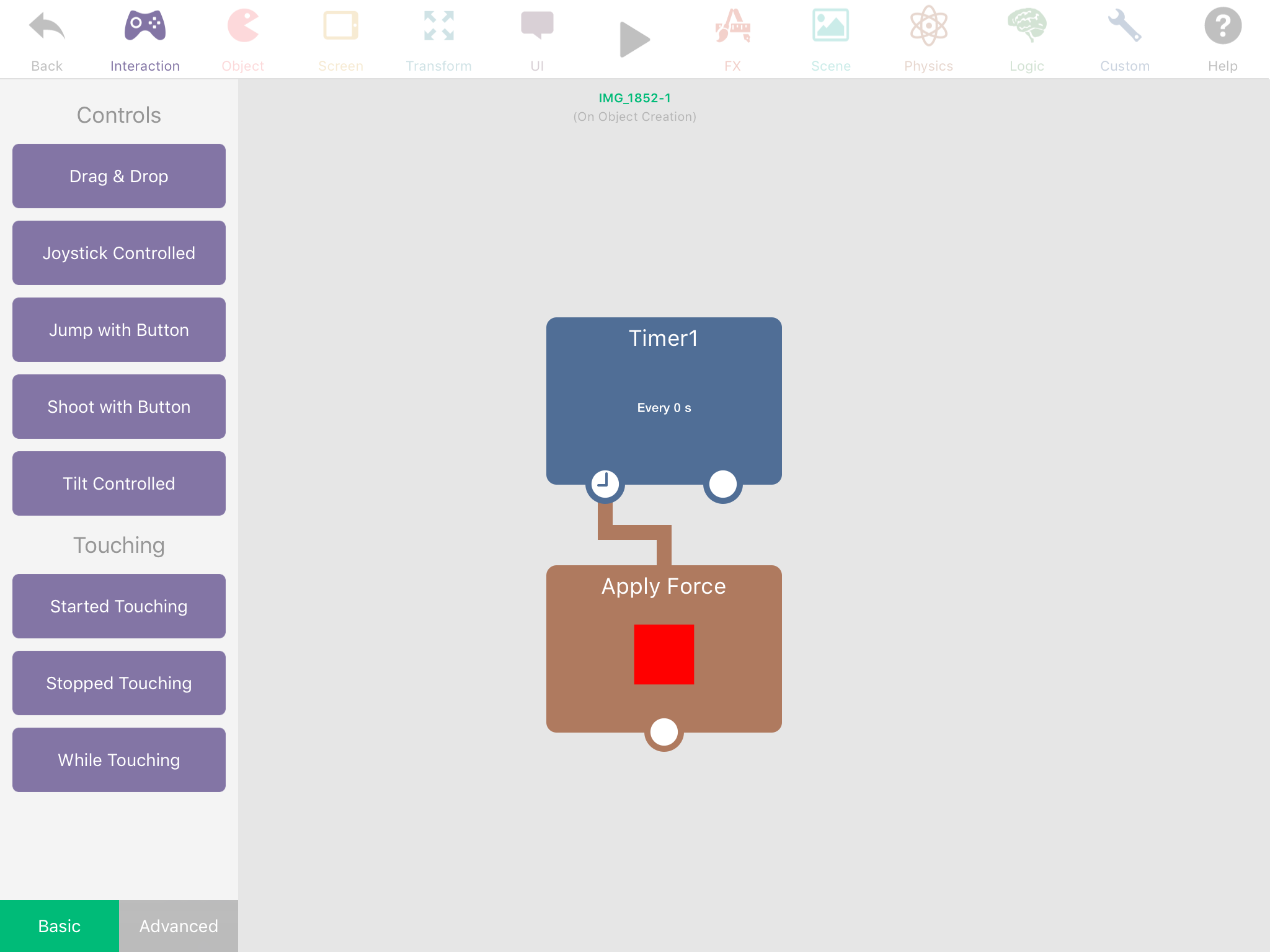
                @Hamed Cool, so this is perfectly fine in Birds Eye View mode to simulate gravity or to even expand it to create your own physics setup at no additional cost nor advantage? I wonder what would happen if this were applied to a tag of physics objects.

                0_1492528927191_IMG_2210.PNG

                1 Reply Last reply
                1

                Hello! It looks like you're interested in this conversation, but you don't have an account yet.

                Getting fed up of having to scroll through the same posts each visit? When you register for an account, you'll always come back to exactly where you were before, and choose to be notified of new replies (either via email, or push notification). You'll also be able to save bookmarks and upvote posts to show your appreciation to other community members.

                With your input, this post could be even better 💗

                Register Login
                Reply
                • Reply as topic
                Log in to reply
                • Oldest to Newest
                • Newest to Oldest
                • Most Votes


                • Login

                • Login or register to search.
                • First post
                  Last post
                0
                • Categories
                • Recent
                • Tags
                • Popular
                • Users
                • Search