Skip to content
  • Categories
  • Recent
  • Tags
  • Popular
  • Users
  • Search
Skins
  • Light
  • Brite
  • Cerulean
  • Cosmo
  • Flatly
  • Journal
  • Litera
  • Lumen
  • Lux
  • Materia
  • Minty
  • Morph
  • Pulse
  • Sandstone
  • Simplex
  • Sketchy
  • Spacelab
  • United
  • Yeti
  • Zephyr
  • Dark
  • Cyborg
  • Darkly
  • Quartz
  • Slate
  • Solar
  • Superhero
  • Vapor

  • Default (No Skin)
  • No Skin
Collapse
hyperPad

hyperPad Forum

  1. Home
  2. Help and Support
  3. Shoot Behavior acting weird?

Shoot Behavior acting weird?

Scheduled Pinned Locked Moved Help and Support
4 Posts 3 Posters 866 Views 1 Watching
  • Oldest to Newest
  • Newest to Oldest
  • Most Votes
Reply
  • Reply as topic
Log in to reply
This topic has been deleted. Only users with topic management privileges can see it.
  • Ultra RobotU Offline
    Ultra RobotU Offline
    Ultra Robot
    wrote on last edited by
    #1

    I think the Shoot behavior is acting a bit weird for me. I'm testing my game at the moment, and I'm finding that when my character shoots lasers, the lasers shoot from BEHIND the character, and will get destroyed before even firing with Destroy on Impact on. With Destroy on Impact turned off, the bullets will just glide along the ground, as shown in the following images:
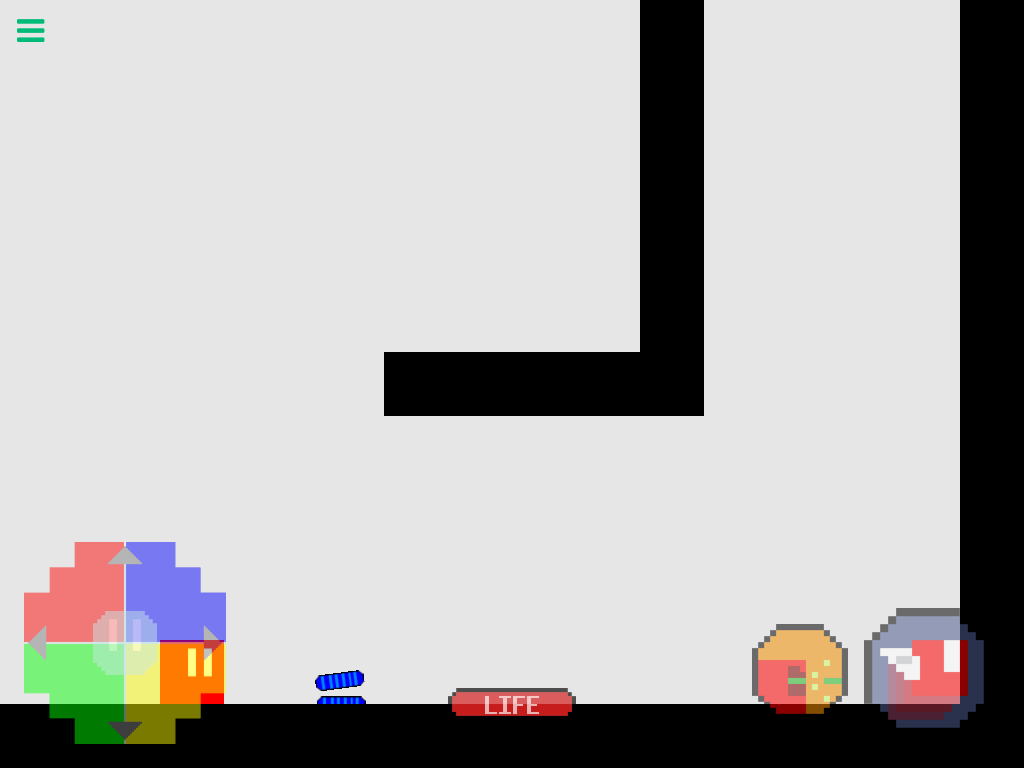
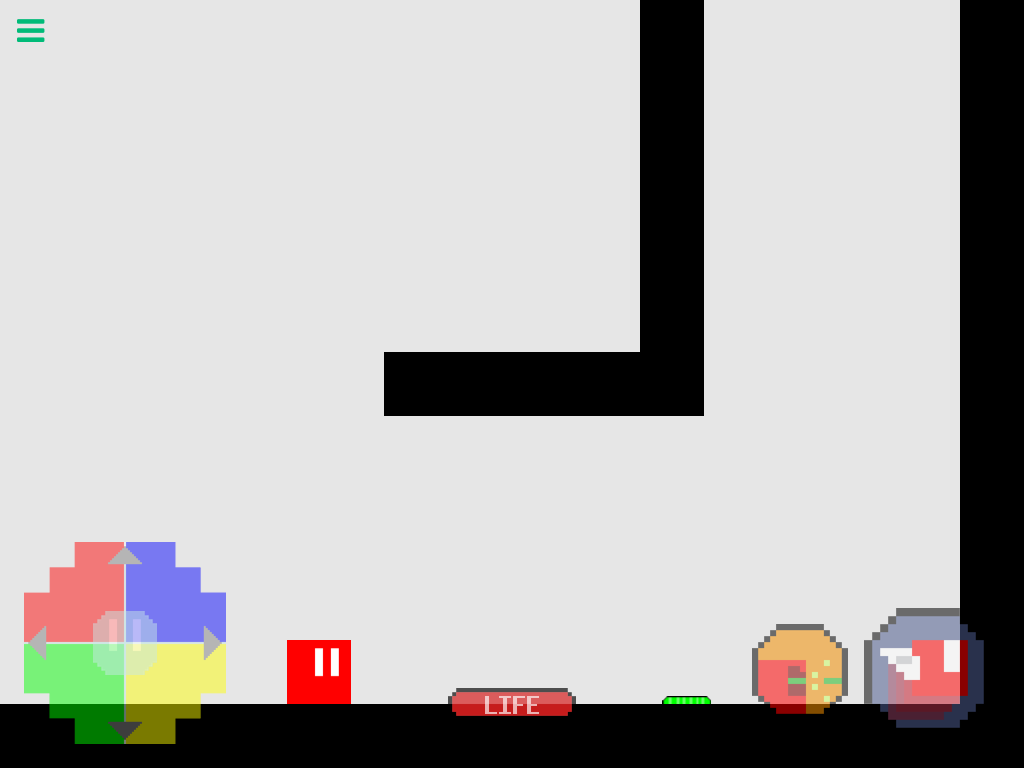
    1_1493906543054_image.png 0_1493906543051_image.png

    My goal here is to make the lasers shoot out of the "eyes" of the character, rather than seeing the lasers just float along the ground. Some suggestions for how to accomplish something like this would be appreciated! Thanks in advance.

    1 Reply Last reply
    0
    • S Offline
      S Offline
      Stephenn
      wrote on last edited by
      #2

      Try changing the emitter position to x 20% y 80%

      1 Reply Last reply
      0
      • S Offline
        S Offline
        Stephenn
        wrote on last edited by
        #3
        • y 20% x 80%
        1 Reply Last reply
        0
        • MurtazaM Offline
          MurtazaM Offline
          Murtaza
          Admin
          wrote on last edited by
          #4

          As Stephen says,
          it looks like your emitter position is the problem. The emitter position is where on the object the bullet will shoot from.
          Since in your case, it looks like the bullet is very close to the ground, when you have destroy on impact on, it destroys immediately because it's hitting the ground right away.

          You can enter values manually from the shoot behaviour properties, or you can tap the object graphic from the behaviour properties and move the blue target to the location you want the bullet to shoot from.

          https://hyperpad.zendesk.com/hc/en-us/articles/115000898946-Shoot-with-Button

          1 Reply Last reply
          0

          Hello! It looks like you're interested in this conversation, but you don't have an account yet.

          Getting fed up of having to scroll through the same posts each visit? When you register for an account, you'll always come back to exactly where you were before, and choose to be notified of new replies (either via email, or push notification). You'll also be able to save bookmarks and upvote posts to show your appreciation to other community members.

          With your input, this post could be even better 💗

          Register Login
          Reply
          • Reply as topic
          Log in to reply
          • Oldest to Newest
          • Newest to Oldest
          • Most Votes


          • Login

          • Login or register to search.
          • First post
            Last post
          0
          • Categories
          • Recent
          • Tags
          • Popular
          • Users
          • Search
