Skip to content
  • Categories
  • Recent
  • Tags
  • Popular
  • Users
  • Search
Skins
  • Light
  • Brite
  • Cerulean
  • Cosmo
  • Flatly
  • Journal
  • Litera
  • Lumen
  • Lux
  • Materia
  • Minty
  • Morph
  • Pulse
  • Sandstone
  • Simplex
  • Sketchy
  • Spacelab
  • United
  • Yeti
  • Zephyr
  • Dark
  • Cyborg
  • Darkly
  • Quartz
  • Slate
  • Solar
  • Superhero
  • Vapor

  • Default (No Skin)
  • No Skin
Collapse
hyperPad

hyperPad Forum

  1. Home
  2. Help and Support
  3. Constrain the "Drag and Drop Area" Error ?

Constrain the "Drag and Drop Area" Error ?

Scheduled Pinned Locked Moved Help and Support
10 Posts 4 Posters 1.7k Views 2 Watching
  • Oldest to Newest
  • Newest to Oldest
  • Most Votes
Reply
  • Reply as topic
Log in to reply
This topic has been deleted. Only users with topic management privileges can see it.
  • John LiaoJ Offline
    John LiaoJ Offline
    John Liao
    wrote on last edited by
    #1

    When I set the area for "drag-n-drop" of an object, it always moves incorrectly.

    Is that a bug ?

    Thx.

    Jack de WildeJ 1 Reply Last reply
    0
    • John LiaoJ John Liao

      When I set the area for "drag-n-drop" of an object, it always moves incorrectly.

      Is that a bug ?

      Thx.

      Jack de WildeJ Offline
      Jack de WildeJ Offline
      Jack de Wilde
      wrote on last edited by
      #2

      @John-Liao it seems to work fine for me as long as the object starts off inside the area. Can you reproduce it in a separate project? If you can, use email download link and paste the link in the forum.

      1 Reply Last reply
      0
      • John LiaoJ Offline
        John LiaoJ Offline
        John Liao
        wrote on last edited by
        #3

        It's the same problem. I set the area, but can not drag and drop in the area correctly....
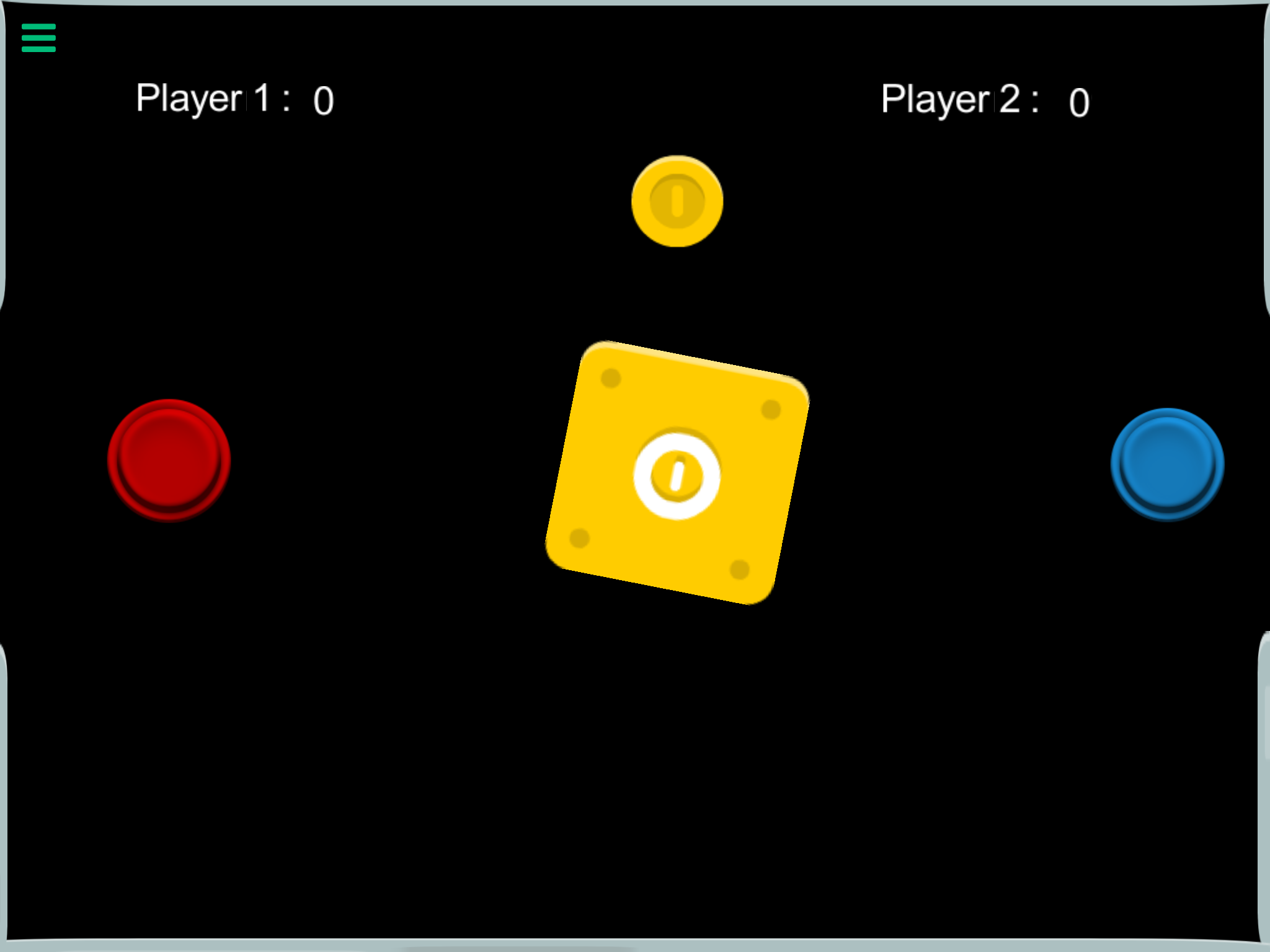
        1_1502083757346_IMG_1113.PNG 0_1502083757342_IMG_1112.PNG

        Jack de WildeJ 1 Reply Last reply
        0
        • John LiaoJ John Liao

          It's the same problem. I set the area, but can not drag and drop in the area correctly....
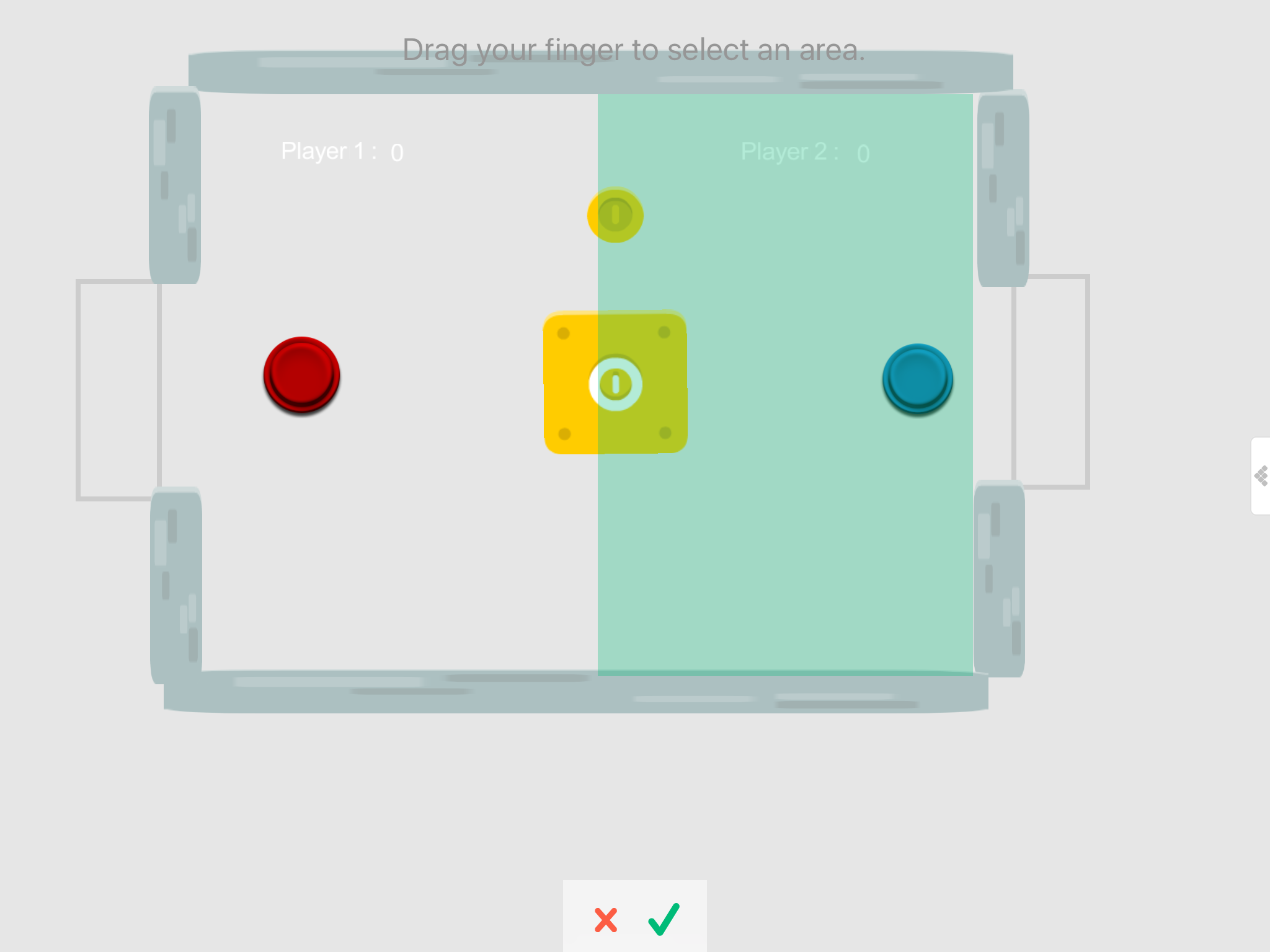
          1_1502083757346_IMG_1113.PNG 0_1502083757342_IMG_1112.PNG

          Jack de WildeJ Offline
          Jack de WildeJ Offline
          Jack de Wilde
          wrote on last edited by
          #4

          @John-Liao do you have the right object selected? Paste a link to your project (or pm it).

          John LiaoJ 2 Replies Last reply
          0
          • Jack de WildeJ Jack de Wilde

            @John-Liao do you have the right object selected? Paste a link to your project (or pm it).

            John LiaoJ Offline
            John LiaoJ Offline
            John Liao
            wrote on last edited by
            #5

            @Jack8680 Surely I selected the right object, and set the "constrain area" for the drag-n-drop behavior. I got x, y numbers of the area, but just cannot move the object correctly as the setting.... :(

            1 Reply Last reply
            0
            • Jack de WildeJ Jack de Wilde

              @John-Liao do you have the right object selected? Paste a link to your project (or pm it).

              John LiaoJ Offline
              John LiaoJ Offline
              John Liao
              wrote on last edited by
              #6

              @Jack8680 please check http://bit.ly/2wBhpnq , level 1-1, the blue button.

              It might be the problem that I imported the project from GamePress then add some new features on it. If I do it totally new on HyperPad, it works well.

              I'll try to redo it again on HyperPad, tks a lot.

              Jack de WildeJ 1 Reply Last reply
              0
              • John LiaoJ John Liao

                @Jack8680 please check http://bit.ly/2wBhpnq , level 1-1, the blue button.

                It might be the problem that I imported the project from GamePress then add some new features on it. If I do it totally new on HyperPad, it works well.

                I'll try to redo it again on HyperPad, tks a lot.

                Jack de WildeJ Offline
                Jack de WildeJ Offline
                Jack de Wilde
                wrote on last edited by
                #7

                @John-Liao that's really weird, the bug also occurs when I add a new object into your project with drag and drop, but it doesn't occur in other projects. You're right, it probably is a bug with importing from game press.

                1 Reply Last reply
                0
                • MurtazaM Offline
                  MurtazaM Offline
                  Murtaza
                  Admin
                  wrote on last edited by
                  #8

                  At this point you shouldn't expect GamePress projects to work in HyperPad. Way too much has changed. GamePress is almost 4 years out of date at this point.


                  John LiaoJ 1 Reply Last reply
                  0
                  • A Offline
                    A Offline
                    ackov77
                    wrote on last edited by
                    #9

                    @John-Liao what solution did you find for this?

                    1 Reply Last reply
                    0
                    • MurtazaM Murtaza

                      At this point you shouldn't expect GamePress projects to work in HyperPad. Way too much has changed. GamePress is almost 4 years out of date at this point.

                      John LiaoJ Offline
                      John LiaoJ Offline
                      John Liao
                      wrote on last edited by
                      #10

                      @Murtaza Yes, I redo it again, and everything is fine now. tks.

                      1 Reply Last reply
                      0

                      Hello! It looks like you're interested in this conversation, but you don't have an account yet.

                      Getting fed up of having to scroll through the same posts each visit? When you register for an account, you'll always come back to exactly where you were before, and choose to be notified of new replies (either via email, or push notification). You'll also be able to save bookmarks and upvote posts to show your appreciation to other community members.

                      With your input, this post could be even better 💗

                      Register Login
                      Reply
                      • Reply as topic
                      Log in to reply
                      • Oldest to Newest
                      • Newest to Oldest
                      • Most Votes


                      • Login

                      • Login or register to search.
                      • First post
                        Last post
                      0
                      • Categories
                      • Recent
                      • Tags
                      • Popular
                      • Users
                      • Search