
How can I make an enemy face main character
-
-
What are you trying to achieve: make the object face its movement direction, toggle its direction, or flip its collision shape?
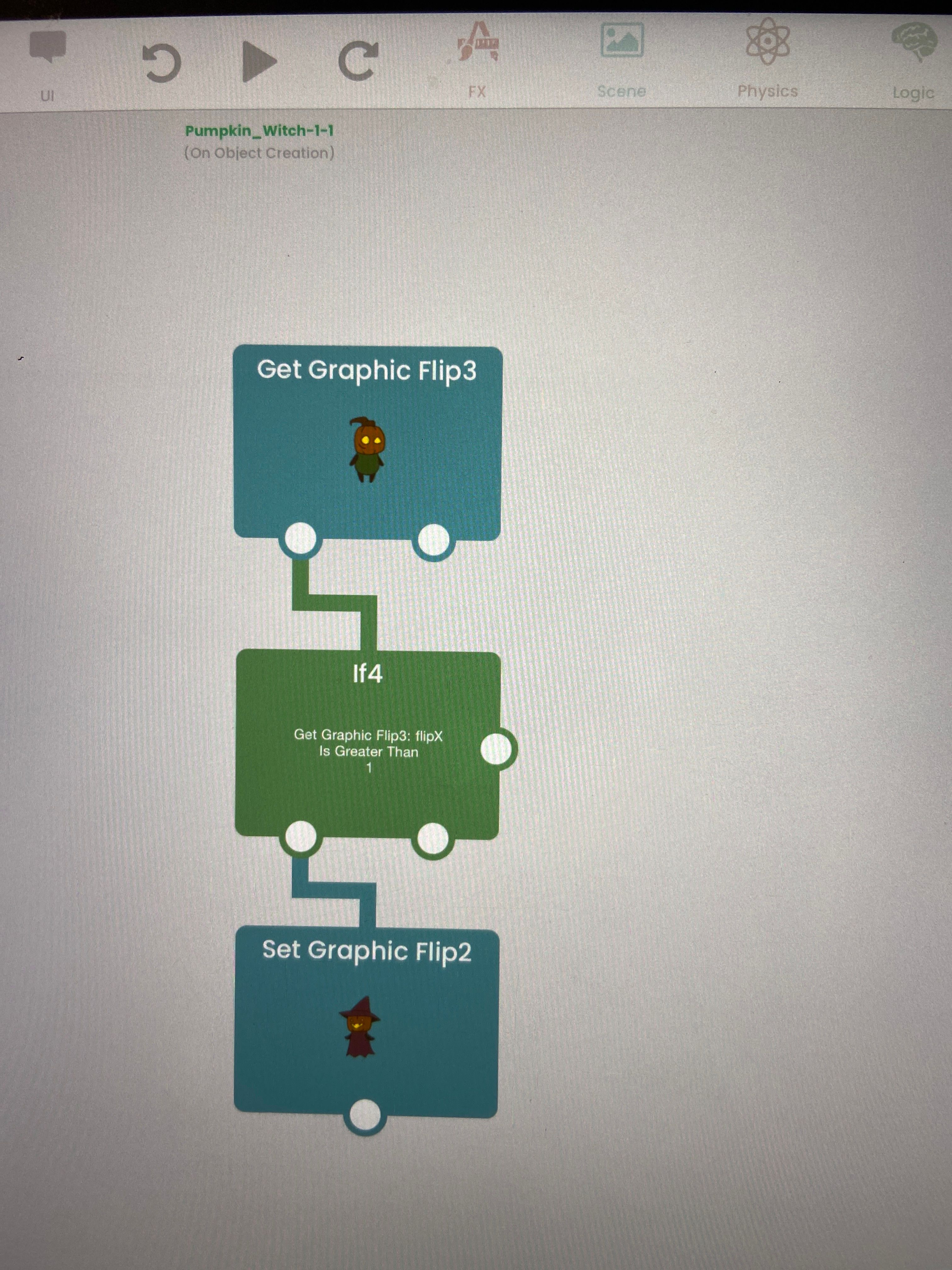
Get Graphic Flip only reads the graphic’s current X and Y orientation. It does not change anything. Connect your event to Get Graphic Flip, pass the Flip X or Flip Y output into an If, then connect the matching Set Graphic Flip behavior after the If. Make sure both behaviors target the same object.
One important detail: Set Graphic Flip changes only the artwork, not the collision shape. If the collision body must turn too, use Scale To and set the relevant scale to a negative value.
Could you share a screenshot of your behavior chain and describe the result you want? That will make it easier to show the exact connections.
-
-
One thing to note:
Your "Get Graphic Flip3" triggers once, when the scene starts. So that set of behaviours there only triggers once, and may not be reporting correctly when you need it.
You need to get the graphic flip on some sort of event. For example, put a button, and when started touched get flip. Then it may work. -
One thing to note:
Your "Get Graphic Flip3" triggers once, when the scene starts. So that set of behaviours there only triggers once, and may not be reporting correctly when you need it.
You need to get the graphic flip on some sort of event. For example, put a button, and when started touched get flip. Then it may work.


Hello! It looks like you're interested in this conversation, but you don't have an account yet.
Getting fed up of having to scroll through the same posts each visit? When you register for an account, you'll always come back to exactly where you were before, and choose to be notified of new replies (either via email, or push notification). You'll also be able to save bookmarks and upvote posts to show your appreciation to other community members.
With your input, this post could be even better 💗
Register Login