Skip to content
  • Categories
  • Recent
  • Tags
  • Popular
  • Users
  • Search
Skins
  • Light
  • Brite
  • Cerulean
  • Cosmo
  • Flatly
  • Journal
  • Litera
  • Lumen
  • Lux
  • Materia
  • Minty
  • Morph
  • Pulse
  • Sandstone
  • Simplex
  • Sketchy
  • Spacelab
  • United
  • Yeti
  • Zephyr
  • Dark
  • Cyborg
  • Darkly
  • Quartz
  • Slate
  • Solar
  • Superhero
  • Vapor

  • Default (No Skin)
  • No Skin
Collapse
hyperPad

hyperPad Forum

  1. Home
  2. Bug Reports
  3. Unable to add icon or screenshots, trying to upload project to hub

Unable to add icon or screenshots, trying to upload project to hub

Scheduled Pinned Locked Moved Bug Reports
13 Posts 4 Posters 1.9k Views 1 Watching
  • Oldest to Newest
  • Newest to Oldest
  • Most Votes
Reply
  • Reply as topic
Log in to reply
This topic has been deleted. Only users with topic management privileges can see it.
  • KamdroidK Offline
    KamdroidK Offline
    Kamdroid
    wrote on last edited by Kamdroid
    #1

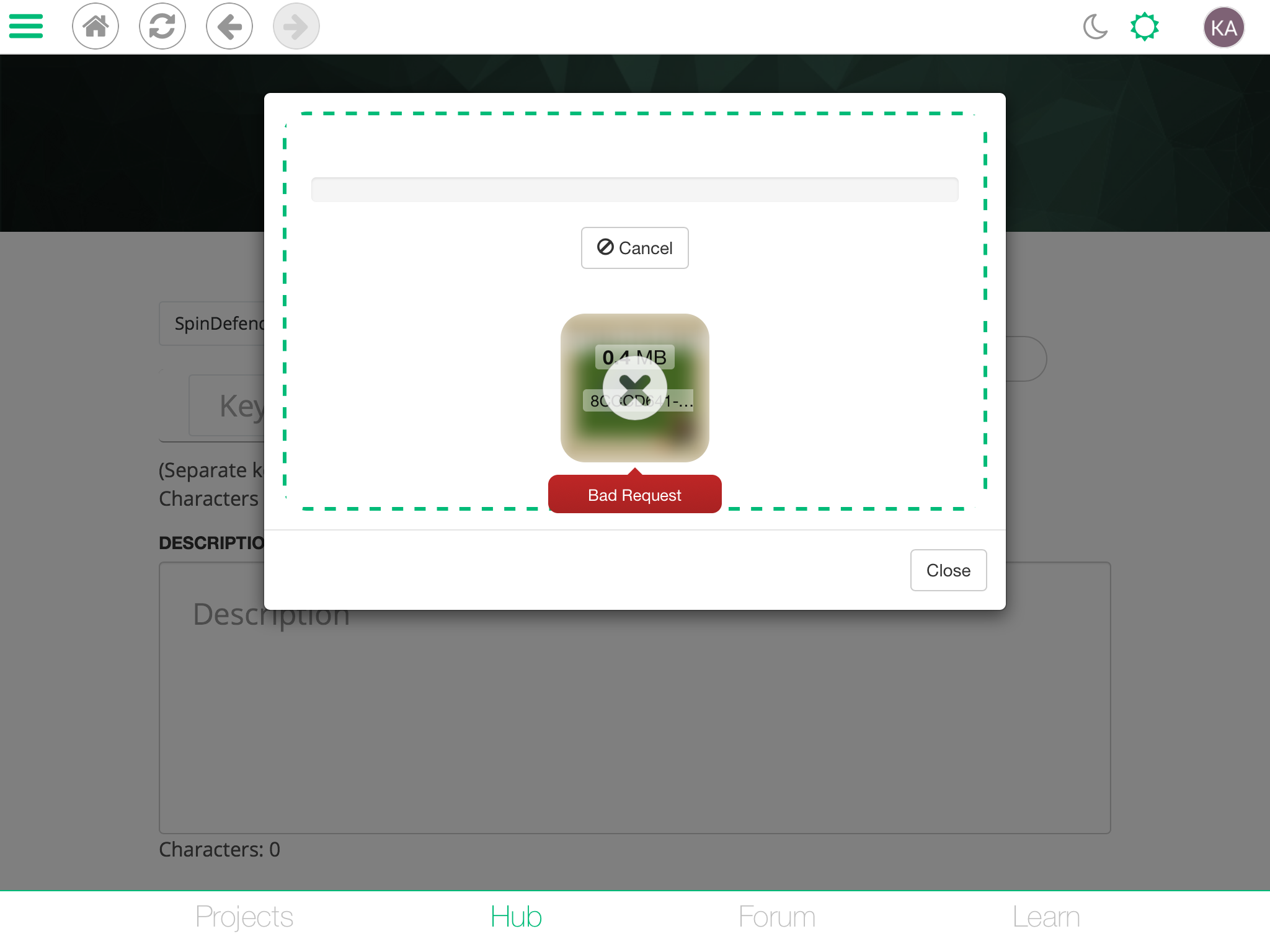
    After the HyperPad update, or maybe because of iOS 11, I can not add icons or screenshots - I can, but they don’t show up, only in the little rounded squares when uploading another image, and when I click on any of the pictures it says “Bad request”. I tried submitting and it says I didn’t add any icon or screenshots.. Tried 3 times and once after restarting my iPad and no luck - anyone else experiencing this issue. Also can’t remove any images either.

    1 Reply Last reply
    0
    • KamdroidK Offline
      KamdroidK Offline
      Kamdroid
      wrote on last edited by
      #2

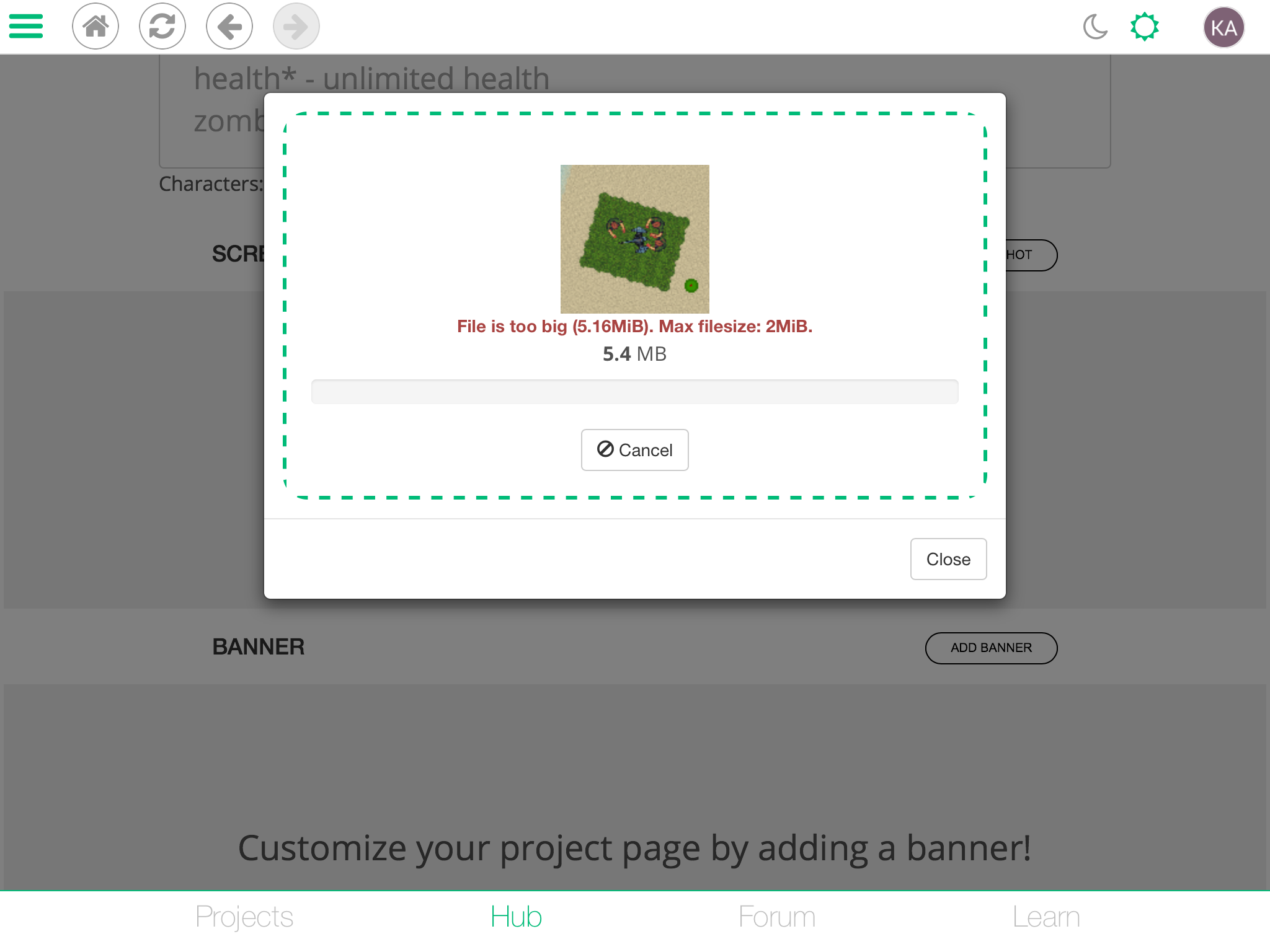
      Here is a screenshot: 0_1508733491443_EC162828-15C4-414C-BCF4-3C7756186424.png

      1 Reply Last reply
      0
      • HamedH Offline
        HamedH Offline
        Hamed
        Admin
        wrote on last edited by
        #3

        Can you try again?

        1 Reply Last reply
        0
        • MurtazaM Offline
          MurtazaM Offline
          Murtaza
          Admin
          wrote on last edited by
          #4

          @Hamed just updated a new version of the hub. This should be fixed now!

          1 Reply Last reply
          0
          • KamdroidK Offline
            KamdroidK Offline
            Kamdroid
            wrote on last edited by Kamdroid
            #5

            @Hamed @Murtaza I think you made the max file size too low. Before I could upload screenshots, now it says they need to be 2mb and they’re 5mb, do I really need to make them that low 😵?

            1 Reply Last reply
            0
            • MurtazaM Offline
              MurtazaM Offline
              Murtaza
              Admin
              wrote on last edited by
              #6

              The max file size hasn't changed.
              5MB is HUGE. Even 2MB is very large. Most images uploaded to the hub are around 500kb.

              KamdroidK 1 Reply Last reply
              0
              • MurtazaM Murtaza

                The max file size hasn't changed.
                5MB is HUGE. Even 2MB is very large. Most images uploaded to the hub are around 500kb.

                KamdroidK Offline
                KamdroidK Offline
                Kamdroid
                wrote on last edited by
                #7

                @Murtaza Well that’s what HyperPad tells me.. This is one screenshot; 0_1508792955646_A98385AA-D5B7-487F-B5C9-2A271D1A985C.png

                1 Reply Last reply
                0
                • MurtazaM Offline
                  MurtazaM Offline
                  Murtaza
                  Admin
                  wrote on last edited by
                  #8

                  Yes. You're exceeding the file size. That's not a bug. Your image file size is simply too large.

                  KamdroidK 1 Reply Last reply
                  0
                  • MurtazaM Murtaza

                    Yes. You're exceeding the file size. That's not a bug. Your image file size is simply too large.

                    KamdroidK Offline
                    KamdroidK Offline
                    Kamdroid
                    wrote on last edited by
                    #9

                    @Murtaza What’s the best way to reduce my screenshot size?

                    1 Reply Last reply
                    0
                    • MurtazaM Offline
                      MurtazaM Offline
                      Murtaza
                      Admin
                      wrote on last edited by
                      #10

                      We've decided to increase the file size. Try again in about 20 minutes.

                      There are image compression apps you can try to reduce file size though.

                      KamdroidK 1 Reply Last reply
                      0
                      • MurtazaM Murtaza

                        We've decided to increase the file size. Try again in about 20 minutes.

                        There are image compression apps you can try to reduce file size though.

                        KamdroidK Offline
                        KamdroidK Offline
                        Kamdroid
                        wrote on last edited by Kamdroid
                        #11

                        Okay, thanks. I’ll update the screenshots for my project next time I release an update, as I decided to just crop it to another specified size.

                        Aidan_FireA 1 Reply Last reply
                        0
                        • KamdroidK Kamdroid

                          Okay, thanks. I’ll update the screenshots for my project next time I release an update, as I decided to just crop it to another specified size.

                          Aidan_FireA Offline
                          Aidan_FireA Offline
                          Aidan_Fire
                          wrote on last edited by
                          #12

                          How do you get such a large file size while keeping in the resolution constraints?

                          KamdroidK 1 Reply Last reply
                          0
                          • Aidan_FireA Aidan_Fire

                            How do you get such a large file size while keeping in the resolution constraints?
                            KamdroidK Offline
                            KamdroidK Offline
                            Kamdroid
                            wrote on last edited by
                            #13

                            @Aidan-Oxley No idea, I just took them as a normal screenshot, worked for all my other projects. It might be because I updated to iOS 11

                            1 Reply Last reply
                            0

                            Hello! It looks like you're interested in this conversation, but you don't have an account yet.

                            Getting fed up of having to scroll through the same posts each visit? When you register for an account, you'll always come back to exactly where you were before, and choose to be notified of new replies (either via email, or push notification). You'll also be able to save bookmarks and upvote posts to show your appreciation to other community members.

                            With your input, this post could be even better 💗

                            Register Login
                            Reply
                            • Reply as topic
                            Log in to reply
                            • Oldest to Newest
                            • Newest to Oldest
                            • Most Votes


                            • Login

                            • Login or register to search.
                            • First post
                              Last post
                            0
                            • Categories
                            • Recent
                            • Tags
                            • Popular
                            • Users
                            • Search